
Fullscreen Section Snap
adding fullscreen section snap scroll
adding fullscreen section snap scroll

Halden is a loud, editorial portfolio for creatives who want their name to land before their work does. Oversized type, a signal-orange accent and full-bleed header images give it the feel of a magazine cover. Animated page transitions make browsing the site feel like turning pages.
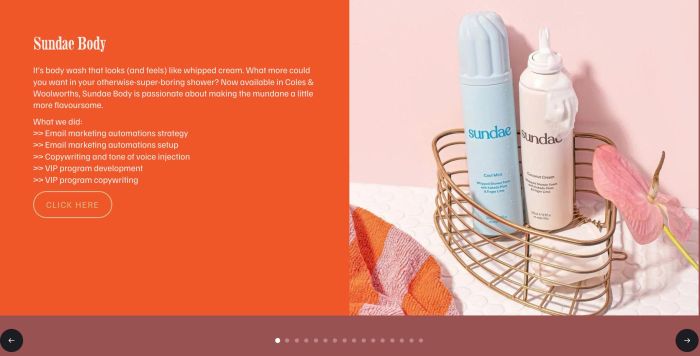
carousel with left – right panels, left panel has color background, text, button, right panel has image, carousel has navigation buttons, arrows
make list carousel image clickable but keep button
There is no excerpt because this is a protected post.
Description left menu – middle logo – right menu If header uses Logo, use this code <script> document.addEventListener(‘DOMContentLoaded’, function(){ const nav = document.querySelector(‘.header-display-desktop nav.header-nav-list’); const logoWrapper = document.querySelector(‘.header-display-desktop .header-title-logo’); const logoAnchor = logoWrapper ? logoWrapper.querySelector(‘a’) : null; if(!nav || !logoWrapper || !logoAnchor) return; const items = Array.from(nav.querySelectorAll(‘.header-nav-item’)); const half = Math.ceil(items.length / 2); const leftItems … Read more
<!– Move elements on mobile – need to check on real mobile –> <script> (function() { const moveConfig = [ { elementToMove: ‘div#block-yui_3_17_2_1_1770496004545_25124’, targetElement: ‘div#block-6e8e9995adc050cecb2e’, position: ‘after’ } ]; function moveBlocks() { if (window.innerWidth <= 767) { moveConfig.forEach(config => { const blockToMove = document.querySelector(config.elementToMove); const targetBlock = document.querySelector(config.targetElement); if (blockToMove && targetBlock && !blockToMove.hasAttribute(‘data-moved’)) { … Read more
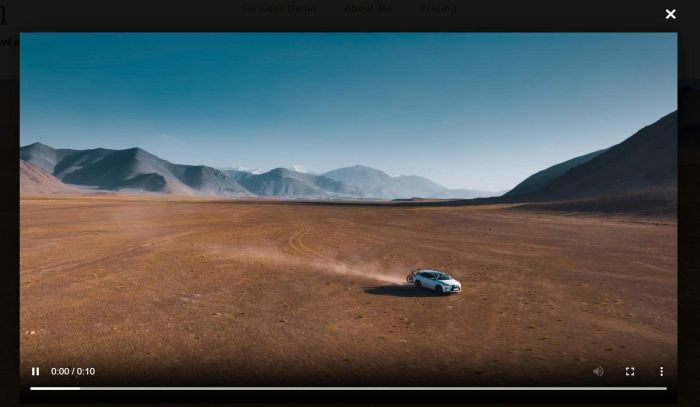
Description see update version: https://member.beaverhero.com/0226c06v2v2-video-background-lightbox/ Section with Video Background, Autoplay Hover on anywhere on section > show “Play” text Click section – open video in lightbox popup view demo – password: abc buy a coffee, my friend code this feature #1. Install code #1.1. First, add a Section with Video Background (use Uploaded video) #1.2. … Read more
Description: Click button – Also trigger notification email Idea: Adding Form Block under Button, then trigger form submit on button click #1. Install Code First, adding a Form Block under Button with Hidden Field only Enter default value Hover on Page where you use Button/Form > Click Gear icon Paste this code <!– @tuanphan – … Read more
adding fluid engine section to product detail
hide sold out + fill in with new item in related products
adding fluid engine section to blog posts
#1. Sticky first 5 columns <style> .custom-filter-container .custom-table-block { position: relative; –tbl-border: rgba(203, 203, 203, 1); –header-bg: rgba(48, 61, 77, 1); –header-color: rgba(250, 249, 249, 1); –body-bg: rgba(255, 255, 255, 1); overflow-x: auto; -webkit-overflow-scrolling: touch; } .custom-filter-container .custom-table-block th.is-sticky-col, .custom-filter-container .custom-table-block td.is-sticky-col { position: sticky; left: var(–sticky-left, 0px); z-index: 2; background-clip: border-box !important; border-bottom: 1px … Read more
These code for Custom Drawer Plugin by @Michael #1. Click link – trigger Custom Drawer Cart Popup <!– Trigger Cart popup on clicking Cart link –> <script> window.addEventListener(‘load’, function() { setTimeout(function() { var customCartLinks = document.querySelectorAll(‘.html-block a[href=”/cart”]’); var mainCartIcon = document.querySelector(‘#floatingCart a[href=”/cart”]’); if (mainCartIcon) { customCartLinks.forEach(function(link) { link.addEventListener(‘click’, function(e) { e.preventDefault(); e.stopPropagation(); mainCartIcon.click(); return false; … Read more
parallax with section background image
adding caption into Gallery Lightbox
move Comment above Summary Block on Personal Plan
click photo, open specific accordion item
click photo, scroll and open specific accordion item
default amount to dropdown list
+ Use Section Loader Supreme Plugin
+ Use custom JS code to make Buy Now button works with plugin
+ Use CSS code to change style of table columns

hover video block show caption with overlay, click video block will open video lightbox popup with caption
open newsletter in new tab
summary block with oldest posts show first
list color on hover
random quote of the day
add read more read less to Text Block
add (read more) to Text Block in Additional Info
newsletter block style 01
adding blog page to another page without using Summary Block
load more button to summary, and remove limit 30 items
add read more accordion to List Section
add custom page section with custom layout to event detail page
half left halt right feature
list people section with custom style: cards with stars and subtle border
add a slideshow with 2 images same time
add custom page section with custom layout to product detail, under Additional info
portfolio page with custom layout
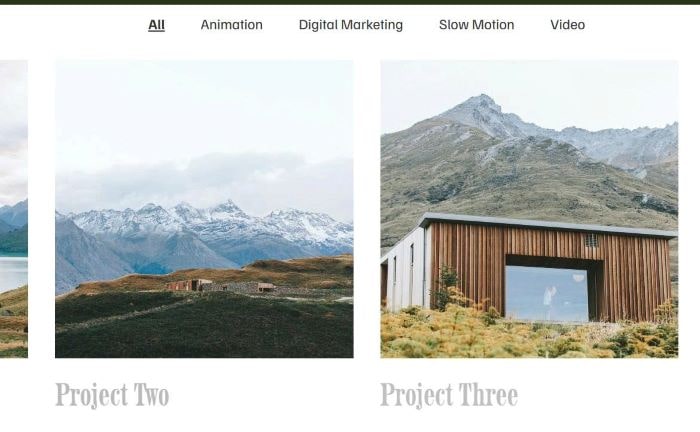
add category filter to portfolio page
replace gallery masonry text with blog excerpt
remove current item in Summary Block in Blog Post
blog layout with 1 x 2 (1 large on left – 2 small on right)
show “limited availability” with product has 5 in stock or under (free version)
add masonry on gallery block
limit number field to 10 numbers only
show variant options on Store Page
show “only x available” when variant option has under 5 in Stock
show “limited availability” with products have 5 in stock or under
show “only x available” in product detail page
add variant on shop page and make product detail variant pre-selected
remove “from XX” and show price on variant selected
on a wall feature
add image with description into Form Inquire
click thumbnails change big image
close X icon in top right of page, click X will open custom page
summary block single carousel for Portfolio Page
autorotate 3 videos. Once 1 video is done playing, it rotates to the next one
make first item in Summary Carousel bigger
make middle image in Summary bigger + full color, left/right image white/black
turn Image Block to Flip Effect
extend Archive Block, show more 100 tags
add a custom image on top of low stock products
achieve a blog layout with 1 x 3 (1 large on left – 3 small on right)
enable Title + Description in Gallery Block Grid
move header under banner image with parallax effect
show all tags under blog post (able to show > 100 tags)
Video Gallery Grid. Click video show Video Lightbox
sync blog page with carousel, but shows blog items in current week only
make Hubspot appears on popup on button click
change product title in store page to custom image
change product detail title to custom image
timeline style 01
always show popup with custom text/button on one page
turn Form Block to Popup
turn Blog Page to Slideshow
sync Blog Page with Slideshow
add Category ID to Product detail page
sync List Carousel with Google Sheets
text sticky across multiple sections, text pulls from Page title
Initial: button with icon/text/background – Hover: show description only
text sticky across multiple sections (one page)
change image to another image after 3 seconds (total 4 – 5 images) in Gallery block
add a download icon on hover gallery image, free version
add a download icon on hover gallery image
make browser scroll down on Form button submit
each field appears once it is filled out
TEXT field validated against a list of hardcoded names. If the name entered does not match anything in the list, I want the form to display an error, prompting the user to try again.
add a button under Add to Cart. Click it will open Pipedrive Form popup
turn Store page to Masonry layout
Masonry layout on Simple List section
Show portfolio sub page content in portfolio page
Hide Add to Cart, show Login to Purchase, click show Login Popup, and add to cart appears then.
Change default option selected in Donation Block
Hide Add to Cart, show Login to Purchase, click show Login Popup, free version
Hide Add to Cart, show text “Login to Purchase” for Logged out users
Border around Navigation items.
Turn Blog Page to Carousel format
Summary Block Date format from Month Day, Year (Aug 30, 2025) to Day Month, Year (30 Aug, 2025)
turn Event Calendar to Carousel on Mobile
Event Calendar to Carousel on Mobile
turn Portfolio Page to Masonry layout
adding text over image in Gallery Block Carousel
Text over Image in Gallery Block Carousel
Add to Cart on a button block
Add to Cart to List item (version 2)
Add to Cart button in List People item
Loop Vimeo video in Lightbox when using Video Lightbox Plugin
Show Product Description on Store Page
Caption in Gallery Lightbox. Fix lag/delay between captions
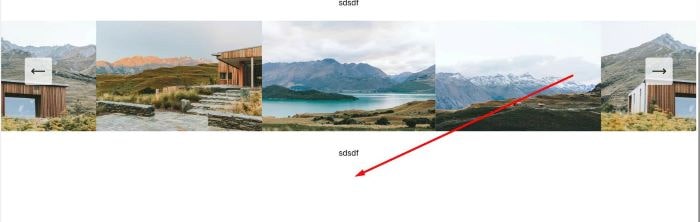
Remove Padding under Slideshow Reel Caption
Portfolio Page to Masonry layout
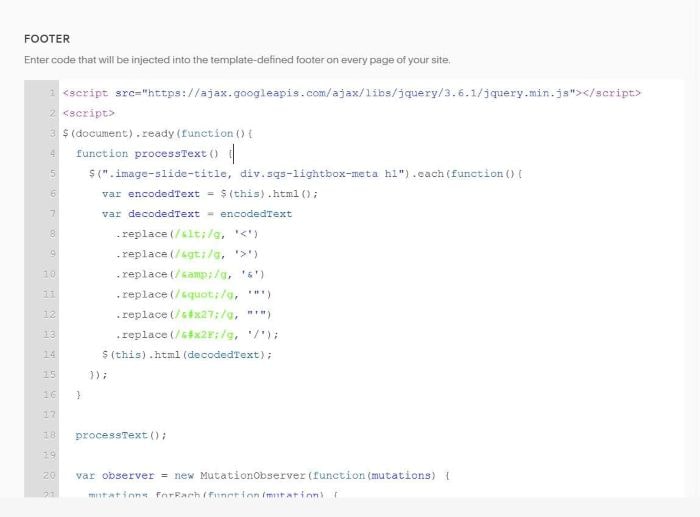
Make br and other HTML tags work in Gallery Block Title & Gallery Lightbox title
Add Category as Class in Store Page.
By default, Tag appears as Class in Store Page, but Category won’t appear.
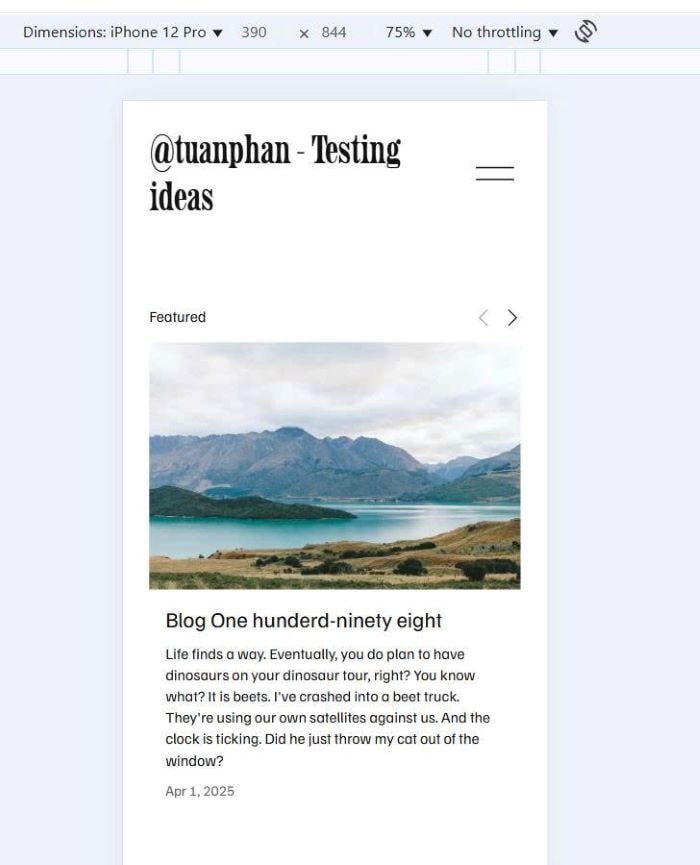
Summary Block Carousel to single column (1 item/row) on Mobile