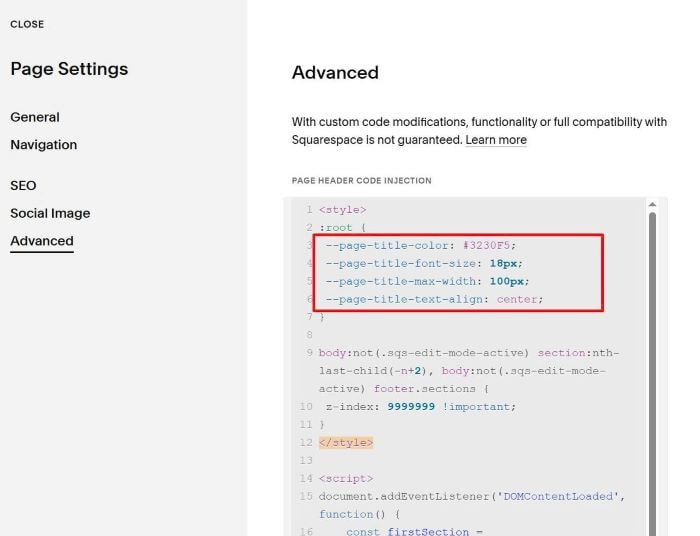
Description:
- Text will pull from Page Title
- Text appear in middle of screen
- Sticky text on Scroll
- Text is hidden on scroll to Last Section
Use code to Code Injection > Footer (apply to All Pages)
Or use code to Page Header Injection (apply to One Page)
<style>
:root {
 --page-title-color: #3230F5;
 --page-title-font-size: 18px;
 --page-title-max-width: 100px;
 --page-title-text-align: center;
}

body:not(.sqs-edit-mode-active) section:nth-last-child(-n+2), body:not(.sqs-edit-mode-active) footer.sections {
 z-index: 9999999 !important;
}
</style>

<script>
document.addEventListener('DOMContentLoaded', function() {
    const firstSection = document.querySelector('article>section:first-child');
    if (firstSection) {
        let pageTitle = document.title;
        if (pageTitle.includes(' — ')) {
            pageTitle = pageTitle.split(' — ')[0];
        }
        const style = document.createElement('style');
        style.textContent = `
            article>section:first-child:before {
                content: "${pageTitle}";
                position: fixed;
                top: 50%;
                left: 50%;
                transform: translate(-50%,-50%);
                z-index: 99999;
                color: var(--page-title-color);
                font-size: var(--page-title-font-size);
                max-width: var(--page-title-max-width);
                text-align: var(--page-title-text-align);
            }
        `;
        document.head.appendChild(style);
    }
});
</script>

You can update Text Color, size, width… here