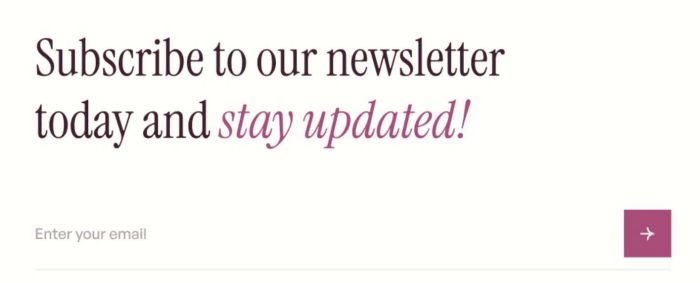
To achieve Newsletter Block style like this.
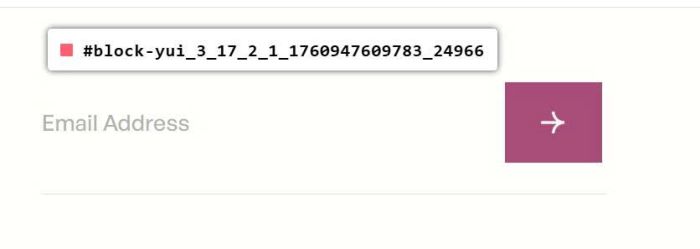
#1. First, find Newsletter Block ID
You can follow this guide to find Newsletter Block ID
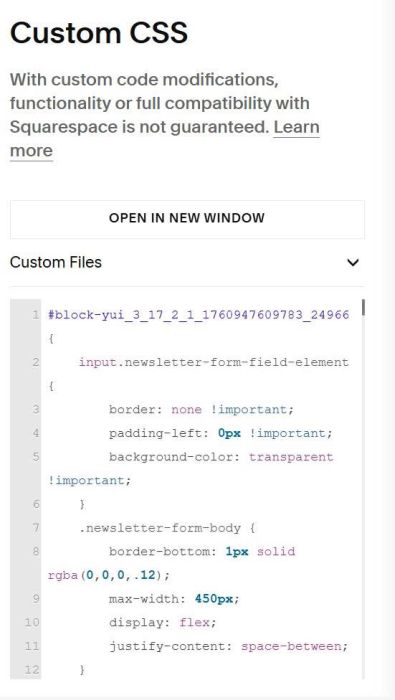
#2. Use this CSS code to Custom CSS.
#block-yui_3_17_2_1_1760947609783_24966 {
    input.newsletter-form-field-element {
        border: none !important;
        padding-left: 0px !important;
        background-color: transparent !important;
    }
    .newsletter-form-body {
        border-bottom: 1px solid rgba(0,0,0,.12);
        max-width: 450px;
        display: flex;
        justify-content: space-between;
        align-items: flex-end !important;
    }
    .newsletter-form-fields-wrapper, .newsletter-form-fields-wrapper input, .newsletter-form-fields-wrapper>div {
        width: 100% !important;
        margin: 0 !important;
        padding: 0px !important;
    }
      input {
          padding-top: 5px !important;
          padding-bottom: 5px !important;
          font-size: 15px !important;
          outline-color: transparent !important;
      }
    .newsletter-form-button-wrapper {
        margin: 0 !important;
        padding: 0px !important;
    }
    button * {
        color: transparent !important;
    }
    button {
        background-image: url(https://static1.squarespace.com/static/68f5739eac6e1d10ec79eecd/t/68f79c5e98e8705fb37444a3/1761057886186/Group+2.png);
        background-size: contain !important;
        background-repeat: no-repeat;
        background-position: center;
        padding: 10px 0px !important;
        width: 50px !important;
    }
    .captcha-container.sqs-form-rendered.align-center {
    display: none;
}}