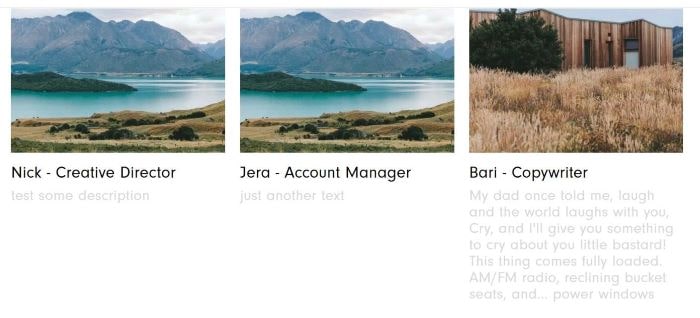
To add Description text under Gallery block title, like this
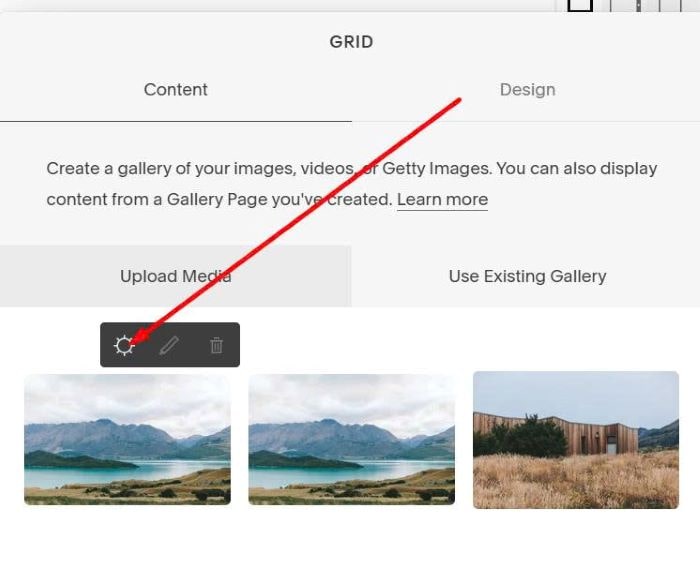
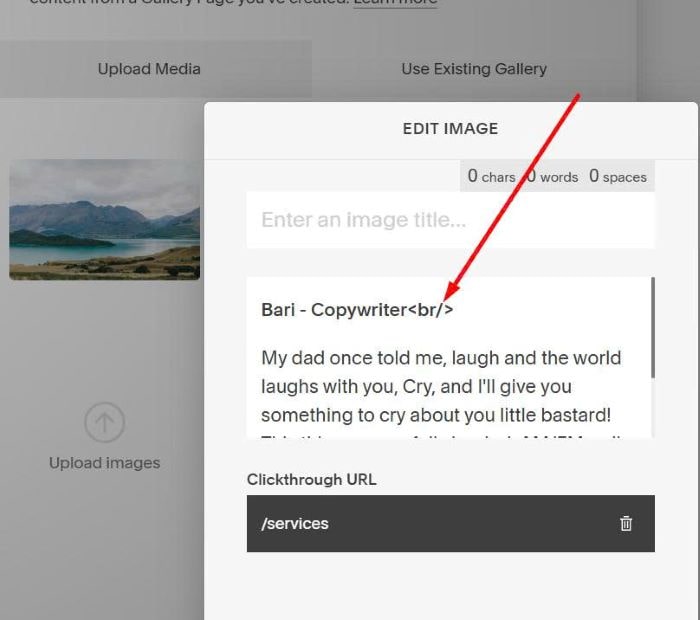
#1. First, edit each image in Gallery Block
#2. Enter text to Description field, use <br/> to add line break.
Make sure enter nothing in Title field
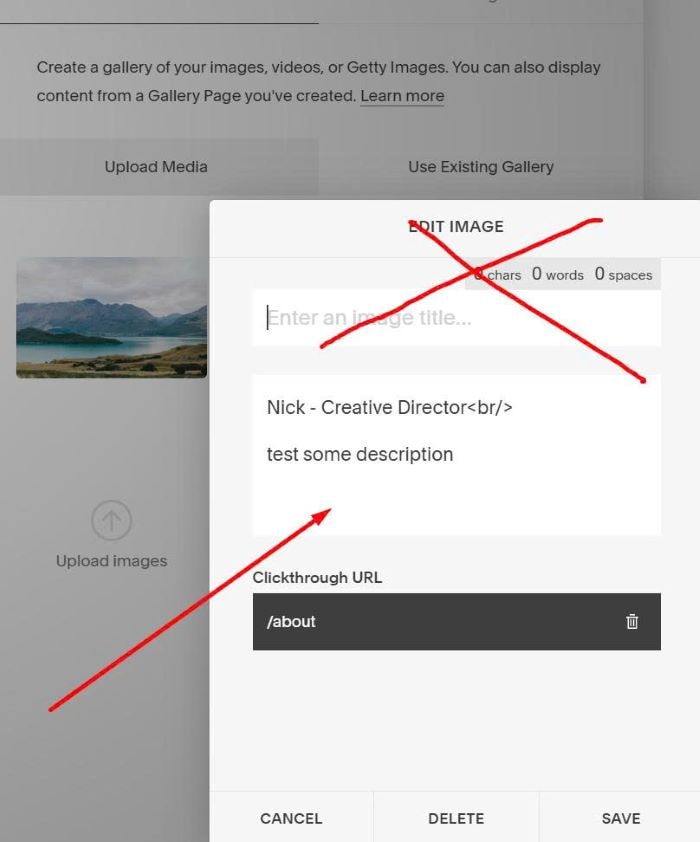
like this
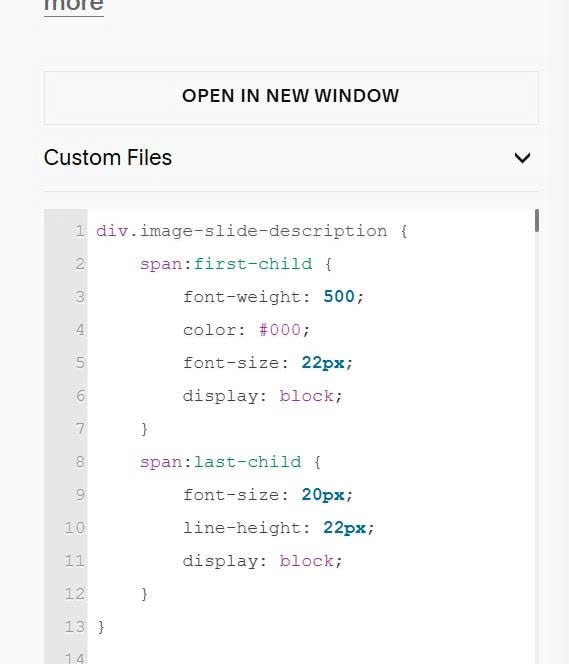
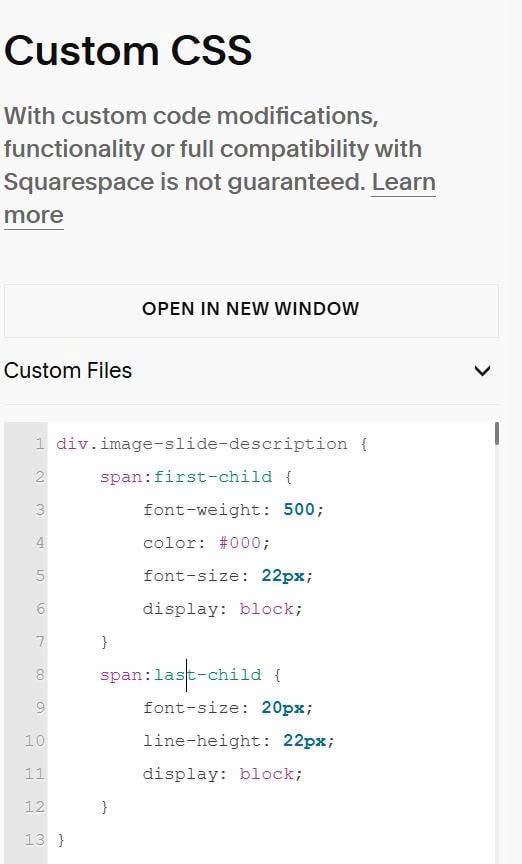
#3. Use this code to Custom CSS
div.image-slide-description {
    span:first-child {
        font-weight: 500;
        color: #000;
        font-size: 22px;
        display: block;
    }
    span:last-child {
        font-size: 20px;
        line-height: 22px;
        display: block;
    }
}
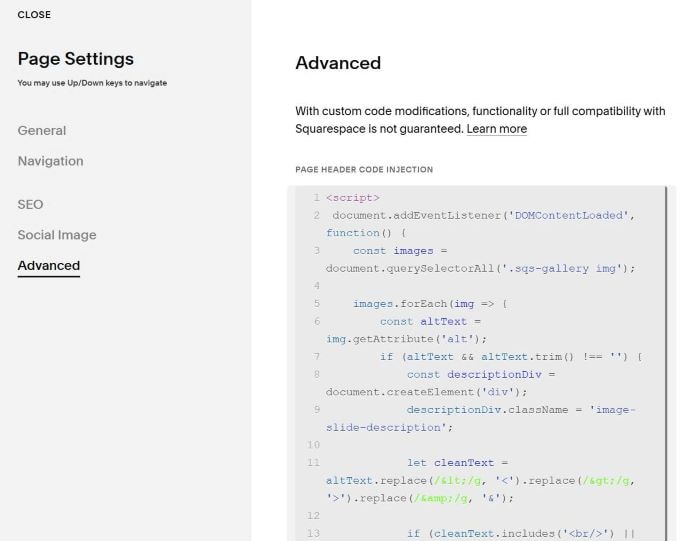
 #4. Use this code to Page Header Injection (page where you use Gallery Block)
<script>
document.addEventListener('DOMContentLoaded', function() {
const images = document.querySelectorAll('.sqs-gallery img');
images.forEach(img => {
const altText = img.getAttribute('alt');
if (altText && altText.trim() !== '') {
const descriptionDiv = document.createElement('div');
descriptionDiv.className = 'image-slide-description';
let cleanText = altText.replace(/</g, '<').replace(/>/g, '>').replace(/&/g, '&');
if (cleanText.includes('<br/>') || cleanText.includes('<br>')) {
const parts = cleanText.split(/<br\/?>/);
if (parts.length >= 2) {
const beforeBr = parts[0].trim();
const afterBr = parts.slice(1).join(' ').trim();
descriptionDiv.innerHTML = `<span>${beforeBr}</span><span>${afterBr}</span>`;
} else {
descriptionDiv.innerHTML = cleanText;
}
} else {
descriptionDiv.innerHTML = cleanText;
}
const marginWrapper = img.closest('.margin-wrapper');
if (marginWrapper) {
marginWrapper.appendChild(descriptionDiv);
}
}
});
});
</script>
 #5. To change title, description style, you can adjust these.