Description
- Replace Add to Cart with Login to Purchase
- Click Login to Purchase will show Login Popup
- After login, Add to Cart will appear
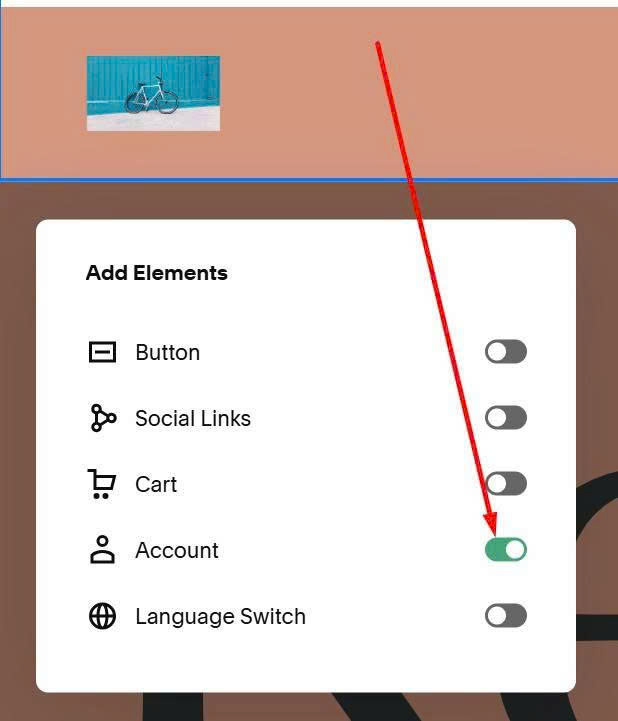
#1. First, you need to edit Site Header > Enable Login
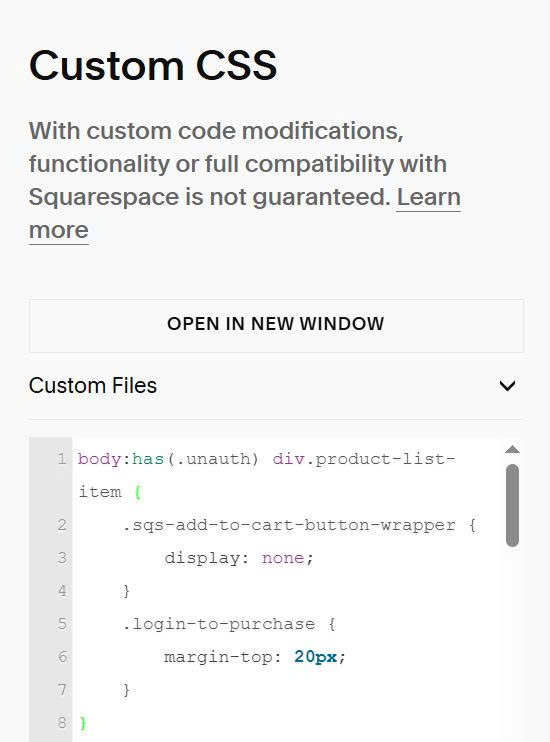
#2. Next, use this code to Custom CSS
body:has(.unauth) div.product-list-item {
    .sqs-add-to-cart-button-wrapper {
        display: none;
    }
    .login-to-purchase {
        margin-top: 20px;
    }
}
body:has(.auth) .login-to-purchase {
    display: none;
}
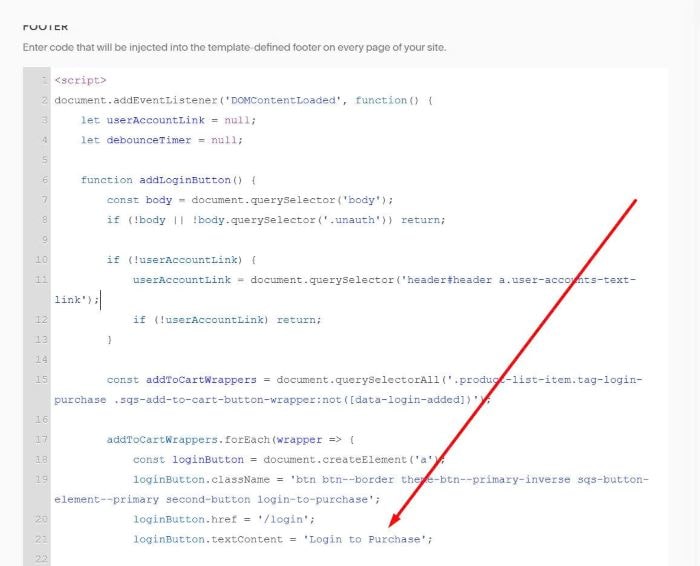
#3. Use this code to Code Injection > Footer
<script>
document.addEventListener('DOMContentLoaded', function() {
    let userAccountLink = null;
    let debounceTimer = null;

    function addLoginButton() {
        const body = document.querySelector('body');
        if (!body || !body.querySelector('.unauth')) return;

        if (!userAccountLink) {
            userAccountLink = document.querySelector('header#header a.user-accounts-text-link');
            if (!userAccountLink) return;
        }

        const addToCartWrappers = document.querySelectorAll('.product-list-item .sqs-add-to-cart-button-wrapper:not([data-login-added])');

        addToCartWrappers.forEach(wrapper => {
            const loginButton = document.createElement('a');
            loginButton.className = 'btn btn--border theme-btn--primary-inverse sqs-button-element--primary second-button login-to-purchase';
            loginButton.href = '/login';
            loginButton.textContent = 'Login to Purchase';

            loginButton.addEventListener('click', function(e) {
                e.preventDefault();
                e.stopPropagation();
                userAccountLink.click();
            });

            wrapper.insertAdjacentElement('afterend', loginButton);
            wrapper.setAttribute('data-login-added', 'true');
        });
    }

    function debouncedAddLoginButton() {
        if (debounceTimer) clearTimeout(debounceTimer);
        debounceTimer = setTimeout(addLoginButton, 100);
    }

    addLoginButton();

    const observer = new MutationObserver(debouncedAddLoginButton);

    observer.observe(document.body, {
        childList: true,
        subtree: true,
        attributes: false,
        characterData: false
    });
});
</script>

#4. Result
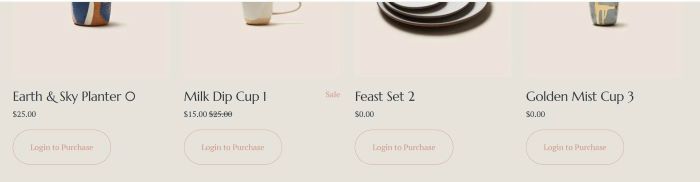
When click Login to Purchase
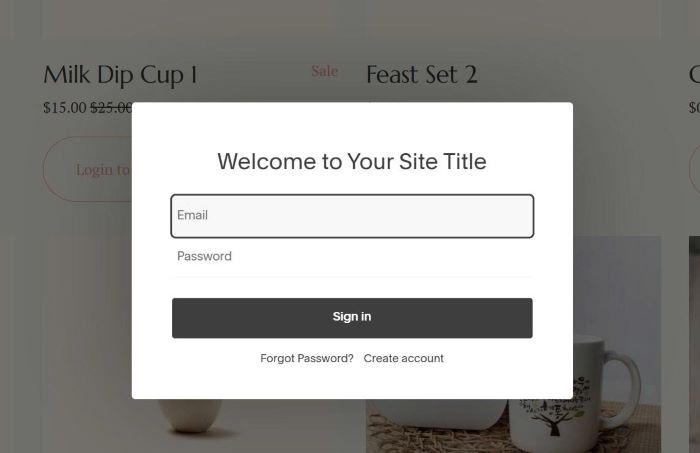
After Login

#5. If you want to apply on specific Shop Page, just move code to Shop Page Header Injection
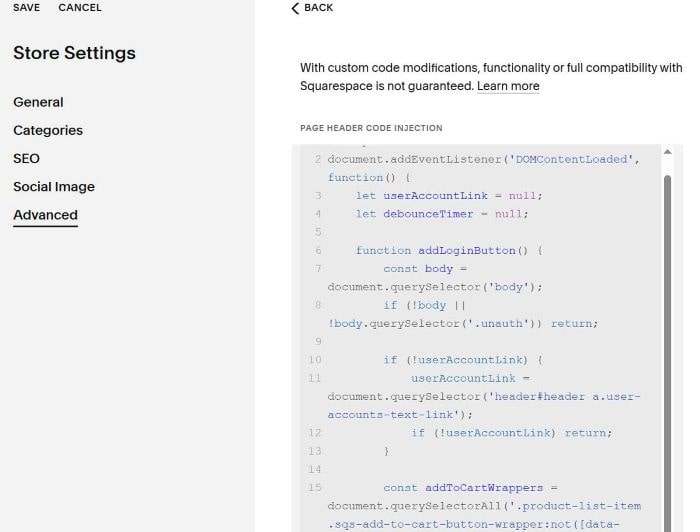
#6. If you want to apply on specific products, you can assign a tag with name: login purchase to these products.
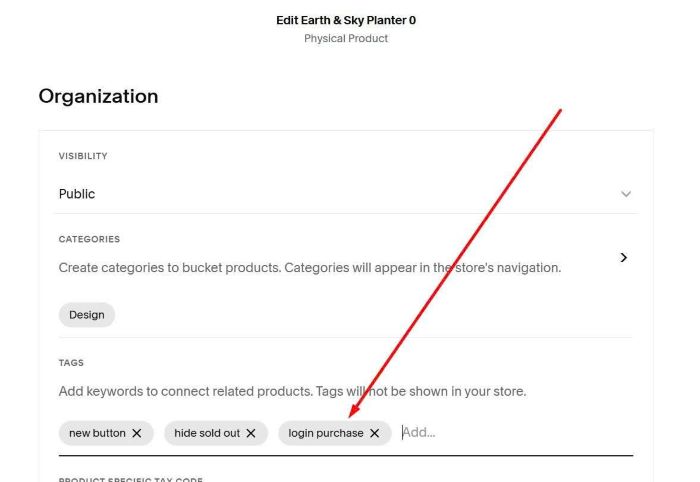
then use this new code
<!-- tuanphan 20-09-2025 -->
<script>
document.addEventListener('DOMContentLoaded', function() {
    let userAccountLink = null;
    let debounceTimer = null;

    function addLoginButton() {
        const body = document.querySelector('body');
        if (!body || !body.querySelector('.unauth')) return;

        if (!userAccountLink) {
            userAccountLink = document.querySelector('header#header a.user-accounts-text-link');
            if (!userAccountLink) return;
        }

        const addToCartWrappers = document.querySelectorAll('.product-list-item.tag-login-purchase .sqs-add-to-cart-button-wrapper:not([data-login-added])');

        addToCartWrappers.forEach(wrapper => {
            const loginButton = document.createElement('a');
            loginButton.className = 'btn btn--border theme-btn--primary-inverse sqs-button-element--primary second-button login-to-purchase';
            loginButton.href = '/login';
            loginButton.textContent = 'Login to Purchase';

            loginButton.addEventListener('click', function(e) {
                e.preventDefault();
                e.stopPropagation();
                userAccountLink.click();
            });

            wrapper.insertAdjacentElement('afterend', loginButton);
            wrapper.setAttribute('data-login-added', 'true');
        });
    }

    function blockProductLinks() {
        const body = document.querySelector('body');
        const isAuth = body && body.querySelector('.auth');
        const isUnauth = body && body.querySelector('.unauth');

        if (isAuth) {
            const blockedLinks = document.querySelectorAll('.tag-login-purchase .product-list-item-link[data-blocked]');
            blockedLinks.forEach(link => {
                link.removeAttribute('data-blocked');
                const newLink = link.cloneNode(true);
                link.parentNode.replaceChild(newLink, link);
            });
            return;
        }

        if (!isUnauth) return;

        const productLinks = document.querySelectorAll('.tag-login-purchase .product-list-item-link:not([data-blocked])');

        productLinks.forEach(link => {
            const blockHandler = function(e) {
                e.preventDefault();
                e.stopPropagation();

                if (userAccountLink) {
                    userAccountLink.click();
                } else {
                    window.location.href = '/login';
                }
            };

            link.addEventListener('click', blockHandler);
            link.setAttribute('data-blocked', 'true');
            link._blockHandler = blockHandler;
        });
    }

    function debouncedAddLoginButton() {
        if (debounceTimer) clearTimeout(debounceTimer);
        debounceTimer = setTimeout(() => {
            addLoginButton();
            blockProductLinks();
        }, 100);
    }

    addLoginButton();
    blockProductLinks();

    const observer = new MutationObserver(debouncedAddLoginButton);

    observer.observe(document.body, {
        childList: true,
        subtree: true,
        attributes: false,
        characterData: false
    });
});
</script>
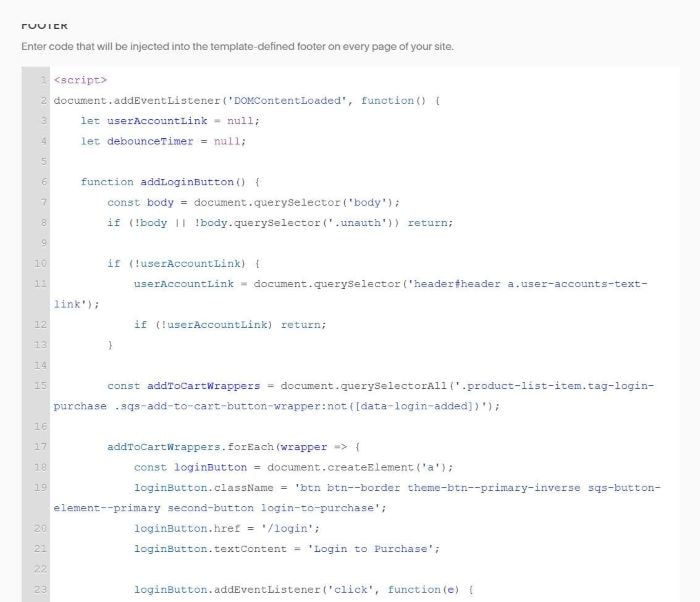
and use this new code to Custom CSS
/* tuanphan - login to purchase */
body:has(.unauth) div.product-list-item.tag-login-purchase {
    .sqs-add-to-cart-button-wrapper {
        display: none;
    }
    .login-to-purchase {
        margin-top: 20px;
    }
}
body:has(.auth) .login-to-purchase {
    display: none;
}
div.product-list-item-add-to-cart {
    text-align: center;
}
#7. If you want to change text “Login to Purchase”, you can change this.