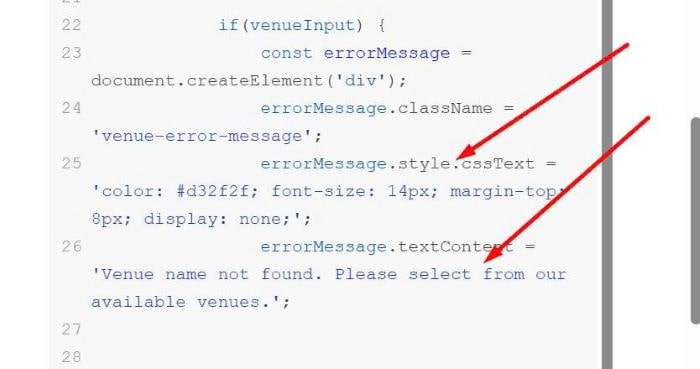
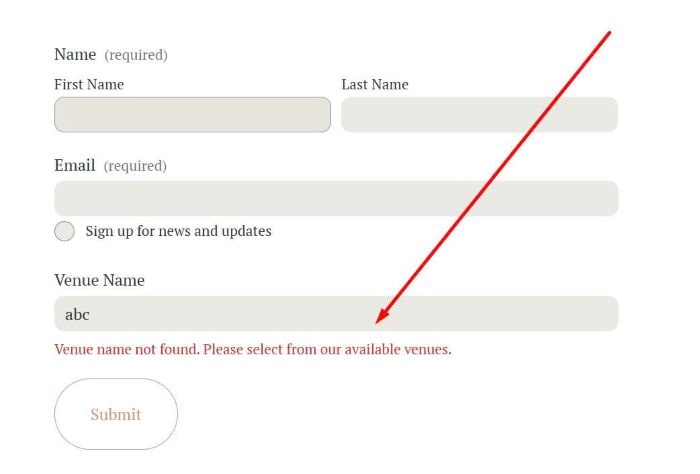
Description: TEXT field validated against a list of hardcoded names. If the name entered does not match anything in the list, I want the form to display an error, prompting the user to try again.
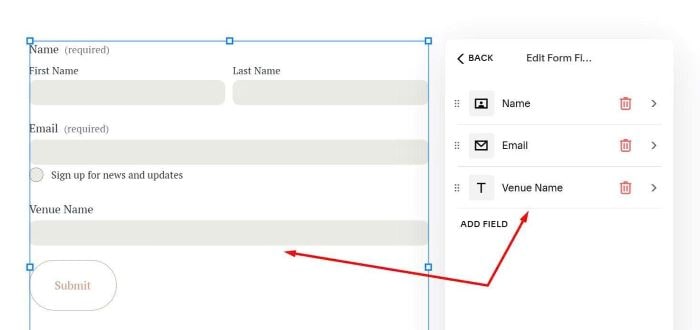
#1. First, you can add a Text field to Form
#2. Next, use this code to Page Header Injection
<script>
document.addEventListener('DOMContentLoaded', function() {
    setTimeout(function() {
        const validVenues = [
            'The Grand Ballroom',
            'Sunset Garden',
            'Crystal Palace',
            'Royal Convention Center',
            'Ocean View Resort',
            'Mountain Lodge',
            'City Conference Hall',
            'Paradise Beach Club',
            'Diamond Hotel',
            'Golden Gate Venue'
        ];

        const venueField = document.querySelector('.form-block .text');

        if(venueField) {
            const venueInput = venueField.querySelector('input[type="text"]');

            if(venueInput) {
                const errorMessage = document.createElement('div');
                errorMessage.className = 'venue-error-message';
                errorMessage.style.cssText = 'color: #d32f2f; font-size: 14px; margin-top: 8px; display: none;';
                errorMessage.textContent = 'Venue name not found. Please select from our available venues.';

                venueField.appendChild(errorMessage);

                function validateVenue() {
                    const inputValue = venueInput.value.trim();

                    if(inputValue && !validVenues.some(venue => venue.toLowerCase() === inputValue.toLowerCase())) {
                        venueInput.classList.add('venue-error');
                        venueInput.style.borderColor = '#d32f2f';
                        errorMessage.style.display = 'block';
                        venueInput.setAttribute('aria-invalid', 'true');
                        return false;
                    } else {
                        venueInput.classList.remove('venue-error');
                        venueInput.style.borderColor = '';
                        errorMessage.style.display = 'none';
                        venueInput.setAttribute('aria-invalid', 'false');
                        return true;
                    }
                }

                venueInput.addEventListener('blur', validateVenue);
                venueInput.addEventListener('input', function() {
                    if(venueInput.classList.contains('venue-error')) {
                        validateVenue();
                    }
                });

                const form = venueField.closest('form');
                if(form) {
                    form.addEventListener('submit', function(event) {
                        if(!validateVenue()) {
                            event.preventDefault();
                            venueInput.focus();
                        }
                    });
                }
            }
        }
    }, 1000);
});
</script>
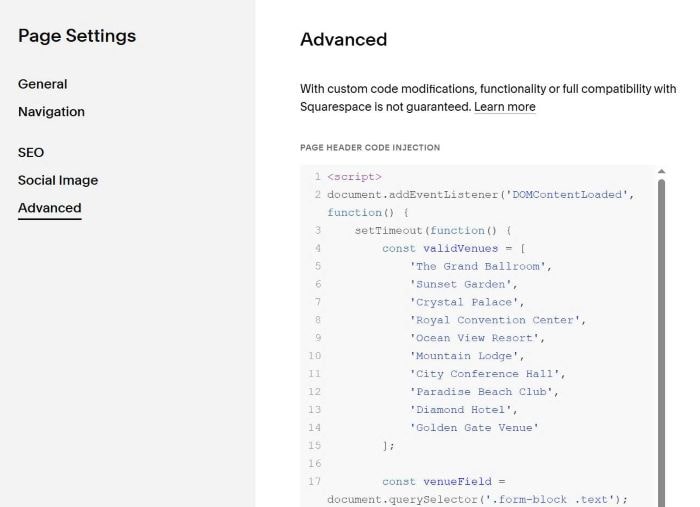
#3. You can update list of text here

You can change message text/style here