To turn product title in Store Page, from text.
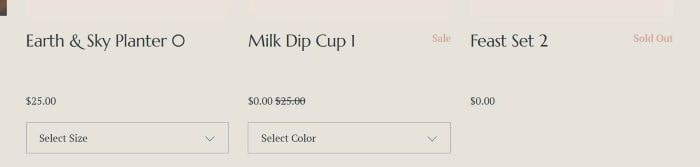
to custom image, like this.

#1. First, use this code to Custom CSS
div.product-list-item-title {
    background-size: contain;
    background-repeat: no-repeat;
    background-position: center;
    color: transparent !important;
    height: 70px;
}

#2. Next, use this code to Store Page Header Injection
<!-- Store Product title to image - @tuanphan -->
<script>document.addEventListener('DOMContentLoaded',function(){function isValidUrl(s){try{new URL(s);return!0}catch(_){return!1}}
function delay(ms){return new Promise(resolve=>setTimeout(resolve,ms))}
async function processBatch(items,batchSize=20,delayTime=2000,maxItems=100){const limitedItems=items.slice(0,maxItems);for(let i=0;i<limitedItems.length;i+=batchSize){const batch=limitedItems.slice(i,i+batchSize);const promises=batch.map(async(item)=>{const link=item.querySelector('a[href]');if(!link)return;const href=link.getAttribute('href');if(!href)return;try{const response=await fetch(href+'?format=json-pretty');const data=await response.json();const seoDescription=data.item?.seoData?.seoDescription;if(seoDescription&&isValidUrl(seoDescription.trim())){const titleElement=item.querySelector('.product-list-item-title');if(titleElement){titleElement.style.backgroundImage=`url(${seoDescription.trim()})`}}}catch(e){console.log('Cannot get data:',href)}});await Promise.all(promises);if(i+batchSize<limitedItems.length){await delay(delayTime)}}}
const productItems=document.querySelectorAll('.product-list-item');if(productItems.length>0){processBatch(Array.from(productItems))}});</script>
<!-- END Store Product title to image - @tuanphan -->

#3. Next, edit product item
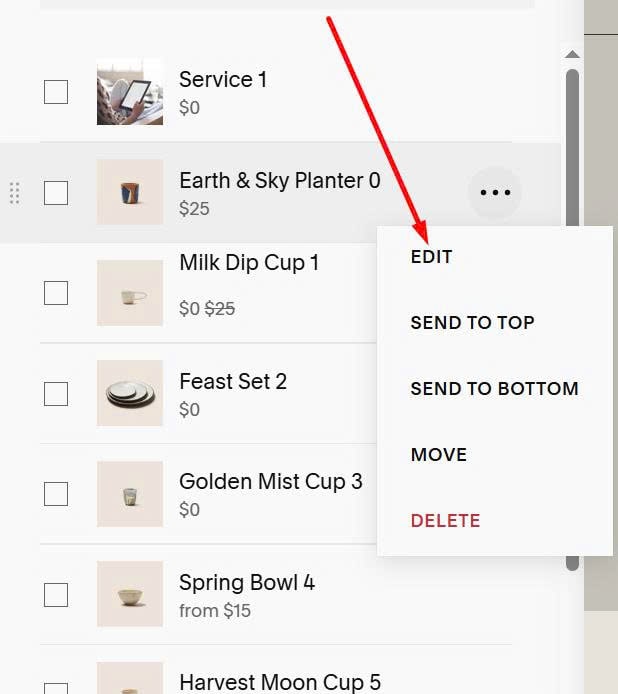
#4. Scroll down to SEO and URL > Click Edit

#5. Enter Image URL in SEO Description
