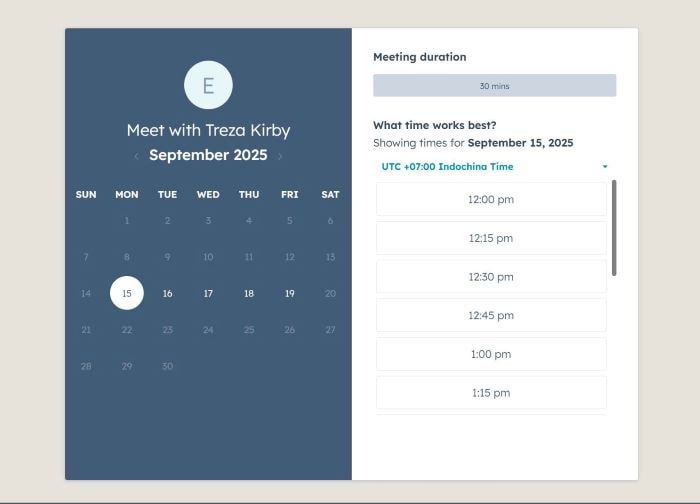
To make Hubspot Popup appears on button click, like this.
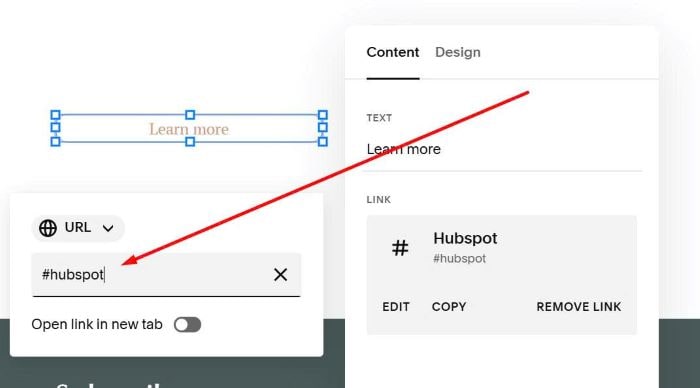
#1. First, add a Button Block > With url: #hubspot
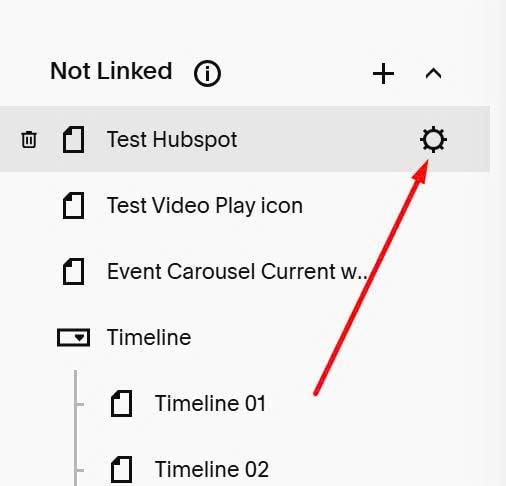
#2. Hover on Page > Click Gear icon
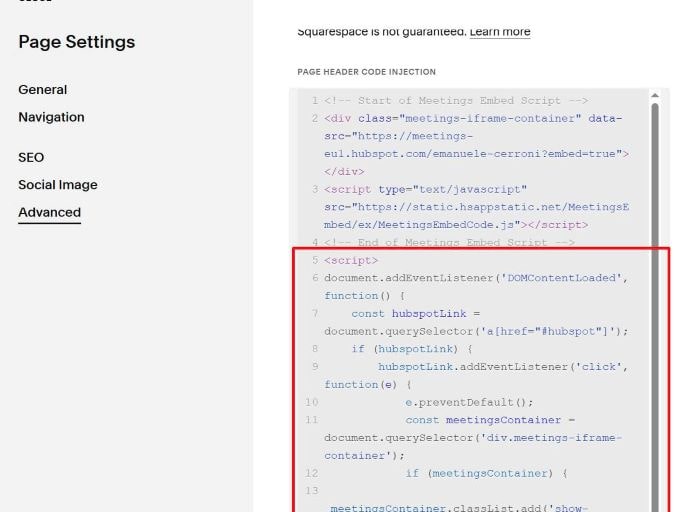
#3. Click Advanced > Paste Hubspot code
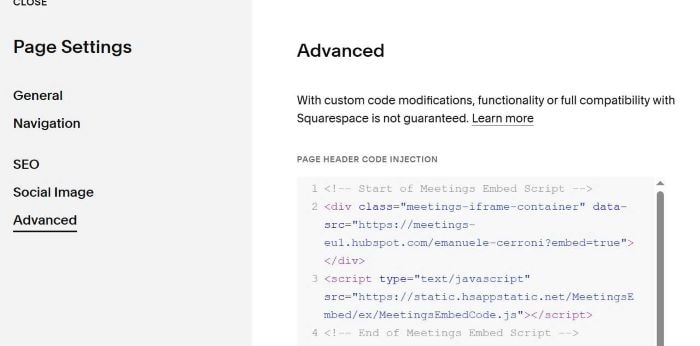
#4. Next, add this code under Hubspot code
<script>
document.addEventListener('DOMContentLoaded', function() {
    const hubspotLink = document.querySelector('a[href="#hubspot"]');
    if (hubspotLink) {
        hubspotLink.addEventListener('click', function(e) {
            e.preventDefault();
            const meetingsContainer = document.querySelector('div.meetings-iframe-container');
            if (meetingsContainer) {
                meetingsContainer.classList.add('show-popup');
            }
        });
    }

    const meetingsContainer = document.querySelector('div.meetings-iframe-container');
    if (meetingsContainer) {
        const closeButton = document.createElement('span');
        closeButton.className = 'close-popup';
        closeButton.textContent = '×';
        meetingsContainer.parentNode.insertBefore(closeButton, meetingsContainer);

        closeButton.addEventListener('click', function() {
            meetingsContainer.classList.remove('show-popup');
        });
    }
});
</script>
<style>
 /* pipeform */
  .show-popup.meetings-iframe-container {
      display: block !important;
  }
.meetings-iframe-container {
    position: fixed;
    top: 50%;
    left: 50%;
    transform: translate(-50%,-50%);
    z-index: 999999;
    background-color: #e6e3dc;
    padding-top: 30px;
  display: none !important;
      width: 100%;

}
  .show-pipe.meetings-iframe-container iframe {
    margin: 0 auto !important;
    left: 50%;
    transform: translateX(-50%);
}
  .close-popup {
  display: none;
    cursor: pointer;
  }
  body:has(.show-popup) .close-popup {
    background-color: #fff !important;
    border: none !important;
    position: fixed;
    top: 10px;
    right: 10px;
    z-index: 999999999;
    display: none;
    font-size: 30px;
    display: block;
    width: 30px;
    height: 30px;
    line-height: 30px;
    text-align: center;
}
</style>