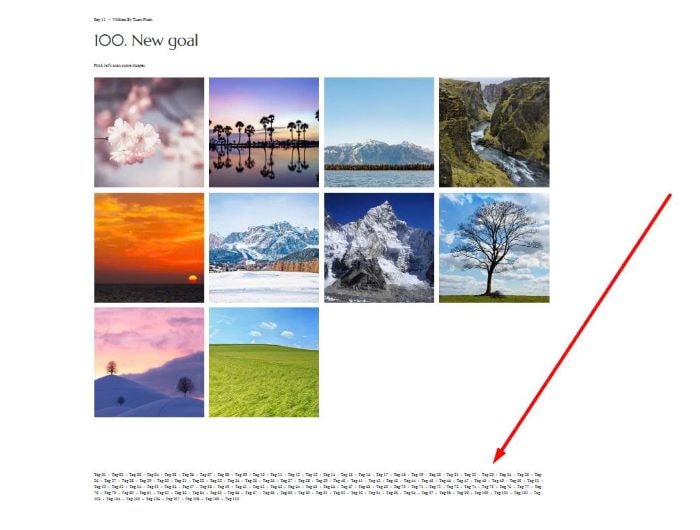
To show all tags under blog post like this.
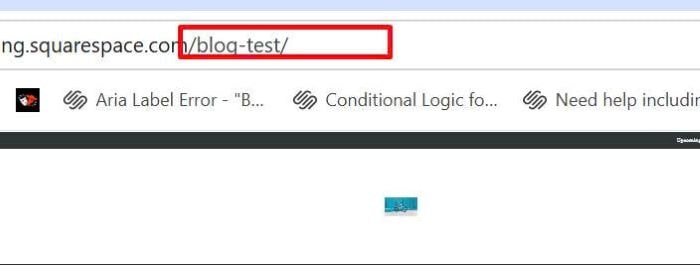
 #1. First, find Blog Page URL
In my example, it is: /blog-test
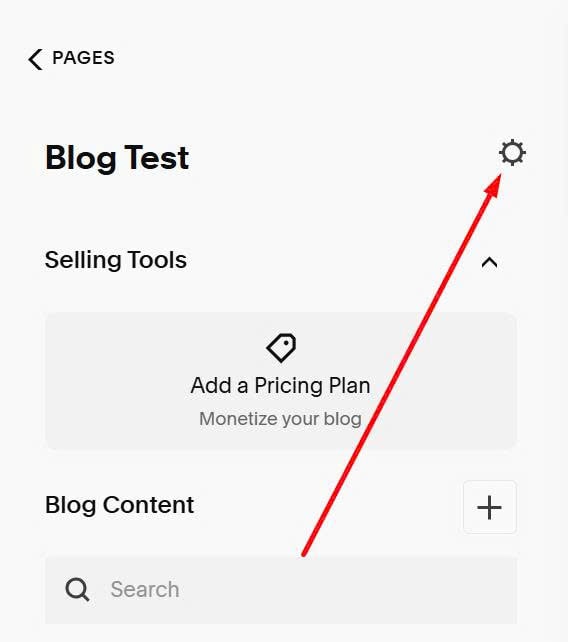
#2. Next, click Gear icon in Blog Page
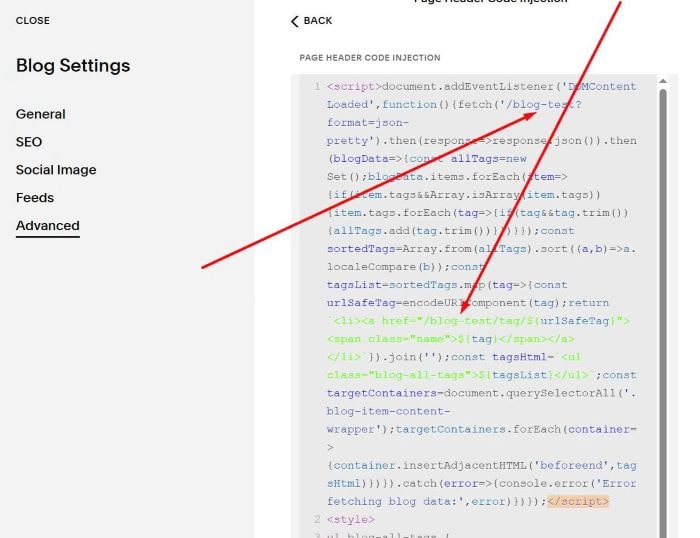
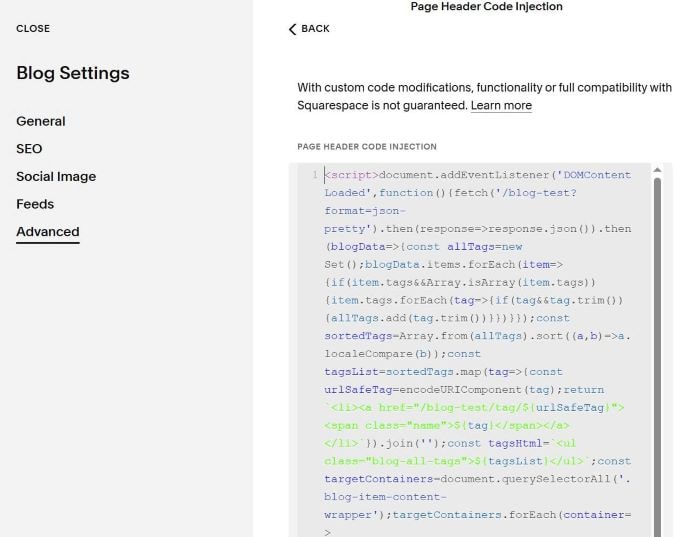
#3. Click Advanced > Use this code to right box
<script>document.addEventListener('DOMContentLoaded',function(){fetch('/blog-test?format=json-pretty').then(response=>response.json()).then(blogData=>{const allTags=new Set();blogData.items.forEach(item=>{if(item.tags&&Array.isArray(item.tags)){item.tags.forEach(tag=>{if(tag&&tag.trim()){allTags.add(tag.trim())}})}});const sortedTags=Array.from(allTags).sort((a,b)=>a.localeCompare(b));const tagsList=sortedTags.map(tag=>{const urlSafeTag=encodeURIComponent(tag);return `<li><a href="/blog-test/tag/${urlSafeTag}"><span class="name">${tag}</span></a></li>`}).join('');const tagsHtml=`<ul class="blog-all-tags">${tagsList}</ul>`;const targetContainers=document.querySelectorAll('.blog-item-content-wrapper');targetContainers.forEach(container=>{container.insertAdjacentHTML('beforeend',tagsHtml)})}).catch(error=>{console.error('Error fetching blog data:',error)})});</script>
<style>
ul.blog-all-tags {
    list-style: none;
    padding-left: 0;
    display: flex;
    flex-wrap: wrap;
}
ul.blog-all-tags li {
    margin-right: 30px;
    margin-bottom: 10px;
}
</style>
#4. Remember to update Blog Page URL