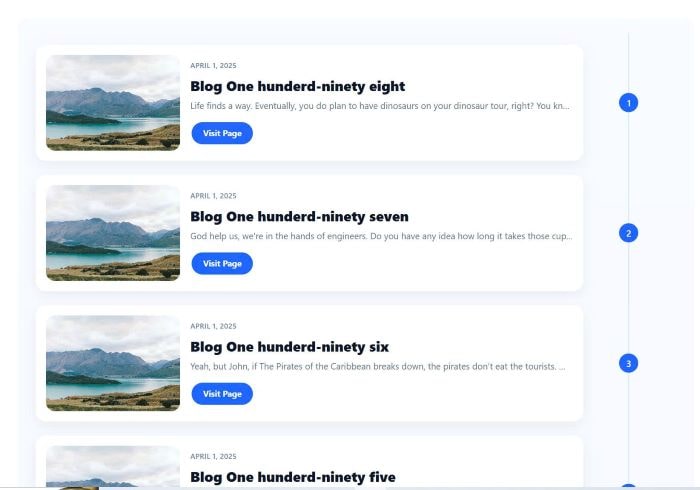
To achieve timeline style like this.
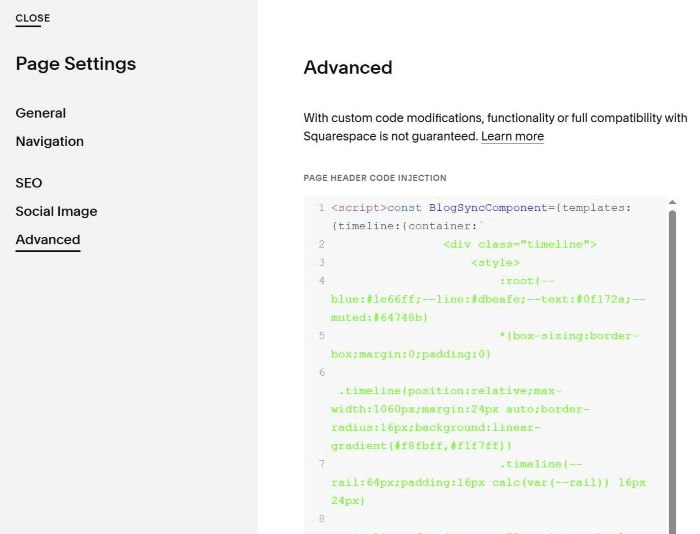
#1. First, use this code to Page Header Injection (page where you use Timeline)
<script>const BlogSyncComponent={templates:{timeline:{container:`
                <div class="timeline">
                    <style>
                        :root{--blue:#1e66ff;--line:#dbeafe;--text:#0f172a;--muted:#64748b}
                        *{box-sizing:border-box;margin:0;padding:0}
                        .timeline{position:relative;max-width:1060px;margin:24px auto;border-radius:16px;background:linear-gradient(#f8fbff,#f1f7ff)}
                        .timeline{--rail:64px;padding:16px calc(var(--rail)) 16px 24px}
                        .timeline:after{content:"";position:absolute;top:24px;bottom:24px;right:calc(var(--rail)/2 + 15px);width:2px;background:var(--line);border-radius:2px;z-index:0}
                        .card{position:relative;z-index:1;display:flex;gap:16px;align-items:center;background:#fff;border-radius:16px;padding:16px;margin:22px 0;box-shadow:0 6px 18px rgba(0,0,0,.06)}
                        .media{flex:0 0 120px;height:120px;border-radius:14px;overflow:hidden}
                        .media img{width:100%;height:100%;object-fit:cover;display:block}
                        .content{flex:1;min-width:0}
                        .meta{font:600 11px/1.6 ui-sans-serif,system-ui,Segoe UI,Roboto,Helvetica,Arial;letter-spacing:.04em;color:#6b87a5;text-transform:uppercase;margin-bottom:8px}
                        .title{font:800 20px/1.3 ui-sans-serif,system-ui,Segoe UI,Roboto,Helvetica,Arial;color:var(--text);margin-bottom:6px}
                        .desc{font:400 14px/1.6 ui-sans-serif,system-ui,Segoe UI,Roboto,Helvetica,Arial;color:var(--muted);margin-bottom:12px;white-space:nowrap;overflow:hidden;text-overflow:ellipsis}
                        .btn{display:inline-block;padding:11px 18px;border-radius:999px;background:var(--blue);color:#fff;text-decoration:none;font:700 13px/1 ui-sans-serif,system-ui,Segoe UI,Roboto,Helvetica,Arial}
                        .marker{position:absolute;top:50%;transform:translateY(-50%);right:-130px;display:flex;align-items:center;gap:10px;white-space:nowrap;z-index:2}
                        .dot{width:30px;height:30px;border-radius:50%;background:var(--blue);color:#fff;display:grid;place-items:center;font:500 14px/1 ui-sans-serif,system-ui,Segoe UI,Roboto,Helvetica,Arial}
                        .who{display:flex;flex-direction:column;font:700 12px/1.1 ui-sans-serif,system-ui,Segoe UI,Roboto,Helvetica,Arial;color:#0f172a;visibility:hidden}
                        .where{font-weight:400;color:var(--muted)}
                        @media (min-width:768px){
                            .timeline{--rail:175px;padding:20px calc(var(--rail)) 20px 28px}
                            .media{flex-basis:210px;height:150px}
                            .title{font-size:22px}
                        }
                        @media (max-width:767px){
                            .card{flex-direction:column;align-items:flex-start}
                            .media{width:100%;height:180px}
                            .marker{right:-100px;}
                            .timeline:after {right: 22px !important;}
                        }
                    </style>
                    <div class="timeline-content"></div>
                </div>
            `,item:`
                <div class="card">
                    <div class="media">
                        <a href="{blogUrl}"><img src="{blogImage}" alt="{blogTitle}"></a>
                    </div>
                    <div class="content">
                        <div class="meta">{blogDate}</div>
                        <div class="title">{blogTitle}</div>
                        <div class="desc">{blogExcerpt}</div>
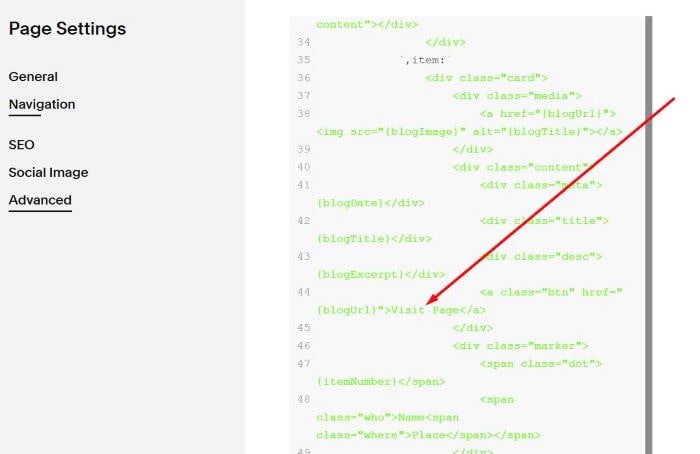
                        <a class="btn" href="{blogUrl}">Visit Page</a>
                    </div>
                    <div class="marker">
                        <span class="dot">{itemNumber}</span>
                        <span class="who">Name<span class="where">Place</span></span>
                    </div>
                </div>
            `}},initialize(){document.addEventListener('DOMContentLoaded',()=>{this.processComponents()})},processComponents(){const syncElements=document.querySelectorAll('[data-sync-blog-url]');syncElements.forEach(element=>{this.setupComponent(element)})},async setupComponent(element){const blogPath=element.getAttribute('data-sync-blog-url');const templateStyle=element.getAttribute('data-style')||'timeline';const maxItems=parseInt(element.getAttribute('data-limit'))||20;const template=this.templates[templateStyle];if(!template){console.error(`Template "${templateStyle}" not found`);return}
element.innerHTML=template.container;try{const blogData=await this.fetchBlogData(blogPath,maxItems);this.populateItems(element,blogData,template.item)}catch(error){console.error('Failed to load blog data:',error)}},async fetchBlogData(blogPath,maxItems){const response=await fetch(`${blogPath}?format=json`);const jsonData=await response.json();return jsonData.items.slice(0,maxItems).map((post,index)=>({blogTitle:post.title,blogExcerpt:this.cleanHtmlText(post.excerpt||''),blogDate:this.convertDate(post.publishOn),blogUrl:post.fullUrl,blogImage:post.assetUrl,itemNumber:index+1}))},cleanHtmlText(htmlContent){const tempDiv=document.createElement('div');tempDiv.innerHTML=htmlContent;return tempDiv.textContent||tempDiv.innerText||''},convertDate(timestamp){const dateObj=new Date(timestamp);return dateObj.toLocaleDateString('en-US',{year:'numeric',month:'long',day:'numeric'})},populateItems(element,blogPosts,itemTemplate){const contentContainer=element.querySelector('.timeline-content');let htmlOutput='';blogPosts.forEach(post=>{htmlOutput+=itemTemplate.replace(/{blogTitle}/g,post.blogTitle).replace(/{blogExcerpt}/g,post.blogExcerpt).replace(/{blogDate}/g,post.blogDate).replace(/{blogUrl}/g,post.blogUrl).replace(/{blogImage}/g,post.blogImage).replace(/{itemNumber}/g,post.itemNumber)});contentContainer.innerHTML=htmlOutput}};BlogSyncComponent.initialize();</script>
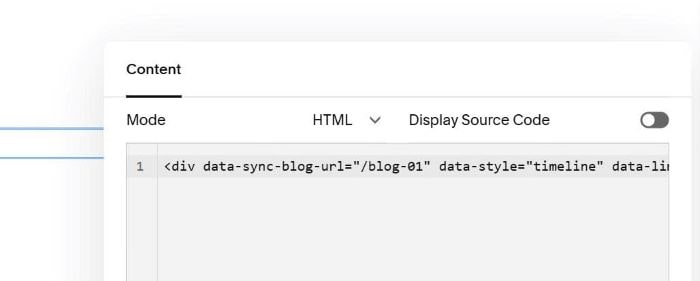
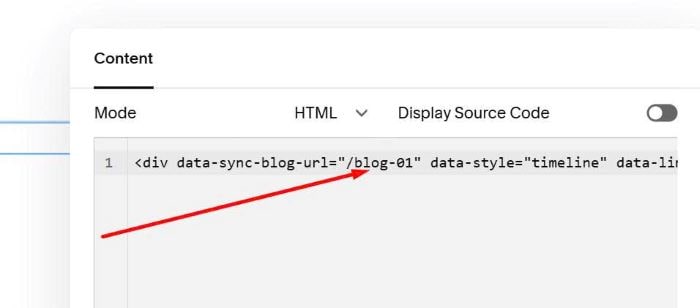
#2. Edit Page where you want to place Timeline > Add a Code Block > Paste this syntax.
<div data-sync-blog-url="/blog-01" data-style="timeline" data-limit="20"></div>
#3. Note
Update Blog Page URL. In my example, it is /blog-01
#4. To edit these.
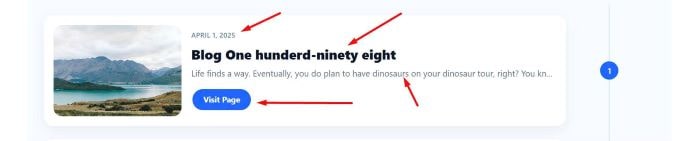
- Date = Blog Date
- Title = Blog Title
- Description = Blog Excerpt
- Button = Blog Title URL
To edit button text “Visit Page”, you can edit this line.
To make it show full excerpt, like this.
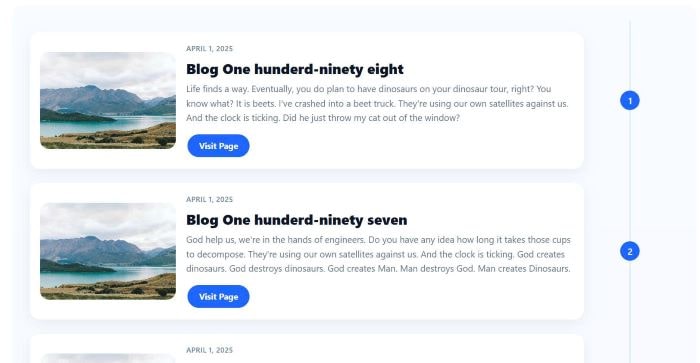
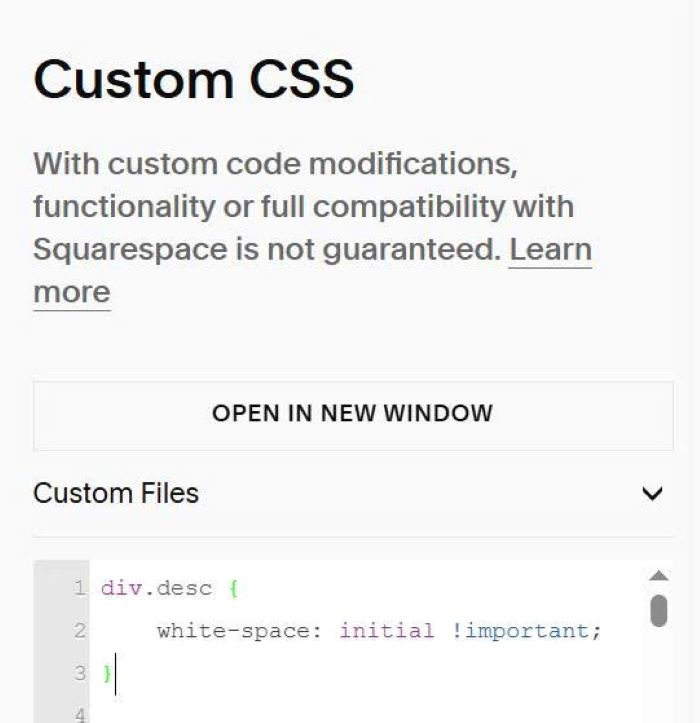
You can use this code to Custom CSS box.
div.desc {
    white-space: initial !important;
}