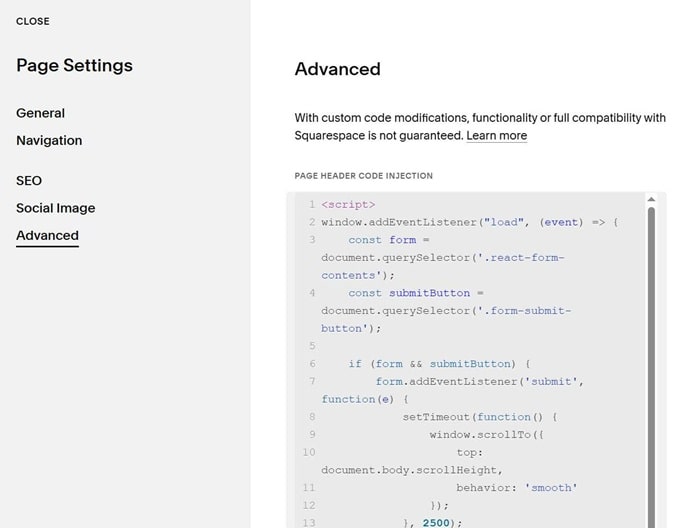
To make browser scroll down on Form button submit, you can do this.
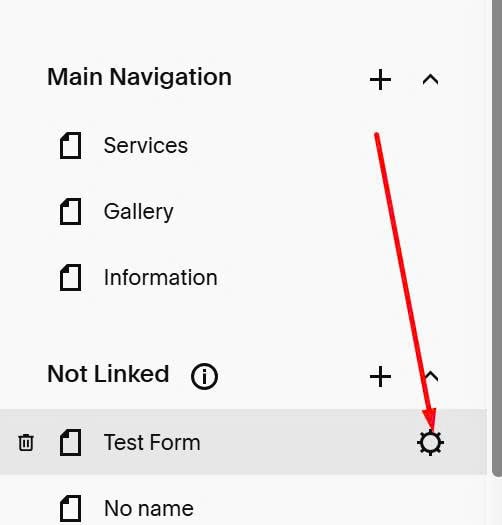
#1. First, click on Gear icon (Page where you use Form)
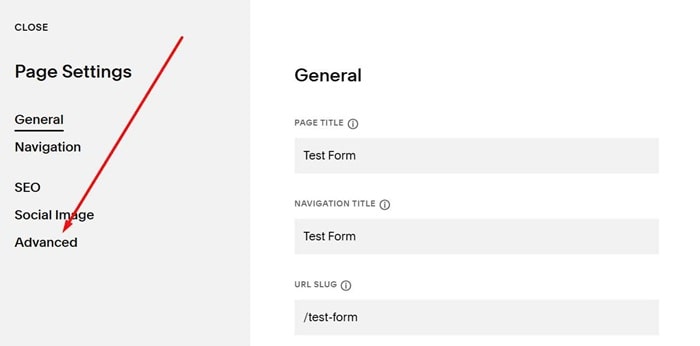
#2. Click Advanced
#3. Paste this code to right box
<script>
window.addEventListener("load", (event) => {
    const form = document.querySelector('.react-form-contents');
    const submitButton = document.querySelector('.form-submit-button');

    if (form && submitButton) {
        form.addEventListener('submit', function(e) {
            setTimeout(function() {
                window.scrollTo({
                    top: document.body.scrollHeight,
                    behavior: 'smooth'
                });
            }, 2500);
        });

        submitButton.addEventListener('click', function(e) {
            if (form.checkValidity()) {
                setTimeout(function() {
                    window.scrollTo({
                        top: document.body.scrollHeight,
                        behavior: 'smooth'
                    });
                }, 2500);
            }
        });
    }
});
</script>