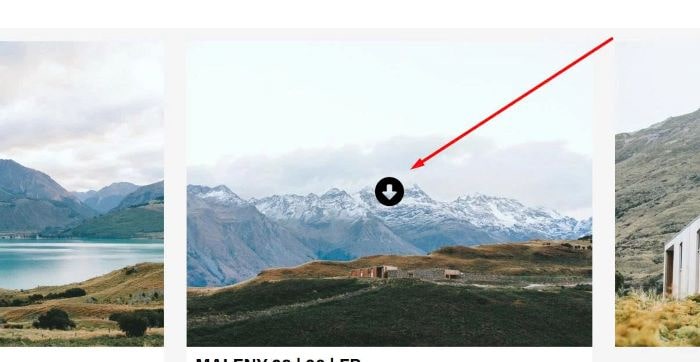
To add a download icon on hover gallery image, like this.
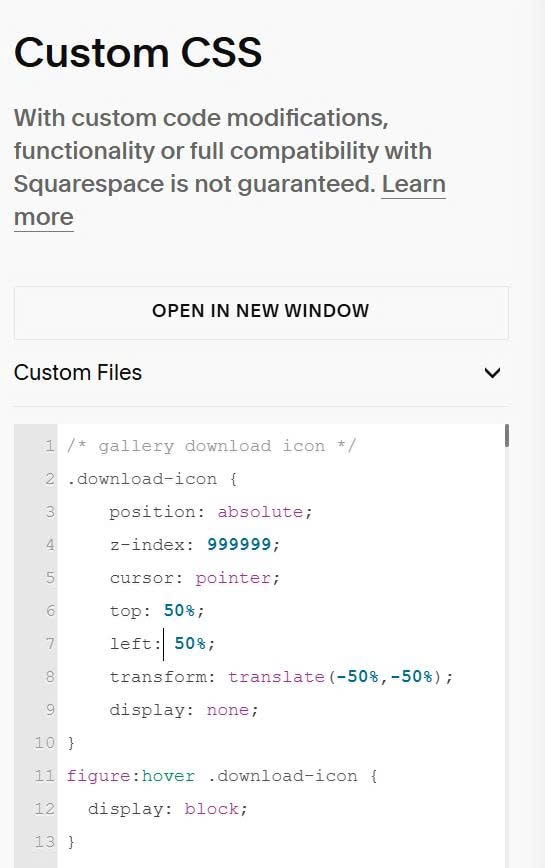
#1. First, use this code to Custom CSS
/* gallery download icon */
.download-icon {
    position: absolute;
    z-index: 999999;
    cursor: pointer;
    top: 50%;
    left: 50%;
    transform: translate(-50%,-50%);
    display: none;
}
figure:hover .download-icon {
  display: block;
}
#2. Next, use this code to Page Header Injection (or Code Injection > Footer)
<link rel="stylesheet" href="https://cdnjs.cloudflare.com/ajax/libs/font-awesome/6.7.2/css/all.min.css">
<script>
function addDownloadIconsToGallery() {
  const itemWrappers = document.querySelectorAll('div.gallery figure [class*="item-wrapper"]');

  itemWrappers.forEach(wrapper => {
    const imgElement = wrapper.querySelector('img[data-src]');
    if (!imgElement) return;

    const downloadIcon = document.createElement('div');
    downloadIcon.className = 'download-icon';
    downloadIcon.innerHTML = '<i class="fa-solid fa-circle-down"></i>';

    wrapper.style.position = 'relative';
    wrapper.appendChild(downloadIcon);

    wrapper.addEventListener('mouseenter', () => {
      downloadIcon.style.display = 'block';
    });

    wrapper.addEventListener('mouseleave', () => {
      downloadIcon.style.display = 'none';
    });

    downloadIcon.addEventListener('click', async (e) => {
      e.preventDefault();
      e.stopPropagation();

      const imageUrl = imgElement.getAttribute('data-src') || imgElement.src;
      if (!imageUrl) return;

      try {
        const response = await fetch(imageUrl, { mode: 'cors' });
        if (!response.ok) throw new Error('Network response was not ok');

        const blob = await response.blob();
        const blobUrl = URL.createObjectURL(blob);
        const link = document.createElement('a');
        link.style.display = 'none';
        link.href = blobUrl;

        try {
          link.download = (new URL(imageUrl)).pathname.split('/').pop() || 'gallery-image';
        } catch (e) {
          link.download = 'gallery-image';
        }

        document.body.appendChild(link);
        link.click();
        document.body.removeChild(link);

        setTimeout(() => URL.revokeObjectURL(blobUrl), 1500);
      } catch (err) {
        console.warn('Could not fetch blob for download, opening in new tab as fallback:', err);
        window.open(imageUrl, '_blank', 'noopener');
      }
    });
  });
}

function observeGalleryChanges() {
  const gallery = document.querySelector('.gallery-masonry');
  if (!gallery) return;

  const observer = new MutationObserver((mutations) => {
    let hasNewImages = false;
    mutations.forEach(mutation => {
      if (mutation.type === 'childList' && mutation.addedNodes.length > 0) {
        hasNewImages = true;
      }
    });

    if (hasNewImages) {
      setTimeout(addDownloadIconsToGallery, 100);
    }
  });

  observer.observe(gallery, {
    childList: true,
    subtree: true
  });
}

if (document.readyState === 'loading') {
  document.addEventListener('DOMContentLoaded', () => {
    addDownloadIconsToGallery();
    observeGalleryChanges();
  });
} else {
  addDownloadIconsToGallery();
  observeGalleryChanges();
}
</script>

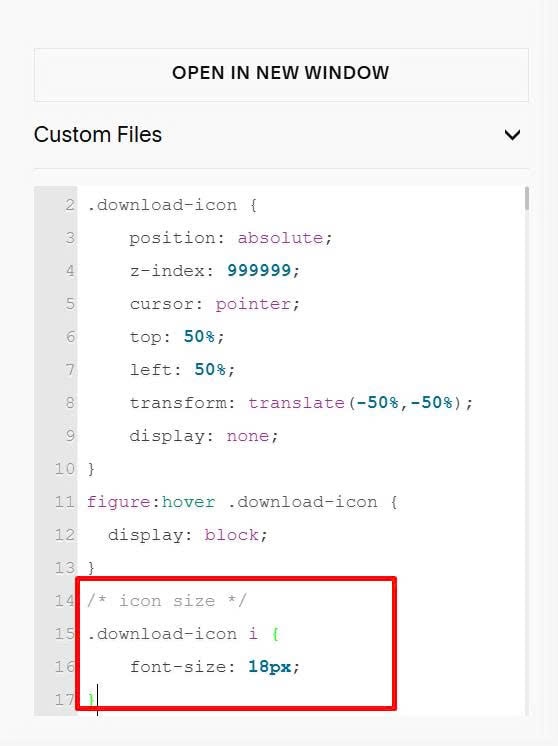
#3. To change download icon size, you can add this extra code to Custom CSS.
/* icon size */
.download-icon i {
    font-size: 18px;
}