Description
- adding vertical timeline with background image, when scroll down will make title bigger, show description and change background image
- view demo – password: abc
- buy me a coffee

#1. Install Code
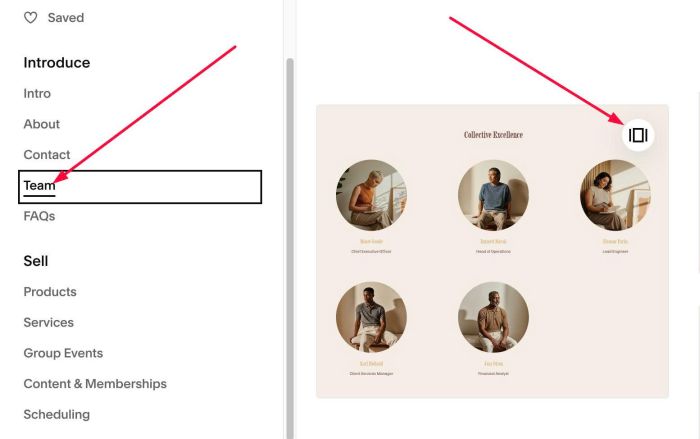
#1.1. Add Section > Choose Team > Choose section with (i) icon (or auto layout icon)
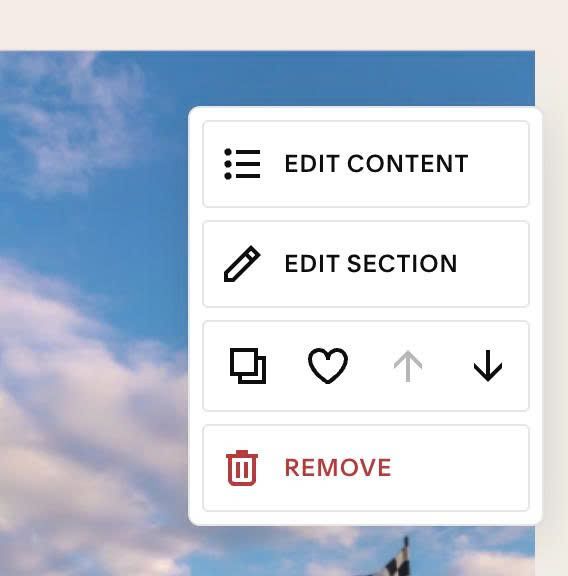
#1.2. Hover on top right of section > Click EDIT SECTION
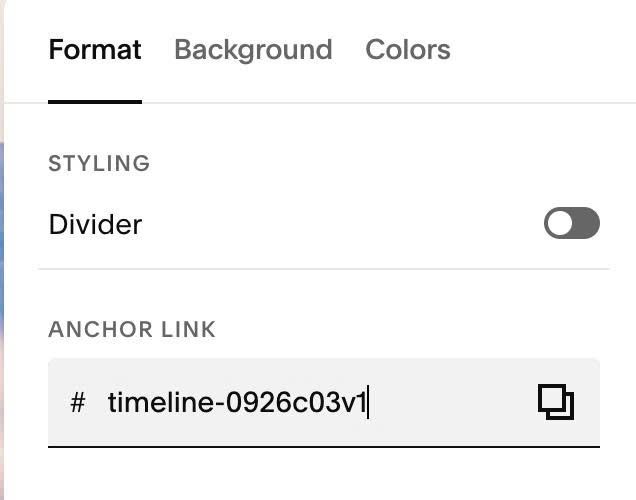
#1.2-2. at Format > Anchor Link > enter word: timeline-0926c03v1
#1.3. Hover on top right of section > Click EDIT CONTENT
#1.4. Enable these options
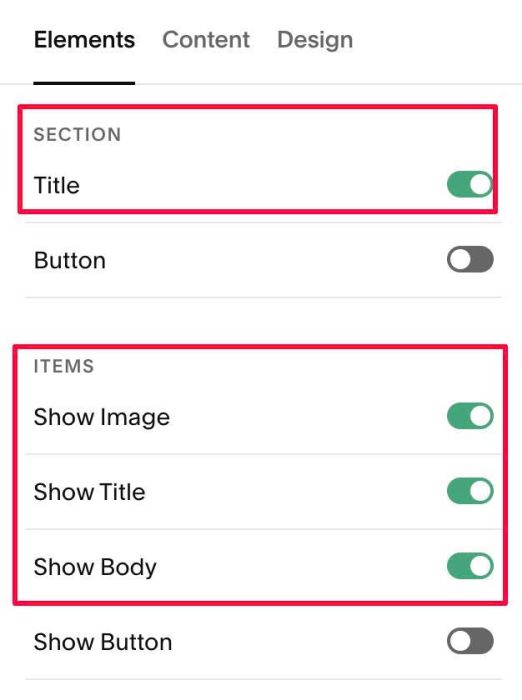
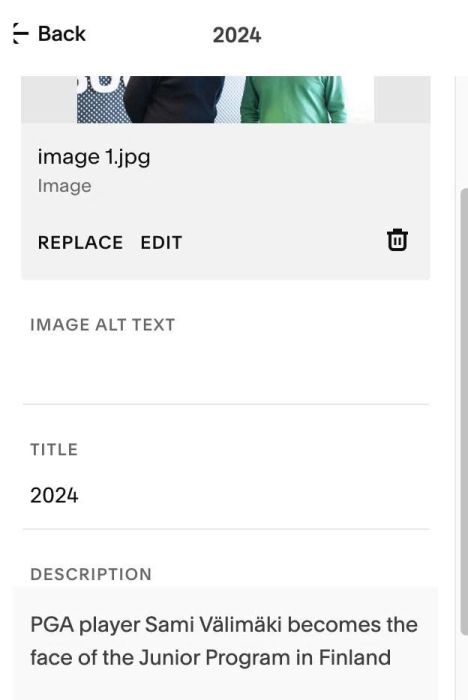
#1.5. at tab Content, add your desired image/text
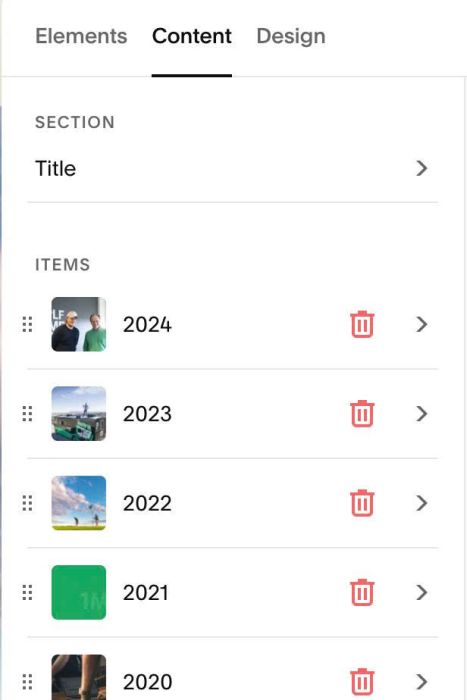
Like this
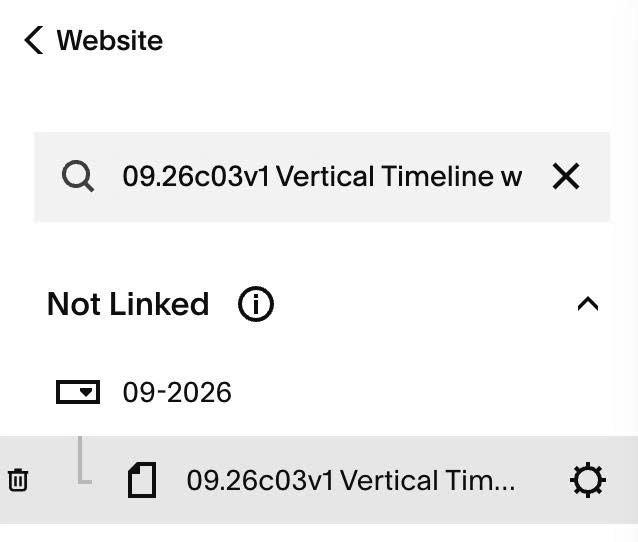
#1.6. Hover on page where you use Team section > Click Gear icon
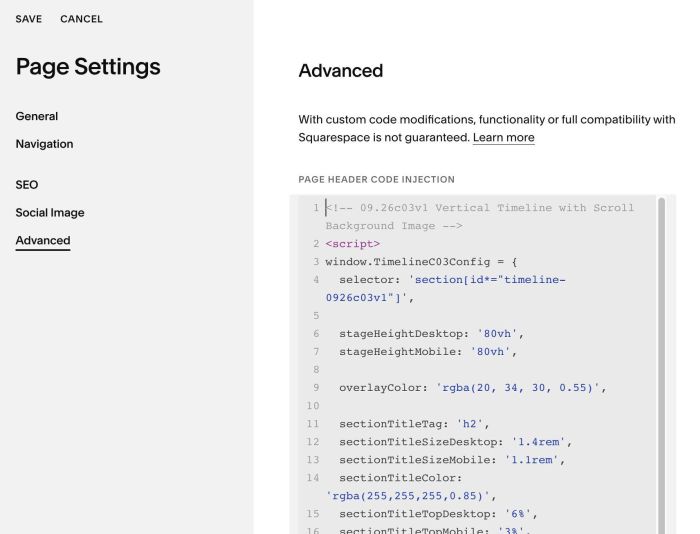
#1.7. Click Advanced > Paste this code
<!-- 09.26c03v1 Vertical Timeline with Scroll Background Image -->
<script>
window.TimelineC03Config = {
  selector: 'section[id*="timeline-0926c03v1"]',

  stageHeightDesktop: '80vh',
  stageHeightMobile: '80vh',

  overlayColor: 'rgba(20, 34, 30, 0.55)',

  sectionTitleTag: 'h2',
  sectionTitleSizeDesktop: '1.4rem',
  sectionTitleSizeMobile: '1.1rem',
  sectionTitleColor: 'rgba(255,255,255,0.85)',
  sectionTitleTopDesktop: '6%',
  sectionTitleTopMobile: '3%',
  sectionTitleLeftDesktop: '5%',
  sectionTitleLeftMobile: '5%',

  lineWidth: '2px',
  lineColor: 'rgba(255,255,255,0.35)',
  lineSplitDesktop: '40%',
  lineSplitMobile: '22%',
  lineOffsetDesktop: '0px',
  lineOffsetMobile: '0px',

  dotSize: '14px',
  dotActiveColor: '#ffffff',
  dotInactiveColor: 'rgba(255,255,255,0.5)',
  dotBoxShadow: '0 0 0 6px rgba(255,255,255,0.5)',

  itemTitleTag: 'h2',
  itemTitleSizeDesktop: '1.6rem',
  itemTitleSizeMobile: '1.1rem',
  itemTitleActiveSizeDesktop: '4rem',
  itemTitleActiveSizeMobile: '2.4rem',
  itemTitleColor: '#ffffff',
  itemTitleInactiveColor: 'rgba(255,255,255,0.5)',
  itemTitlePaddingRightDesktop: '40px',
  itemTitlePaddingRightMobile: '14px',

  itemDescClass: '',
  itemDescSizeDesktop: '1.05rem',
  itemDescSizeMobile: '0.95rem',
  itemDescColor: 'rgba(255,255,255,0.9)',
  itemDescMaxWidth: '620px',
  itemDescPaddingLeftDesktop: '40px',
  itemDescPaddingLeftMobile: '14px',

  itemSpacingDesktop: '70vh',
  itemSpacingMobile: '60vh'
};
</script>
<script src="https://code.beaverhero.com/list/0926c03v1verticaltimelinescrollbgimg.js"></script>
#2. Customize
#2.1. To change section height, change line 06, 07
stageHeightDesktop: '80vh',
stageHeightMobile: '80vh',
#2.2. To change overlay color over image, change line 09
overlayColor: 'rgba(20, 34, 30, 0.55)',
#2.3. To change timeline section title style, change line 11 – 18
sectionTitleTag: 'h2',
sectionTitleSizeDesktop: '1.4rem',
sectionTitleSizeMobile: '1.1rem',
sectionTitleColor: 'rgba(255,255,255,0.85)',
sectionTitleTopDesktop: '6%',
sectionTitleTopMobile: '3%',
sectionTitleLeftDesktop: '5%',
sectionTitleLeftMobile: '5%',
#2.4. To change vertical line style, change line 20 – line 25
lineWidth: '2px',
lineColor: 'rgba(255,255,255,0.35)',
lineSplitDesktop: '40%',
lineSplitMobile: '22%',
lineOffsetDesktop: '0px',
lineOffsetMobile: '0px',
#2.5. To change circle style, change line 27 – 30
dotSize: '14px',
 dotActiveColor: '#ffffff',
 dotInactiveColor: 'rgba(255,255,255,0.5)',
 dotBoxShadow: '0 0 0 6px rgba(255,255,255,0.5)',
#2.6. To change item title style, change line 32 – 40
itemTitleTag: 'h2',
  itemTitleSizeDesktop: '1.6rem',
  itemTitleSizeMobile: '1.1rem',
  itemTitleActiveSizeDesktop: '4rem',
  itemTitleActiveSizeMobile: '2.4rem',
  itemTitleColor: '#ffffff',
  itemTitleInactiveColor: 'rgba(255,255,255,0.5)',
  itemTitlePaddingRightDesktop: '40px',
  itemTitlePaddingRightMobile: '14px',
#2.7. To change item description style, change line 42 – 48
itemDescClass: '',
  itemDescSizeDesktop: '1.05rem',
  itemDescSizeMobile: '0.95rem',
  itemDescColor: 'rgba(255,255,255,0.9)',
  itemDescMaxWidth: '620px',
  itemDescPaddingLeftDesktop: '40px',
  itemDescPaddingLeftMobile: '14px',
#2.8. If you need to tweak more you can use this AI Assistant (designed for Squarespace sites)