Description
- adding count number to lightbox gallery image
- view demo – pass: abc
- buy me a coffee

#1. Install Code
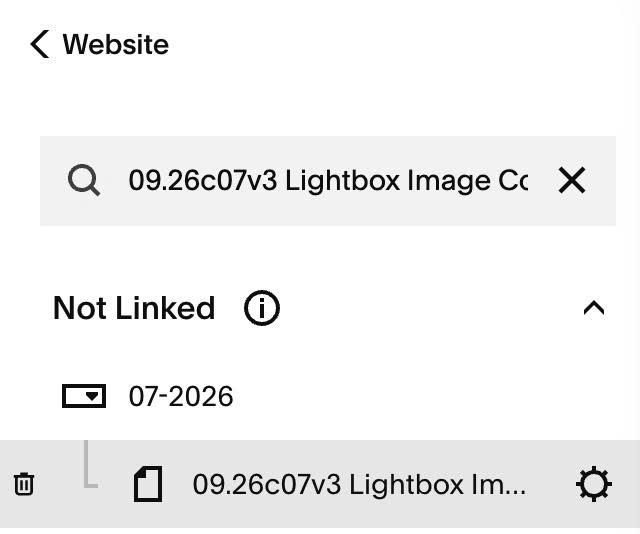
#1.1. Hover on Page where you use Gallery Image > Click Gear icon
#1.2. Click Advanced > Paste this code
<!-- 09.26c07v3 Lightbox Image Count Number -->
<script>
window.LightboxImageCountNumberOptions = {
  countColor: '#000',
  countSize: '14px'
};
</script>
<script src="https://code.beaverhero.com/gallerys/0926c07v3lightboximgcounter.js"></script>
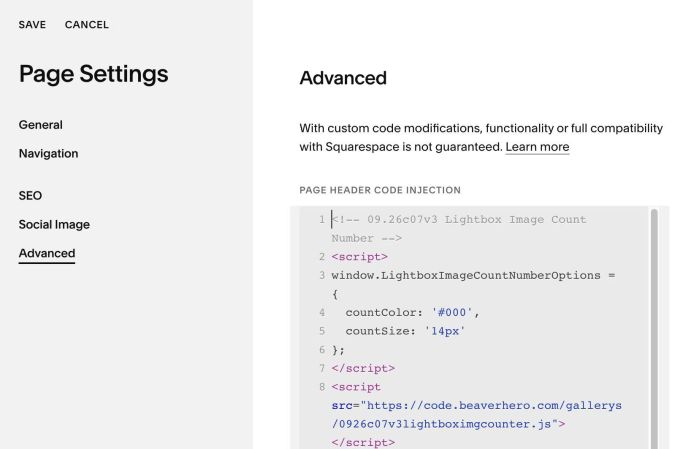
#1.3. You can change count number size/color here
countColor: '#000',
countSize: '14px'