Description
- adding date to Portfolio
- view demo – password: abc
- buy me a coffee

#1. Install Code
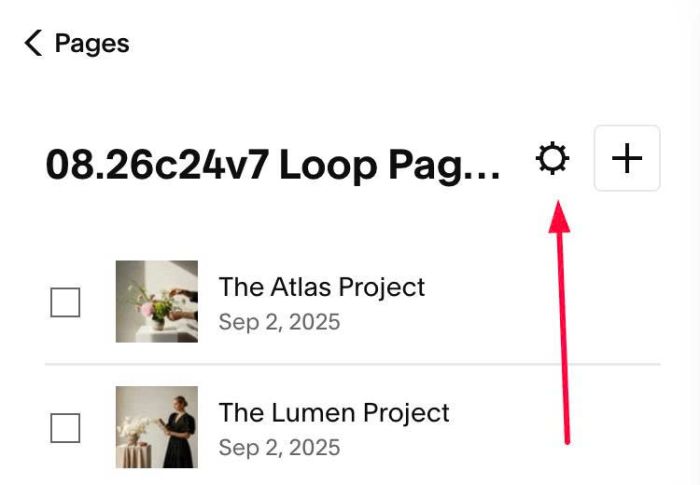
#1.1. Click Gear icon on Portfolio Page
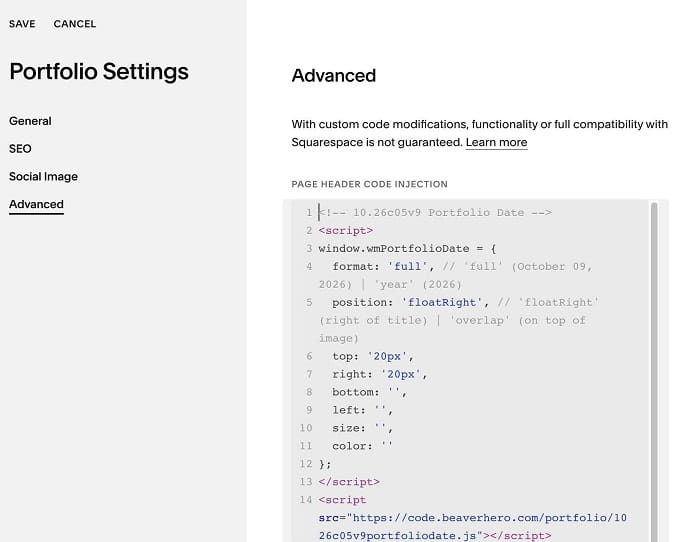
#1.2. Click Advanced > Paste this code
<!-- 10.26c05v9 Portfolio Date -->
<script>
window.wmPortfolioDate = {
  format: 'full', // 'full' (October 09, 2026) | 'year' (2026)
  position: 'floatRight', // 'floatRight' (right of title) | 'overlap' (on top of image)
  top: '20px',
  right: '20px',
  bottom: '',
  left: '',
  size: '',
  color: ''
};
</script>
<script src="https://code.beaverhero.com/portfolio/1026c05v9portfoliodate.js"></script>
#2. Customize
#2.1. You can choose Date format = full (day, month, year) or year only
format: 'full', // 'full' (October 09, 2026) | 'year' (2026)
#2.2. You can also set position of date
position: 'floatRight', // 'floatRight' (right of title) | 'overlap' (on top of image)