Description
- sort summary block: abc, zyx, date
- view demo – password: abc
- buy me a coffee
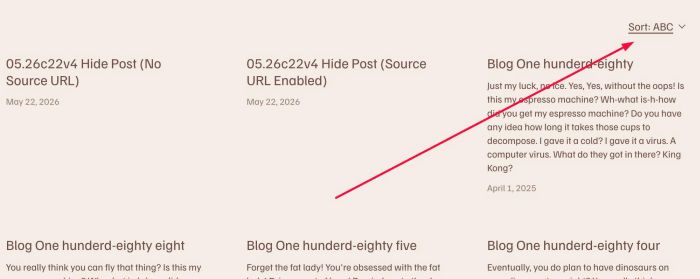
#1. Install Code
#1.1. Hover on Page where you use Summary Block > Click Gear icon
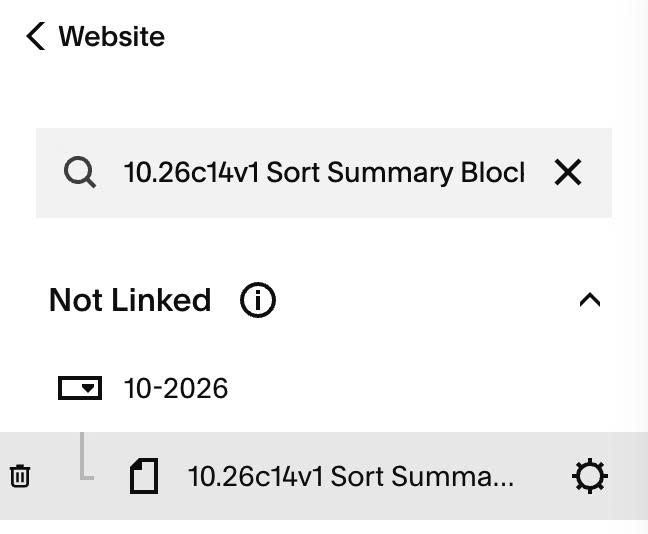
#1.2. Click Advanced > Paste this code
<!-- 10.26c14v1 Sort Summary Block ABC -->
<script>
window.SummarySortConfig = {
  blockSelector: '.sqs-block-summary-v2',
  defaultSort: 'abc', // abc | zyx | newest | oldest
  align: 'right', // left | right
  marginTop: '0px',
  marginBottom: '30px',
  fontSize: '',
  color: '',
  dropdownBackground: '#ffffff',
  labels: {
    prefix: 'Sort: ',
    abc: 'ABC',
    zyx: 'ZYX',
    newest: 'Newest',
    oldest: 'Oldest'
  }
};
</script>
<script src="https://code.beaverhero.com/summaryblock/1026c14v1sortsummary.js"></script>
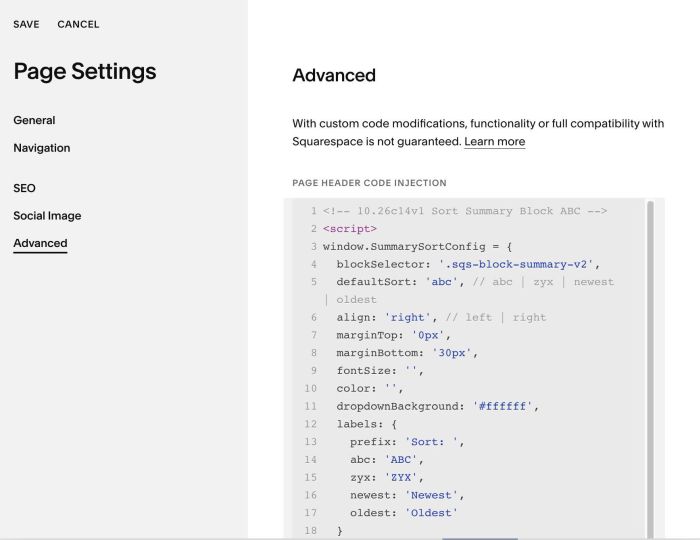
#2. Customize
#2.1. To change Label, change these lines (12 – 18)
labels: {
  prefix: 'Sort: ',
  abc: 'ABC',
  zyx: 'ZYX',
  newest: 'Newest',
  oldest: 'Oldest'
}
#2.2. Other styles
defaultSort: 'abc', // abc | zyx | newest | oldest
align: 'right', // left | right
marginTop: '0px',
marginBottom: '30px',
fontSize: '',
color: '',
dropdownBackground: '#ffffff',