Description
- text block with horizontal lines between paragraph, float number, circle rotate text
- buy me a coffee
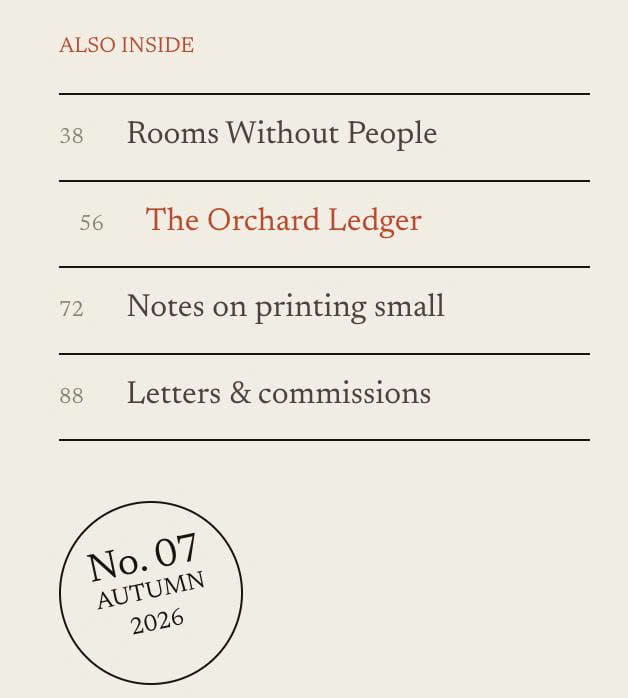
#1. Install Code
#1.1. First, you can add a Text Block with P3, P2, P2 like this
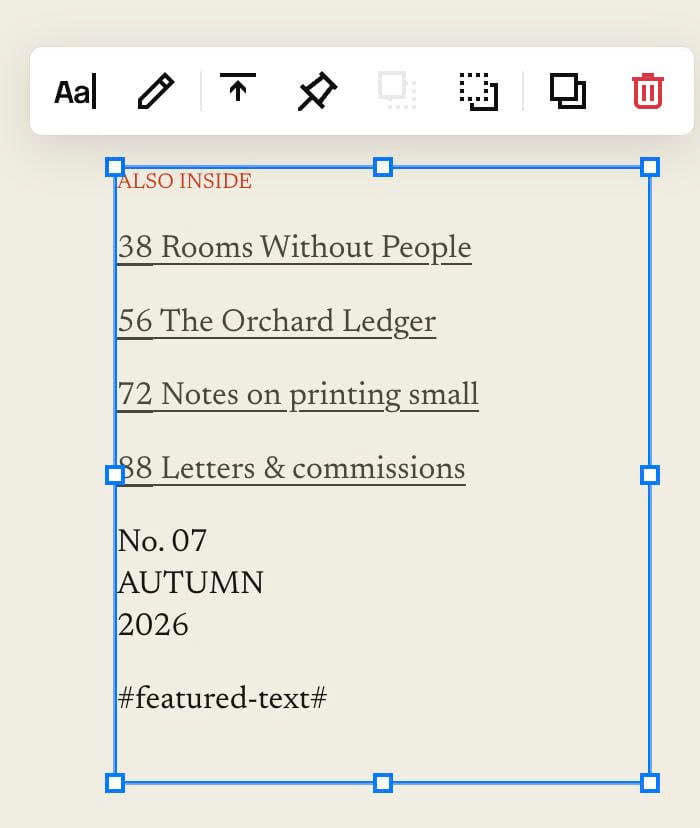
#1.2. With number, make them UNDERLINE (You can press CTRL U to underline text)

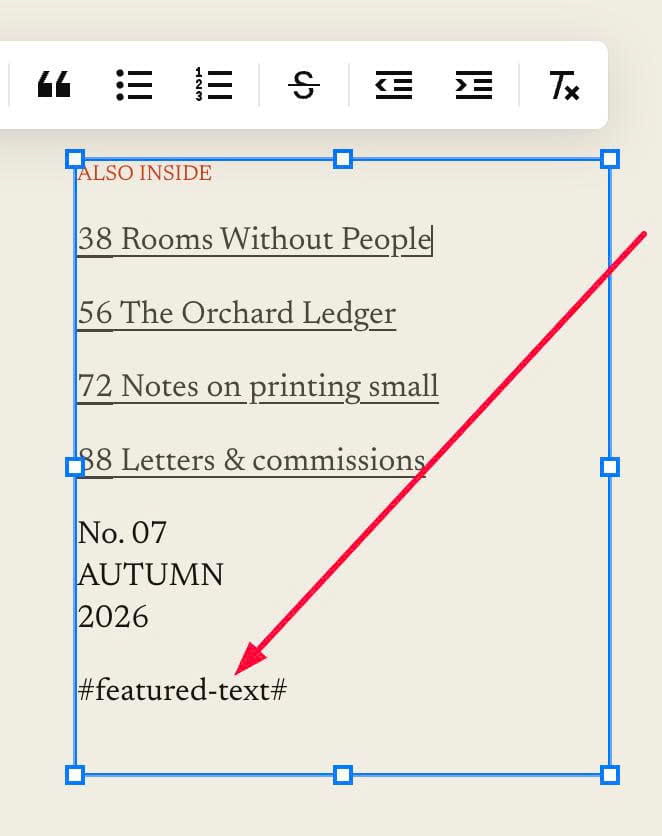
#1.3. at the end of Text Block, enter word: #featured-text#
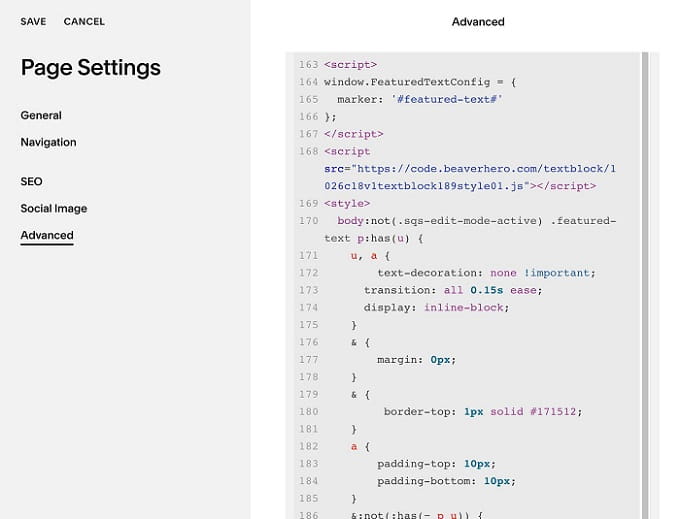
#1.4. Next, hover on page where you use Text Block > Click Gear icon > Click Advanced > Paste this code
<!-- 10.26c18v1 Text Block 189 Style 01 -->
<script>
window.FeaturedTextConfig = {
  marker: '#featured-text#'
};
</script>
<script src="https://code.beaverhero.com/textblock/1026c18v1textblock189style01.js"></script>
<style>
  body:not(.sqs-edit-mode-active) .featured-text p:has(u) {
    u, a {
        text-decoration: none !important;
      transition: all 0.15s ease;
      display: inline-block;
    }
    & {
        margin: 0px;
    }
    & {
    	 border-top: 1px solid #171512;
    }
    a {
        padding-top: 10px;
        padding-bottom: 10px;
    }
    &:not(:has(~ p u)) {
        border-bottom: 1px solid #171512;
    }
    u {
        min-width: 30px;
        display: inline-block;
        color: #8a8276;
        font-size: 11px;
    }
    &:hover a {
        transform: translateX(10px);
        transition: all 0.15s ease;
      	color: #c8401e;
    }
}
  .featured-text p:last-child, body.sqs-edit-mode .featured-text p:nth-last-child(2) {
    border: 1px solid #171512;
    width: 80px;
    height: 80px;
    display: flex;
    flex-direction: column;
    align-items: center;
    justify-content: center;
    border-radius: 50%;
    padding: 5px;
    transform: rotate(-12deg);
    text-align: center;
    margin-top: 30px;
    font-size: 12px;
    gap: 0px;
}
.featured-text p:last-child span, body.sqs-edit-mode .featured-text p:nth-last-child(2) span {
    font-size: 20px;
}
.featured-text p:last-child br:nth-child(2), body.sqs-edit-mode .featured-text p:nth-last-child(2) br:nth-child(2) {
    display: none !important;
}
</style>
#2. Customize
#2.1. To change line color, you can change line
& {
    	 border-top: 1px solid #171512;
    }
and
&:not(:has(~ p u)) {
       border-bottom: 1px solid #171512;
   }
#2.2. To change space between text – line, change these
a {
        padding-top: 10px;
        padding-bottom: 10px;
    }
#2.3. To change style of number, change these
u {
       min-width: 30px;
       display: inline-block;
       color: #8a8276;
       font-size: 11px;
   }
#2.4. To change style of circle text, change these lines
.featured-text p:last-child, body.sqs-edit-mode .featured-text p:nth-last-child(2) {
    border: 1px solid #171512;
    width: 80px;
    height: 80px;
    display: flex;
    flex-direction: column;
    align-items: center;
    justify-content: center;
    border-radius: 50%;
    padding: 5px;
    transform: rotate(-12deg);
    text-align: center;
    margin-top: 30px;
    font-size: 12px;
    gap: 0px;
}