Description
- adding dropcap to text block
- view demo – password: abc
- buy me a coffee
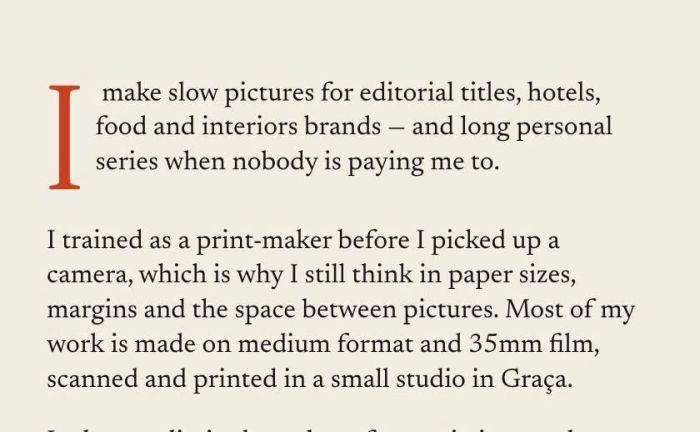
#1. Install Code
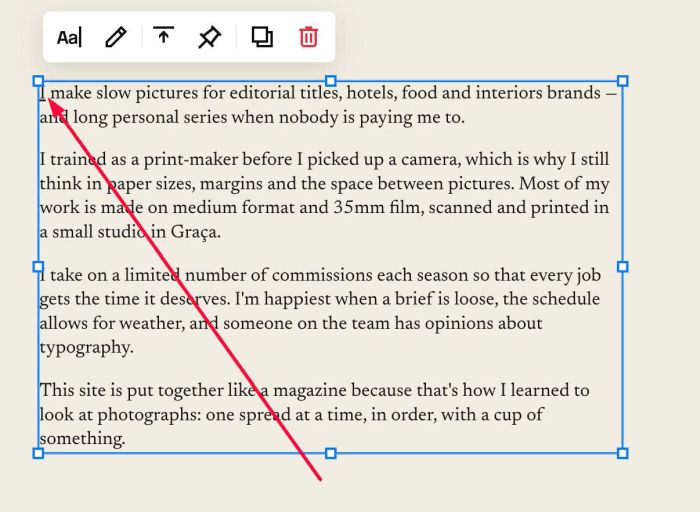
#1.1. First, highlight text > Make it underline (press Ctrl U to underline text)
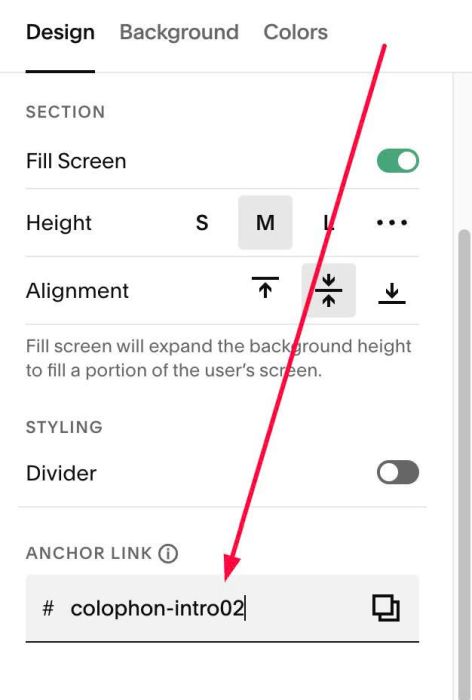
#1.2. Hover on top right of section (where you use Text Block) > Click EDIT SECTION > at Design > Anchor Link > enter word: colophon-intro02
#1.3. Next, use this code to Custom CSS
body:not(.sqs-edit-mode-active) { section#colophon-intro02 {
  &{
  --dropcap-size: 5.4em;
  --dropcap-color: ~"hsl(var(--darkAccent-hsl))";
  --dropcap-font: var(--heading-font-font-family);
}
.sqs-html-content p > u:first-child {
  float: left;
  font-family: var(--dropcap-font);
  font-size: var(--dropcap-size);
  font-weight: 400;
  font-style: normal;
  line-height: .78;
  padding: .06em .09em 0 0;
  color: var(--dropcap-color);
  text-decoration: none !important;
}
.sqs-html-content p:has(> u:first-child)::after {
  content: "";
  display: block;
  clear: both;
  }}}
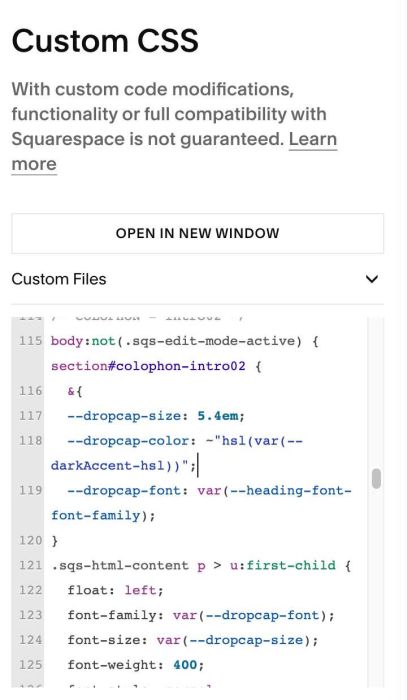
#1.4. You can change size/color here
--dropcap-size: 5.4em;
--dropcap-color: ~"hsl(var(--darkAccent-hsl))";
you can use hex color, ex:
--dropcap-size: 5.4em;
--dropcap-color: #f1f;