Description
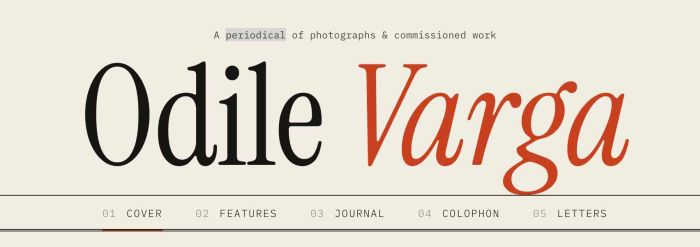
- navigation bar with number on left of links, fullwidth horizontal lines, always show on mobile under logo/site title
- view demo – password: abc
- buy me a coffee
#1. Install Code
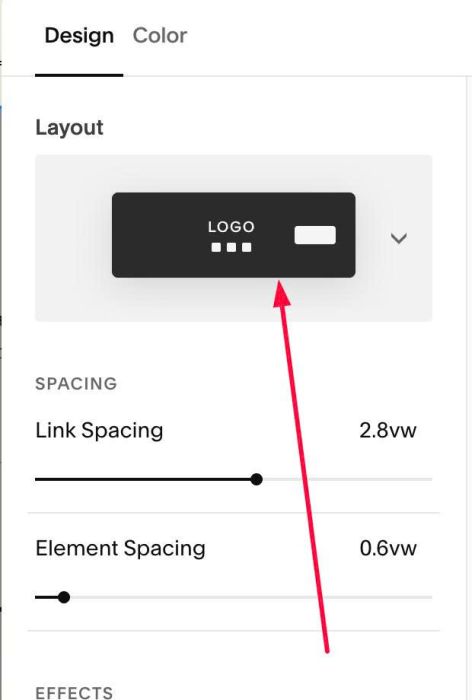
#1.1. Make sure you use layout
#1.2. Use this code to Custom CSS
/* Navigation Bar */
#header {
  --nav-ink: #171512; // 2 lines
  --nav-mute: #8a8276; // for number
  --nav-accent: #c8401e; // for underline & hover
  overflow-x: clip;

  .header-nav {
    position: relative;
    &::before {
      content: "";
      position: absolute;
      top: 0;
      bottom: 0;
      left: -100vw;
      right: -100vw;
      border-top: 1px solid var(--nav-ink);
      border-bottom: 3px double var(--nav-ink);
      pointer-events: none;
    }
  }

  .header-nav-list {
    counter-reset: navnum;
    flex-wrap: nowrap !important;
    white-space: nowrap;
  }

  .header-nav-item {
    counter-increment: navnum;
    > a {
      display: inline-block;
      padding: 13px 0 11px !important;
      background-image: none !important;
      border-bottom: 2px solid transparent;
      transition: color .25s, border-color .25s;
      &::before {
        content: counter(navnum, decimal-leading-zero);
        color: var(--nav-mute);
        margin-right: 3px; // space number - nav link
      }
      &:hover { color: var(--nav-accent); }
    }
    &--active > a { border-bottom-color: var(--nav-accent); }
  }

  .header-display-desktop {
    .header-title-nav-wrapper { min-width: 0; }
    .header-nav, .header-nav-wrapper {
      display: flex;
      justify-content: center;
      min-width: 0;
    }
    .header-nav-list { flex-shrink: 0; }
  }

  @media (max-width: 767px) {
    .header-display-mobile {
      .header-burger { display: none !important; }
      .header-title-nav-wrapper {
        display: flex !important;
        flex-direction: column;
        align-items: center;
        width: 100%;
        flex: 1 1 100%;
      }
      .header-nav {
        display: block !important;
        width: 100%;
        margin-top: 10px;
      }
      .header-nav-wrapper { display: block !important; }
      .header-nav-list {
        display: flex !important;
        gap: 22px;
        justify-content: flex-start;
        overflow-x: auto;
        scrollbar-width: none;
        &::-webkit-scrollbar { display: none; }
      }
      .header-nav-item {
        flex: 0 0 auto;
        margin: 0 !important;
        padding: 0 !important;
        > a { font-size: 12px; }
      }
    }
  }
}
/* Site title width */
.header-display-desktop .header-title {
  display: flex;
  justify-content: center;
  min-width: 0;
}
.header-title-text {
  flex-shrink: 0;
  a { white-space: nowrap; }
}
#1.3. You can change style here
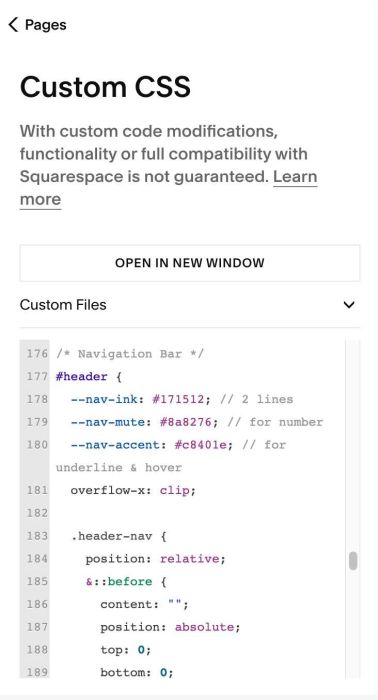
--nav-ink: #171512; // 2 lines
 --nav-mute: #8a8276; // for number
 --nav-accent: #c8401e; // for underline & hover
To change style of bottom line, change this line
border-bottom: 3px double var(--nav-ink);
To change space between number – navigation link, change this line
margin-right: 3px; // space number - nav link