Description
- portfolio pagination with custom previous/next text, back to button
- view demo – password: abc
- buy me a coffee

#1. Install Code
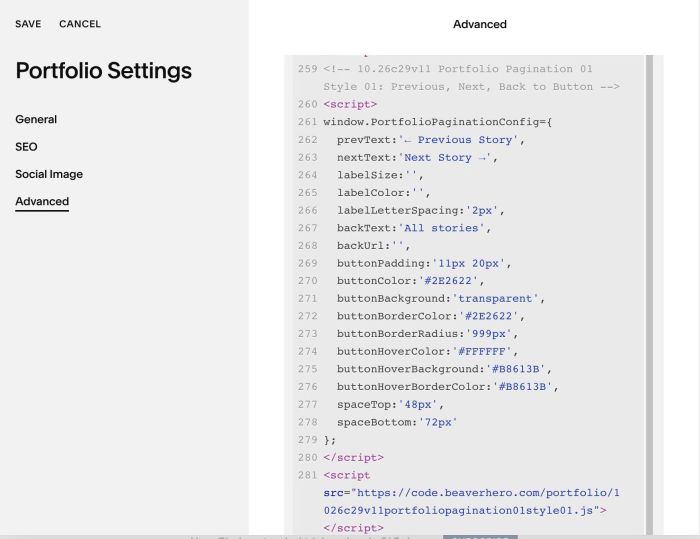
#1.1. Use this code to Portfolio Page Header Injection
<!-- 10.26c29v11 Portfolio Pagination 01 Style 01: Previous, Next, Back to Button -->
<script>
window.PortfolioPaginationConfig={
  prevText:'← Previous Story',
  nextText:'Next Story →',
  labelSize:'',
  labelColor:'',
  labelLetterSpacing:'2px',
  backText:'All stories',
  backUrl:'',
  buttonPadding:'11px 20px',
  buttonColor:'#2E2622',
  buttonBackground:'transparent',
  buttonBorderColor:'#2E2622',
  buttonBorderRadius:'999px',
  buttonHoverColor:'#FFFFFF',
  buttonHoverBackground:'#B8613B',
  buttonHoverBorderColor:'#B8613B',
  spaceTop:'48px',
  spaceBottom:'72px'
};
</script>
<script src="https://code.beaverhero.com/portfolio/1026c29v11portfoliopagination01style01.js"></script>
#2. Customize
#2.1. You can change Previous/Next/Button text here
prevText:'← Previous Story',
  nextText:'Next Story →',
  backText:'All stories',
#2.2. Change button style here
buttonPadding:'11px 20px',
  buttonColor:'#2E2622',
  buttonBackground:'transparent',
  buttonBorderColor:'#2E2622',
  buttonBorderRadius:'999px',
  buttonHoverColor:'#FFFFFF',
  buttonHoverBackground:'#B8613B',
  buttonHoverBorderColor:'#B8613B',