Description
- adding section (from not linked page) under portfolio pagination
- view demo – password: abc
- buy me a coffee

#1. Install Code
Note: this will require Section Loader Plugin
#1.1. First, create a page in Not Linked with URL: /portfolio-cta
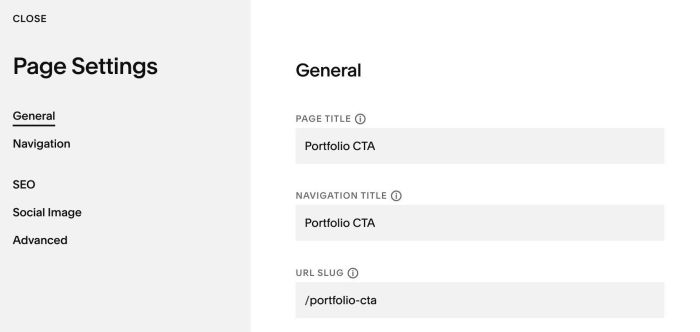
Then design your desired content

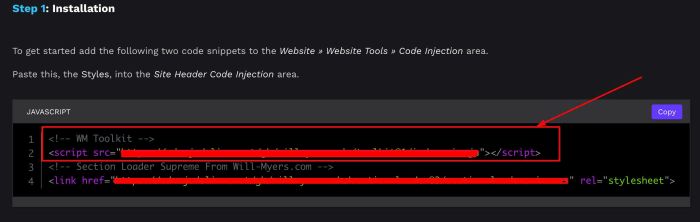
#1.2. After purchased plugin, you can copy this line from Installation Page
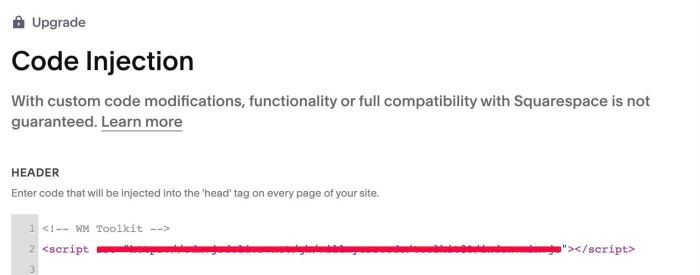
and add it to Code Injection > Header, like this
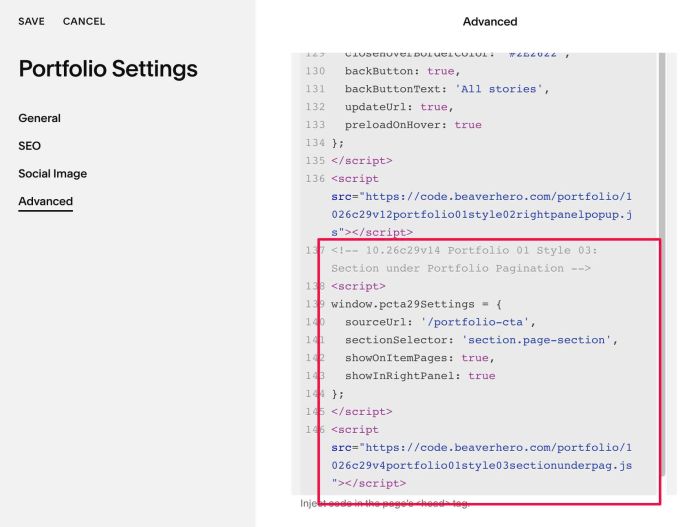
#1.2. Add this code to Portfolio Page Header Injection
<!-- 10.26c29v14 Portfolio 01 Style 03: Section under Portfolio Pagination -->
<script>
window.pcta29Settings = {
  sourceUrl: '/portfolio-cta',
  sectionSelector: 'section.page-section',
  showOnItemPages: true,
  showInRightPanel: true
};
</script>
<script src="https://code.beaverhero.com/portfolio/1026c29v4portfolio01style03sectionunderpag.js"></script>
#2. Customize
nothing now