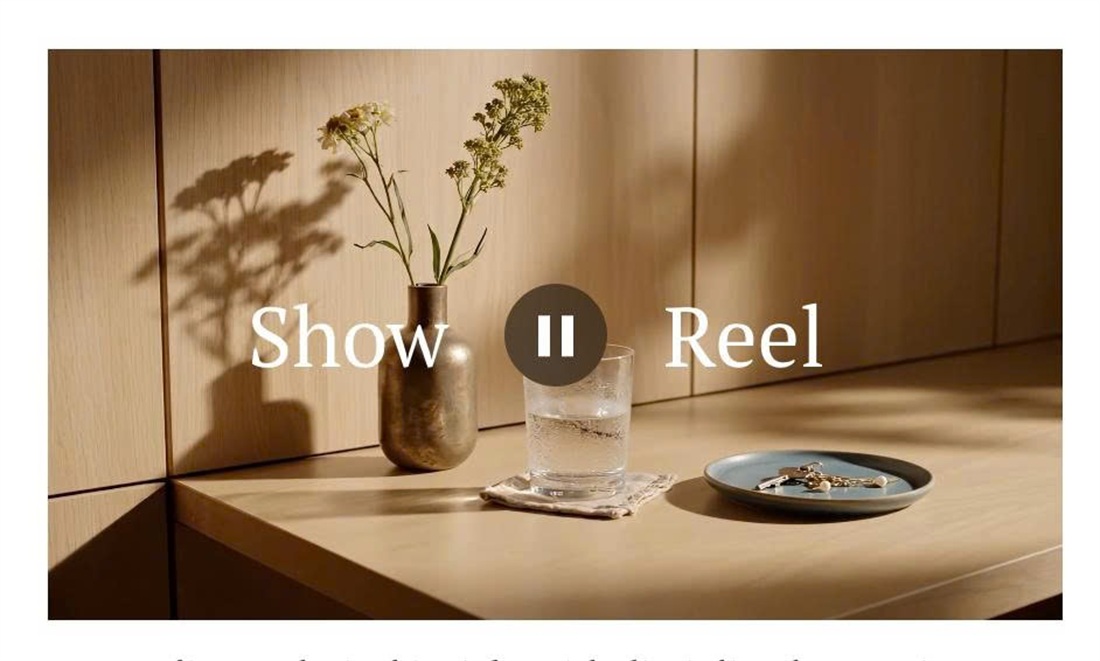
Want the classic “Show ▶ Reel” look on your video? Write the caption as Show Reel (bold first word, italic second) and this code places the two words on each side of the play button.
#1. Install Code
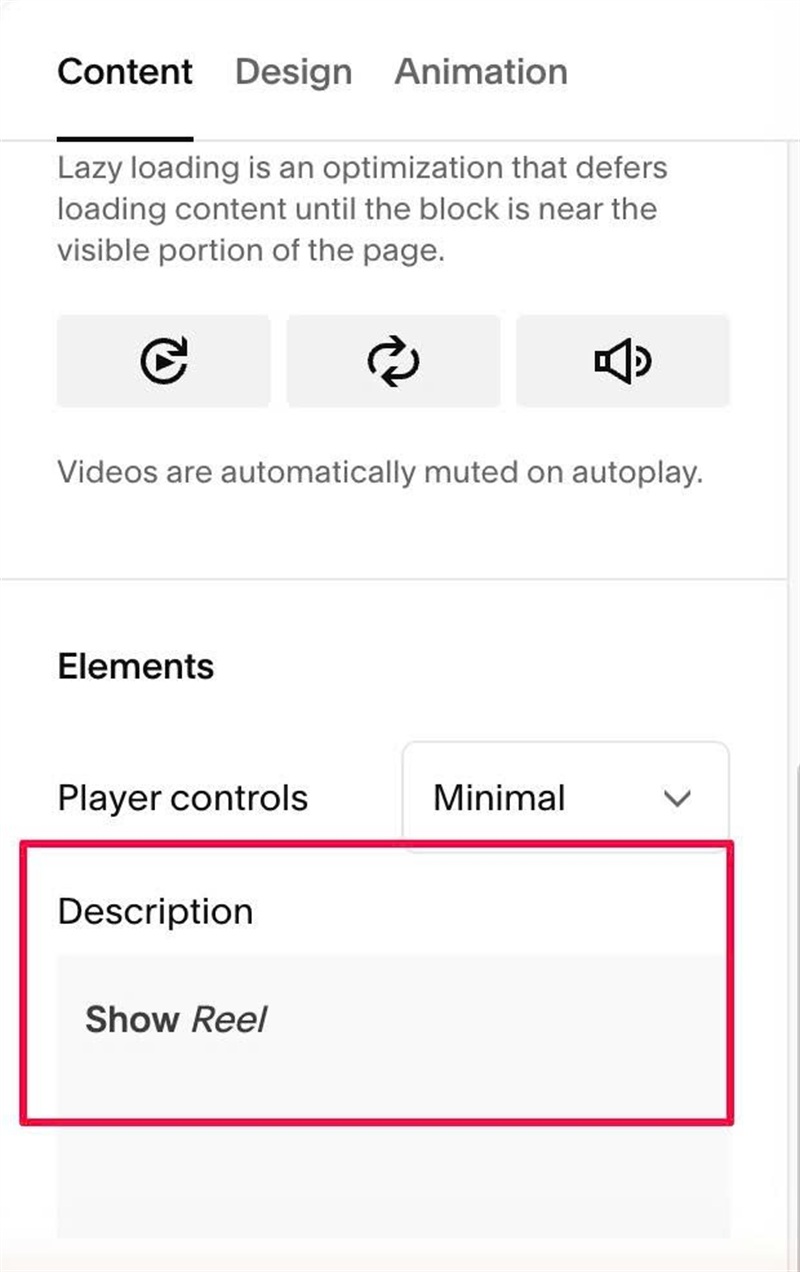
#1.1. First, add text Show Reel to Video Caption
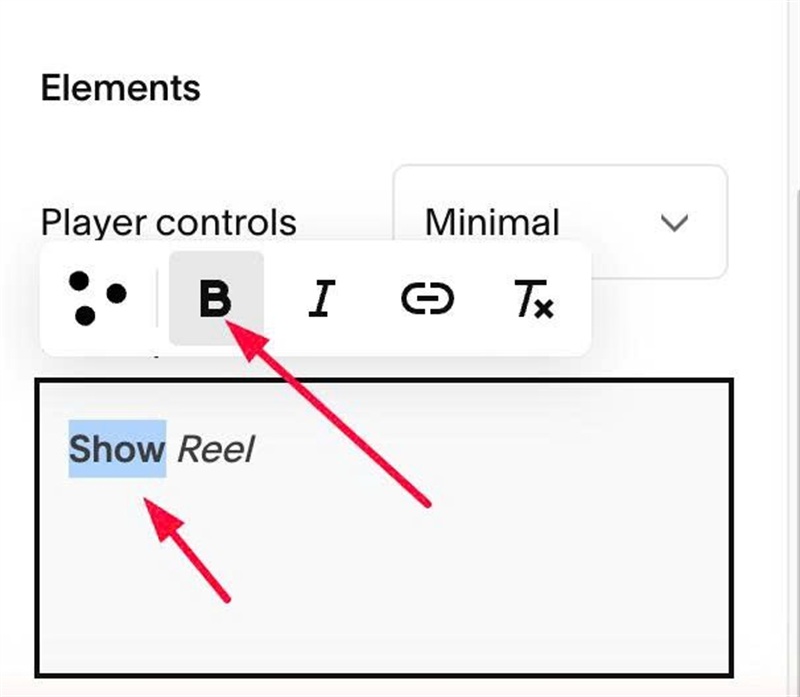
#1.2. Make text “Show” bold
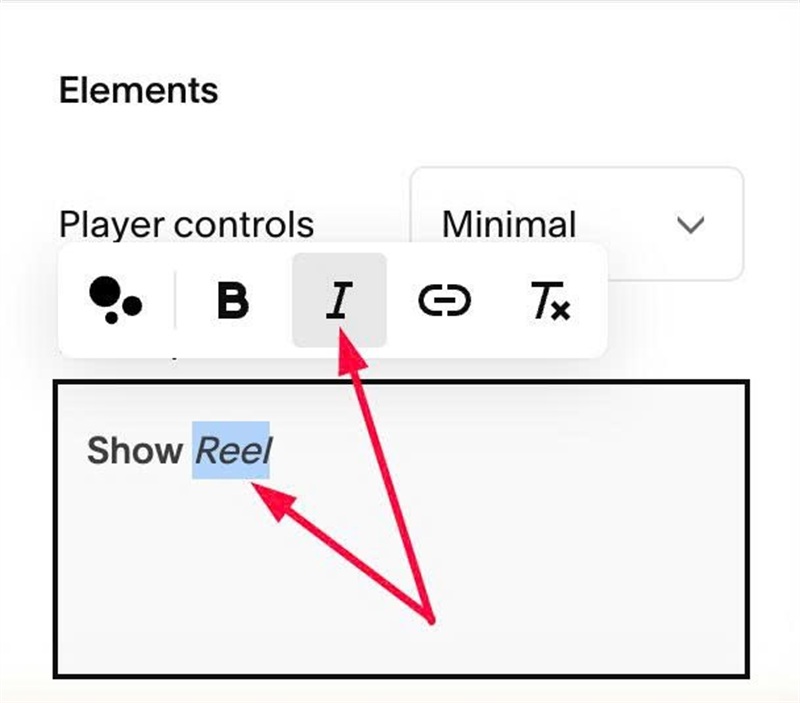
#1.3. Make text “Reel” italic
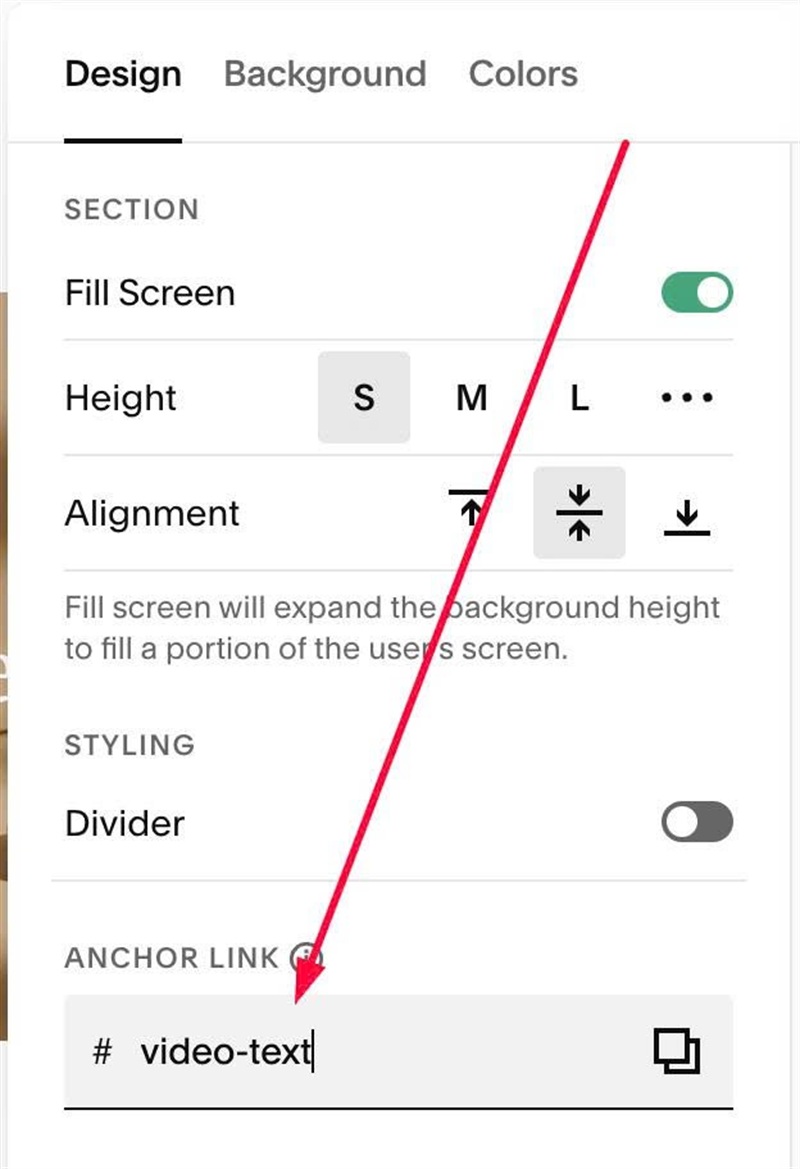
#1.4. Hover on top right of section > Click EDIT SECTION > at Design > Anchor Link > enter word: video-text
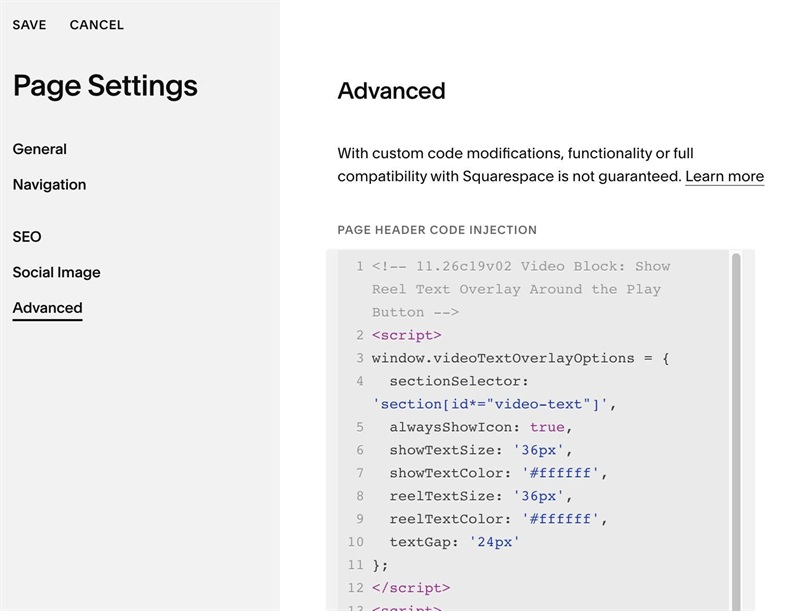
#1.5. Next, use code to Page Header Injection
<!-- 11.26c19v02 Video Block: Show Reel Text Overlay Around the Play Button -->
<script>
window.videoTextOverlayOptions = {
  sectionSelector: 'section[id*="video-text"]',
  alwaysShowIcon: true,
  showTextSize: '36px',
  showTextColor: '#ffffff',
  reelTextSize: '36px',
  reelTextColor: '#ffffff',
  textGap: '24px'
};
</script>
<script>
(function(){
var o=Object.assign({sectionSelector:'section[id*="video-text"]',alwaysShowIcon:false,showTextSize:'',showTextColor:'#ffffff',reelTextSize:'',reelTextColor:'#ffffff',textGap:'24px'},window.videoTextOverlayOptions||{});
var s=o.sectionSelector;
var id='video-text-overlay-style-'+s.replace(/[^\w-]/g,'');
function d(p,v){return v!==''&&v!=null?p+':'+v+';':''}
var css=s+' .video-block .intrinsic{position:relative}'+
s+' .video-block .video-caption-wrapper{position:absolute;inset:0;display:flex;align-items:center;justify-content:center;margin:0;padding:0;pointer-events:none;z-index:2}'+
s+' .video-block .video-caption{width:100%;margin:0;padding:0}'+
s+' .video-block .video-caption p{display:flex!important;align-items:center;justify-content:center;width:100%;margin:0;white-space:normal!important;gap:calc(var(--video-text-icon-width,72px) + 2 * '+(o.textGap||'0px')+')}'+
s+' .video-block .video-caption p strong,'+s+' .video-block .video-caption p em{flex:1 1 0;min-width:0;font-weight:inherit;font-style:inherit}'+
s+' .video-block .video-caption p strong{text-align:right;'+d('font-size',o.showTextSize)+d('color',o.showTextColor)+'}'+
s+' .video-block .video-caption p em{text-align:left;'+d('font-size',o.reelTextSize)+d('color',o.reelTextColor)+'}'+
(o.alwaysShowIcon?s+' .video-block .plyr__control--overlaid{opacity:1!important;visibility:visible!important}':'');
function inject(){
if(document.getElementById(id))return;
var st=document.createElement('style');
st.id=id;
st.textContent=css;
document.head.appendChild(st);
}
function measure(){
document.querySelectorAll(s+' .video-block').forEach(function(b){
var c=b.querySelector('.plyr__control--overlaid');
var w=c?c.getBoundingClientRect().width:0;
if(w)b.style.setProperty('--video-text-icon-width',w+'px');
});
}
var t;
function run(){
inject();
measure();
}
function init(){
run();
window.addEventListener('resize',run);
new MutationObserver(function(){clearTimeout(t);t=setTimeout(run,100)}).observe(document.body,{childList:true,subtree:true});
}
if(document.readyState!=='loading')init();else document.addEventListener('DOMContentLoaded',init);
})();
</script>
#1.6. To change style (size, color) of both text, edit this
showTextSize: '36px',
showTextColor: '#ffffff',
reelTextSize: '36px',
reelTextColor: '#ffffff',
textGap: '24px'