List Section buttons can only open a link, so there’s no easy way to show a video cover with a play button that opens the video in a popup. This code adds a play button over each item image and opens the button’s YouTube, Vimeo or MP4 link in a lightbox.
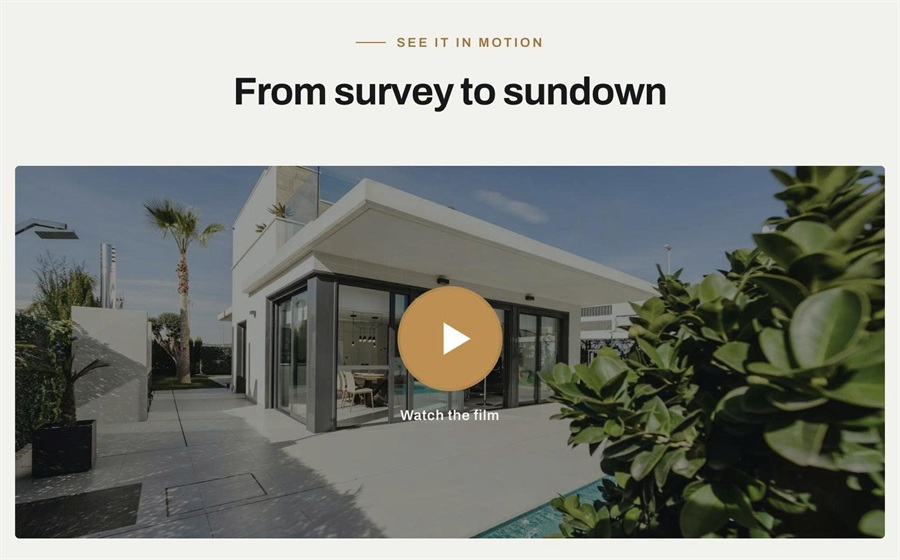
#1. Install Code
#1.1. First, adding a List Simple
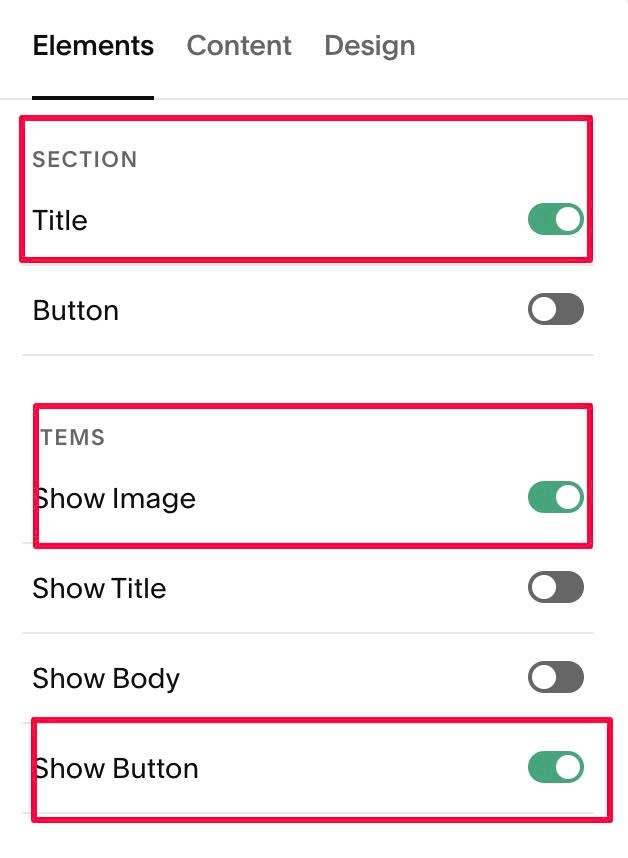
#1.2. Enable these
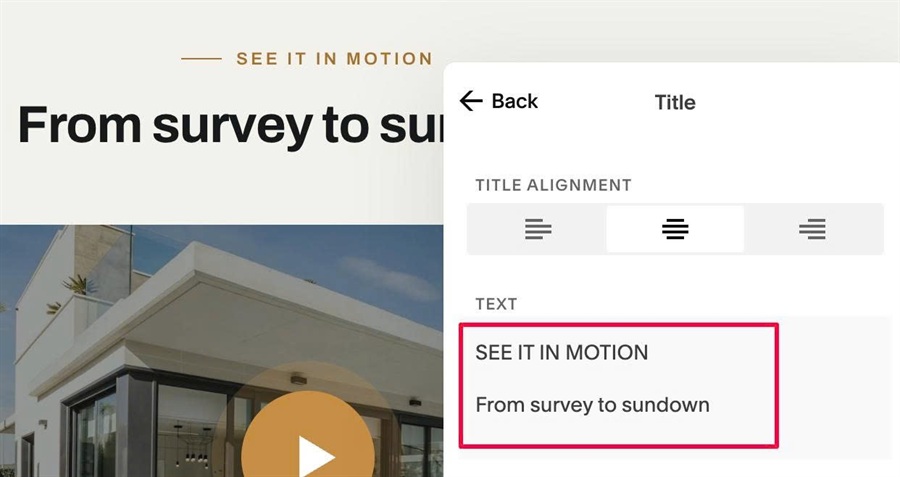
#1.3. Edit Section Title > Enter 2 Paragraphs
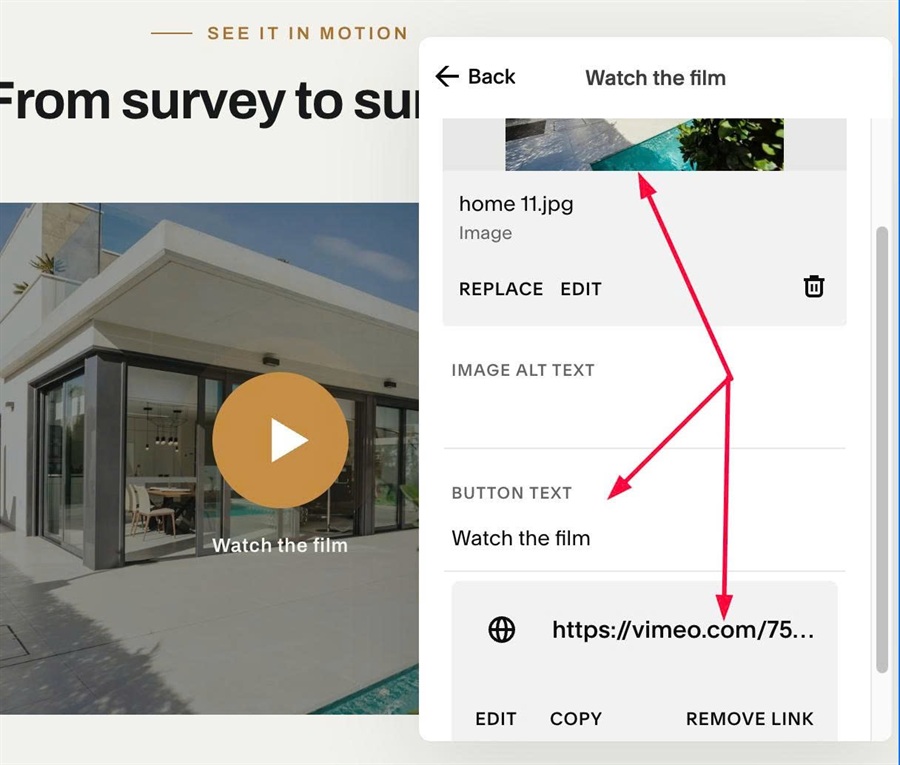
#1.4. Edit item > Upload desired image, enter button text + button url. You can use MP4 URL, Vimeo or Youtube
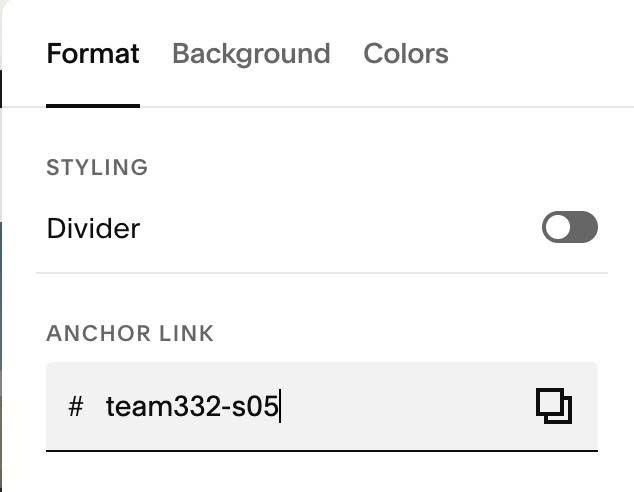
#1.5. Hover on top right of section > Click EDIT SECTION > at Format > Anchor Link > enter word: team332-s05
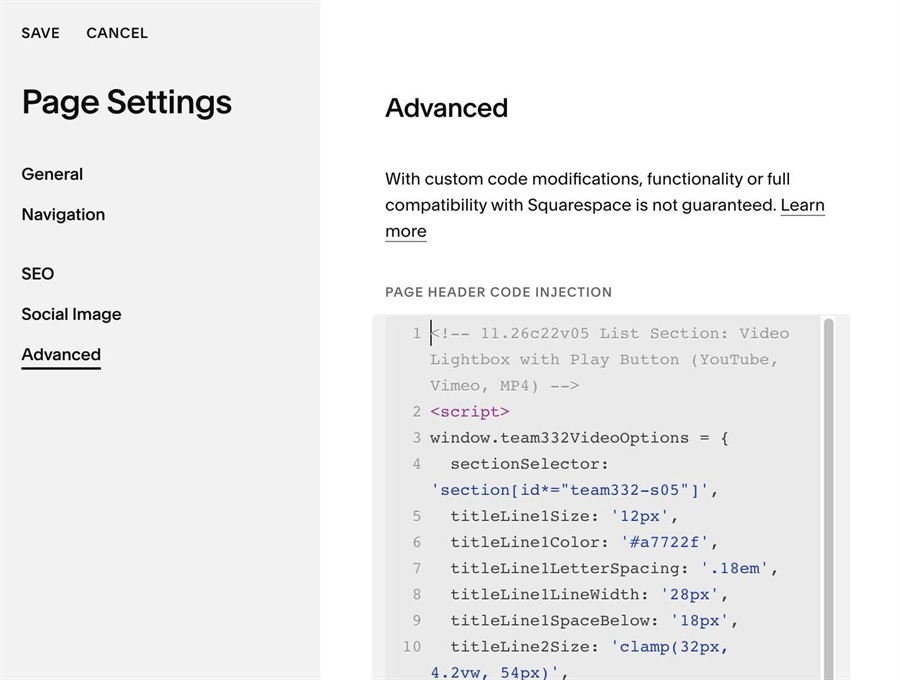
#1.6. Use code to Page Header Injection
<!-- 11.26c22v05 List Section: Video Lightbox with Play Button (YouTube, Vimeo, MP4) -->
<script>
window.team332VideoOptions = {
  sectionSelector: 'section[id*="team332-s05"]',
  titleLine1Size: '12px',
  titleLine1Color: '#a7722f',
  titleLine1LetterSpacing: '.18em',
  titleLine1LineWidth: '28px',
  titleLine1SpaceBelow: '18px',
  titleLine2Size: 'clamp(32px, 4.2vw, 54px)',
  imageRatio: '21/9',
  imageRatioMobile: '4/3',
  imageRadius: '4px',
  overlayColor: 'rgba(22,25,27,.45)',
  overlayHoverColor: 'rgba(22,25,27,.3)',
  playSize: '92px',
  playIconSize: '50px',
  playBackgroundColor: '#c58d45',
  playIconColor: '#fff',
  playPulse: true,
  buttonTextColor: '#f4f1eb',
  buttonLetterSpacing: '.14em',
  playTextSpace: '18px',
  lightboxBackgroundColor: 'rgba(12,14,15,.94)',
  lightboxMaxWidth: '1100px',
  lightboxRadius: '4px',
  closeSize: '50px',
  closeIconSize: '20px',
  closeLineWidth: '1.25',
  closeColor: '#ffffff',
  closeBorderColor: 'rgba(255,255,255,.25)',
  closeHoverBackgroundColor: '#c58d45',
  closeHoverColor: '#16191b',
  autoplay: true
};
</script>
<script src="https://code.beaverhero.com/listsimple/1126c22v05team332s05.js"></script>
#1.7. Customize
Any styles not mentioned here can be adjusted under Design > Style, Size & Space, or Site Styles.
To change Section Title style, edit this
titleLine1Size: '12px',
titleLine1Color: '#a7722f',
titleLine1LetterSpacing: '.18em',
titleLine1LineWidth: '28px',
titleLine1SpaceBelow: '18px',
titleLine2Size: 'clamp(32px, 4.2vw, 54px)',
To change image ratio, overlay color over image, edit this
imageRatio: '21/9',
  imageRatioMobile: '4/3',
  imageRadius: '4px',
  overlayColor: 'rgba(22,25,27,.45)',
  overlayHoverColor: 'rgba(22,25,27,.3)',
To change Play icon & text under play style, edit this
playSize: '92px',
  playIconSize: '50px',
  playBackgroundColor: '#c58d45',
  playIconColor: '#fff',
  playPulse: true,
  buttonTextColor: '#f4f1eb',
  buttonLetterSpacing: '.14em',
  playTextSpace: '18px',
To change lightbox color, close icon style, edit this
lightboxBackgroundColor: 'rgba(12,14,15,.94)',
  lightboxMaxWidth: '1100px',
  lightboxRadius: '4px',
  closeSize: '50px',
  closeIconSize: '20px',
  closeLineWidth: '1.25',
  closeColor: '#ffffff',
  closeBorderColor: 'rgba(255,255,255,.25)',
  closeHoverBackgroundColor: '#c58d45',
  closeHoverColor: '#16191b',