- Support: [email protected]
- Free install (1 site)
Description:
- Enable caption in Gallery Lightbox
#1. Install code
#1.1. Personal Plan/Basic Plan
First, add a section under Gallery (or you can also add a section in Site Footer)

Add a Block > Choose Markdown
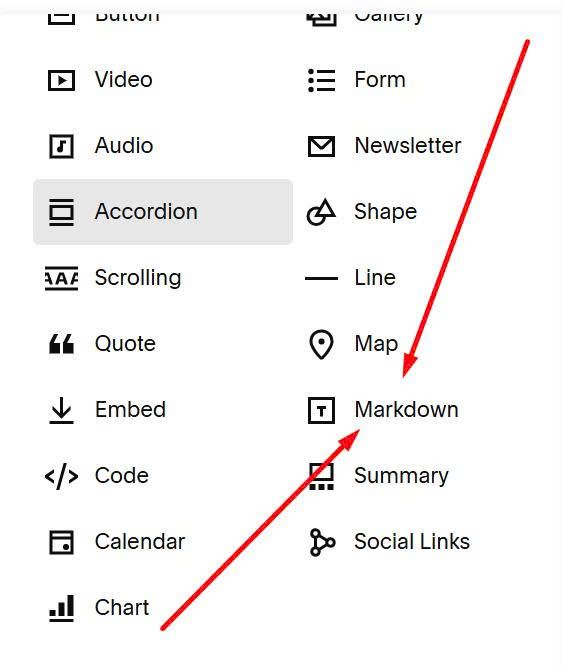
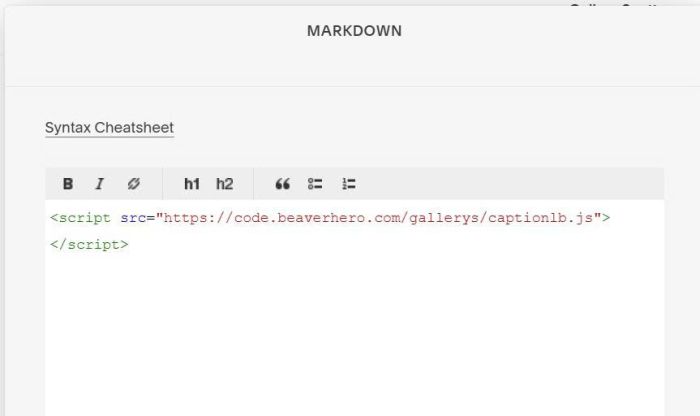
Paste this code into Markdown
<script src="https://code.beaverhero.com/gallerys/captionlb.js"></script>
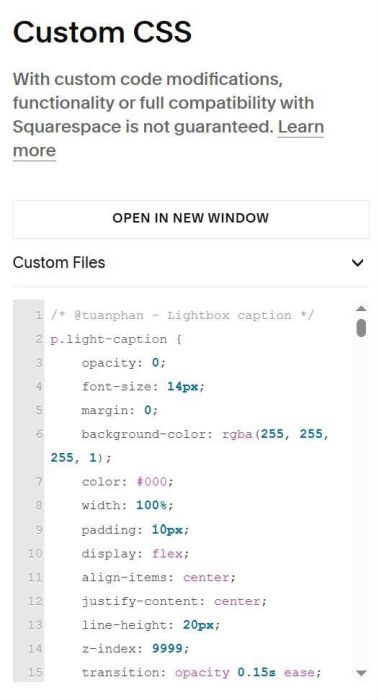
Next, use this code to Custom CSS
/* @tuanphan - Lightbox caption */
div.light-caption {
    opacity: 0;
    font-size: 14px;
    margin: 0;
    background-color: rgba(255, 255, 255, 1);
    color: #000;
    width: 100%;
    padding: 10px;
    display: flex;
    align-items: center;
    justify-content: center;
    line-height: 20px;
    z-index: 9999;
    transition: opacity 0.15s ease;
}
#1.2. Business Plan/higher
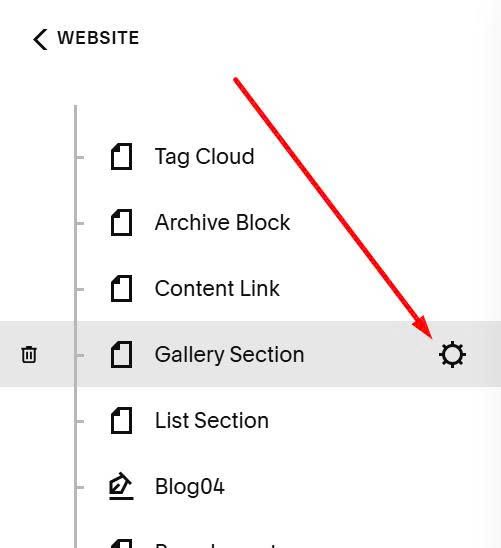
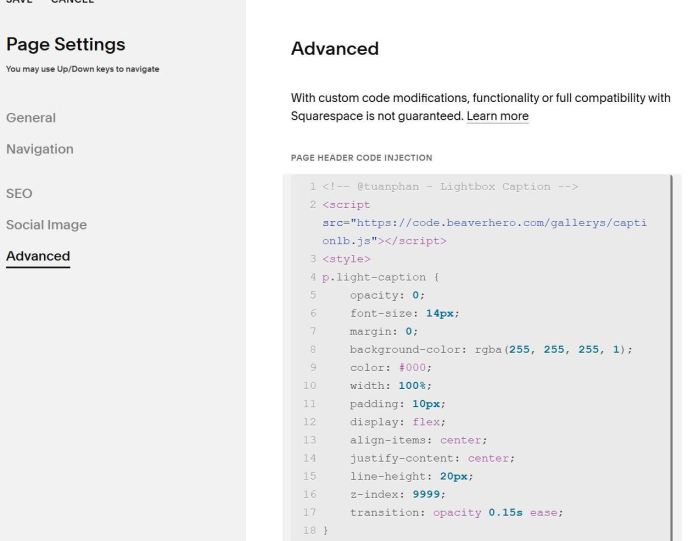
Hover on page where you use Gallery > Click Gear icon
Next, click Advanced > Paste this code
<!-- @tuanphan - Lightbox Caption -->
<script src="https://code.beaverhero.com/gallerys/captionlb.js"></script>
<style>
div.light-caption {
    opacity: 0;
    font-size: 14px;
    margin: 0;
    background-color: rgba(255, 255, 255, 1);
    color: #000;
    width: 100%;
    padding: 10px;
    display: flex;
    align-items: center;
    justify-content: center;
    line-height: 20px;
    z-index: 9999;
    transition: opacity 0.15s ease;
}
</style>
#2. Usage
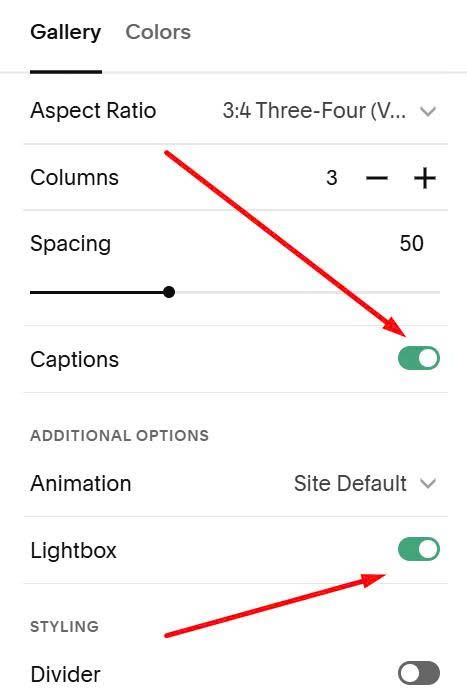
Make sure you enabled Caption + Lightbox
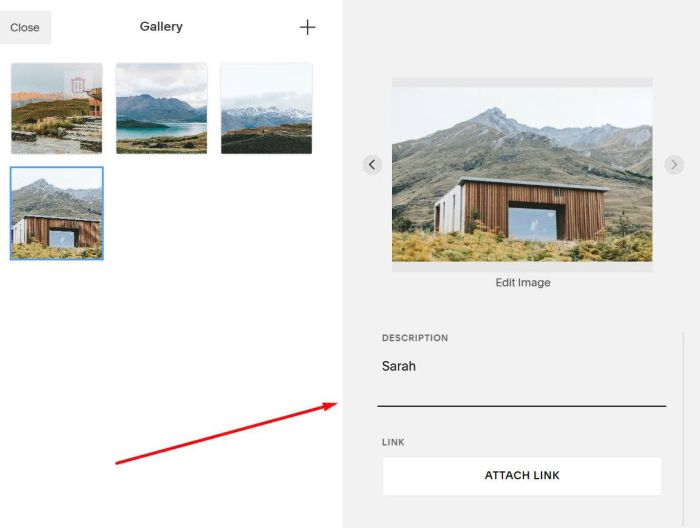
Make sure you added caption to Images
#3. Customize
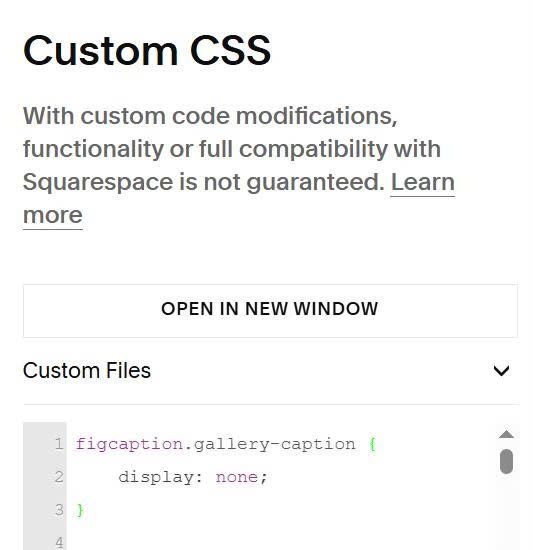
#3.1. To remove caption under image in Gallery View, we can use this code to Custom CSS
figcaption.gallery-caption {
    display: none;
}
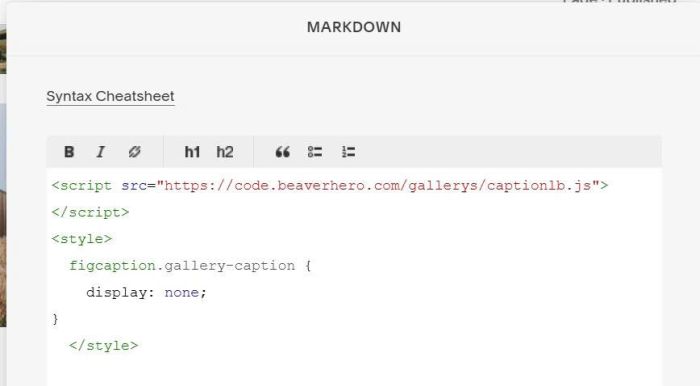
But if you want to remove caption in current page only, you can add this code into Markdown Block
<style>
  figcaption.gallery-caption {
    display: none;
}
  </style>
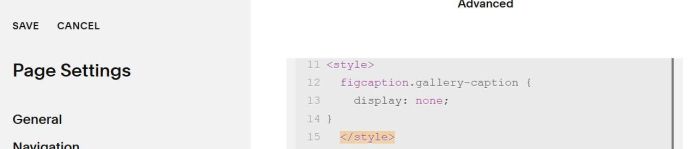
Or Page Header Injection
<style>
  figcaption.gallery-caption {
    display: none;
}
</style>
#3.2. To change style of lightbox caption, you can adjust these lines
div.light-caption {
    opacity: 0;
    font-size: 14px;
    margin: 0;
    background-color: rgba(255, 255, 255, 1);
    color: #000;
    width: 100%;
    padding: 10px;
    display: flex;
    align-items: center;
    justify-content: center;
    line-height: 20px;
    z-index: 9999;
    transition: opacity 0.15s ease;
}