Description
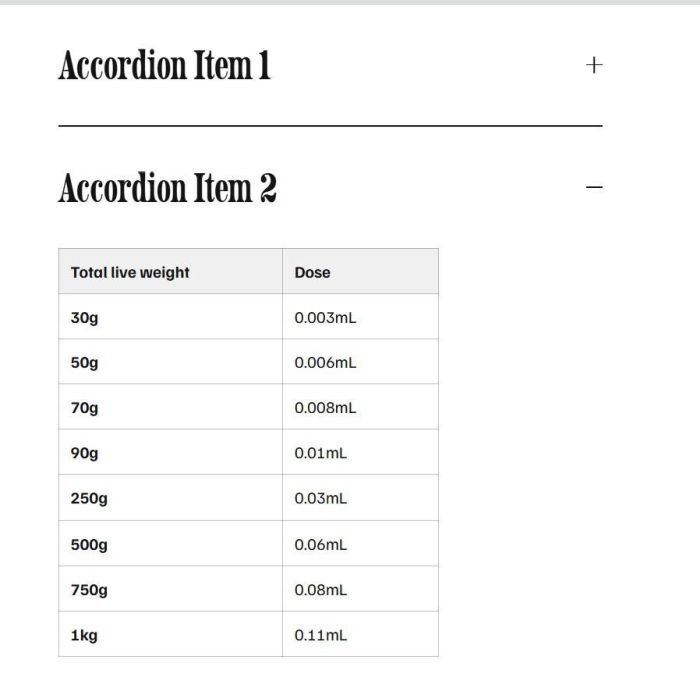
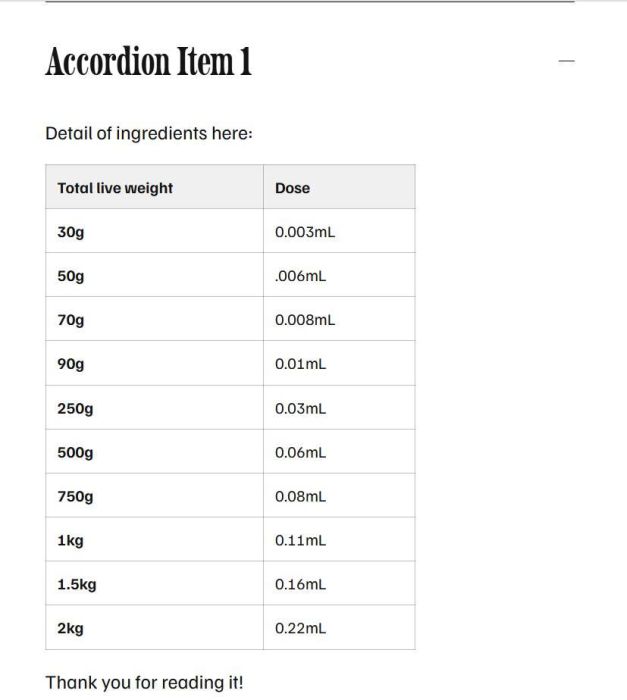
- simple table inside accordion
- view demo – password: abc
- buy me a coffee
Note: If you use Personal/Basic Plan and can’t use Injection, see step #2.6
#1. Install Code
#1.1. First add text in Accordion Item, use format like this
##table

bold text - underline text

bold text - underline text

bold text - underline text

bold text - underline text

bold text - underline text

bold text - underline text

bold text - underline text

bold text - underline text

boldtext - underline text

##end-table
for example, this is bold text
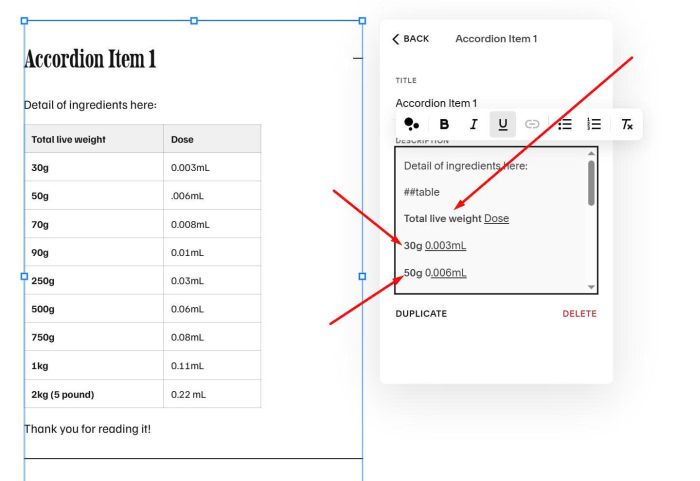
this is underline text
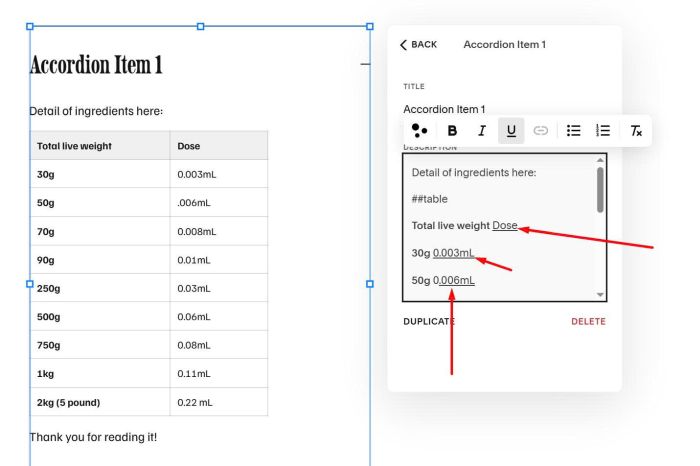
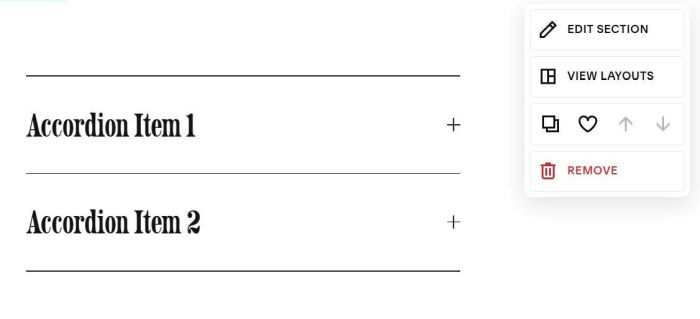
#1.2. Hover on top right of section > Click Edit Section
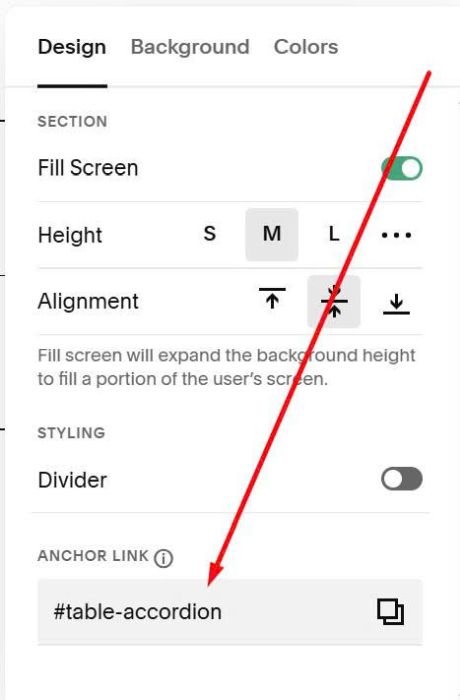
at Anchor Link, enter: table-accordion
table-accordion
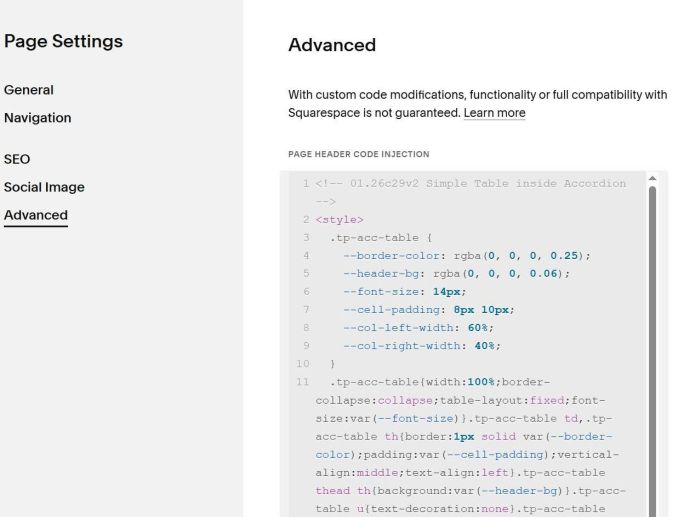
#1.3. Hover on page where you use Accordion > Click Gear icon
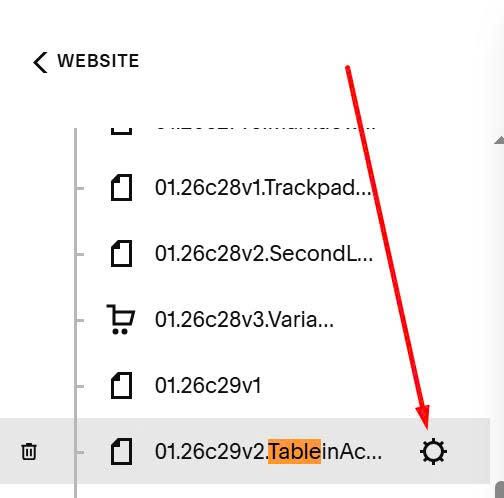
Paste this code
<!-- 01.26c29v2 Simple Table inside Accordion -->
<style>
  .tp-acc-table {
    --border-color: rgba(0, 0, 0, 0.25);
    --header-bg: rgba(0, 0, 0, 0.06);
    --font-size: 14px;
    --cell-padding: 8px 10px;
    --col-left-width: 60%;
    --col-right-width: 40%;
  }
  .tp-acc-table{width:100%;border-collapse:collapse;table-layout:fixed;font-size:var(--font-size)}.tp-acc-table td,.tp-acc-table th{border:1px solid var(--border-color);padding:var(--cell-padding);vertical-align:middle;text-align:left}.tp-acc-table thead th{background:var(--header-bg)}.tp-acc-table u{text-decoration:none}.tp-acc-table td:first-child,.tp-acc-table th:first-child{width:var(--col-left-width)}.tp-acc-table td:last-child,.tp-acc-table th:last-child{width:var(--col-right-width)}
</style>
<script>
(()=>{"use strict";const e='section[id*="table-accordion"]',t=e=>(e||"").replace(/\u00a0/g," ").replace(/\s+/g," ").trim(),n=(e,n)=>t(e.textContent).toLowerCase()===n,r=e=>{const n=e.querySelector("strong"),r=e.querySelector("u");let o=n?t(n.textContent):"",a=r?t(r.textContent):"";if(!o||!a){const n=t(e.textContent).match(/^(.+?)\s+([^\s].*)$/);!o&&n&&(o=t(n[1])),!a&&n&&(a=t(n[2]))}return o||a?{left:o,right:a}:null},o=e=>{if("1"===e.dataset.tpTableDone)return;const t=Array.from(e.querySelectorAll("p"));let o=-1,a=-1;for(let e=0;e<t.length;e++)if(n(t[e],"##table")&&(o=e),n(t[e],"##end-table")){a=e;break}if(-1===o||-1===a||a<=o)return;const c=t.slice(o+1,a).map(r).filter(Boolean);if(!c.length)return;const l=(e=>{const t=document.createElement("table");t.className="tp-acc-table";const n=document.createElement("thead"),r=document.createElement("tbody");return e.forEach(((e,t)=>{const o=document.createElement("tr");if(0===t){const t=document.createElement("th"),r=document.createElement("th");t.innerHTML=`<strong>${e.left}</strong>`,r.innerHTML=`<u>${e.right}</u>`,o.appendChild(t),o.appendChild(r),n.appendChild(o)}else{const t=document.createElement("td"),n=document.createElement("td");t.innerHTML=`<strong>${e.left}</strong>`,n.innerHTML=`<u>${e.right}</u>`,o.appendChild(t),o.appendChild(n),r.appendChild(o)}})),t.appendChild(n),t.appendChild(r),t})(c);t.slice(o,a+1).forEach((e=>{e.setAttribute("data-tp-marker","1")}));t[o].insertAdjacentElement("beforebegin",l),t.slice(o,a+1).forEach((e=>e.remove())),e.dataset.tpTableDone="1"},a=()=>{document.querySelectorAll(e).forEach((e=>{e.querySelectorAll(".accordion-item__description").forEach(o)}))},c=new WeakMap,l=()=>{a(),setTimeout(a,250),setTimeout(a,1200),document.querySelectorAll(e).forEach((e=>{if(c.has(e))return;const t=new MutationObserver((()=>a()));t.observe(e,{subtree:!0,childList:!0,characterData:!0}),c.set(e,t)}))};"loading"===document.readyState?document.addEventListener("DOMContentLoaded",l):l(),window.addEventListener("load",l),document.addEventListener("mercury:load",l)})();
</script>
#2. Customize
#2.1. To remove bold in bold text, you can use this to Custom CSS
table.tp-acc-table tr td strong {
    font-weight: normal;
}
#2.2. To adjust first – second columns width, adjust these lines (line 08, line 09)
--col-left-width: 60%;
--col-right-width: 40%;
#2.3. To adjust text size, edit line 06
--font-size: 14px;
#2.4. To edit table header background, change line 05
--header-bg: rgba(0, 0, 0, 0.06);
#2.5. To adjust table line border, edit line 04
--border-color: rgba(0, 0, 0, 0.25);
#2.6. To apply code on Personal/Basic Plan, you can repeat step #1.1, #1.2, then add a Markdown Block under Accordion Block
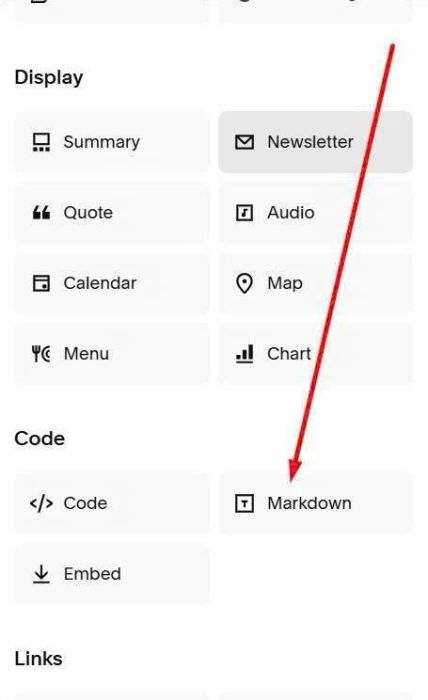
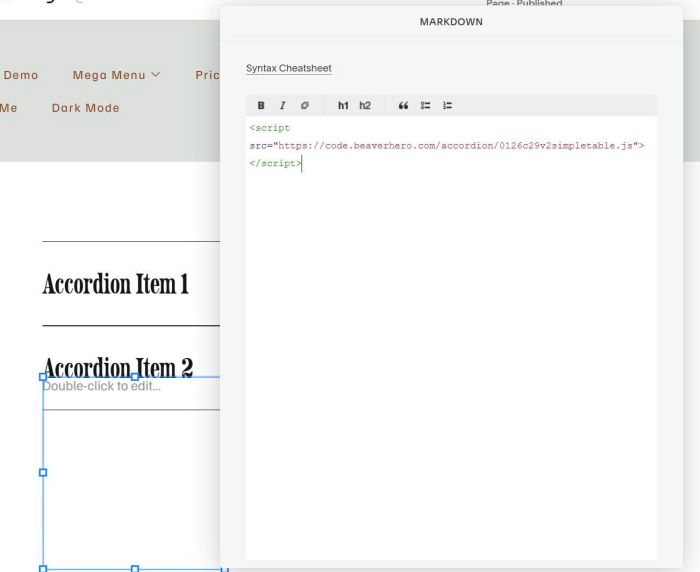
and add this code into Markdown Block
<script src="https://code.beaverhero.com/accordion/0126c29v2simpletable.js"></script>
and add this code to Custom CSS box
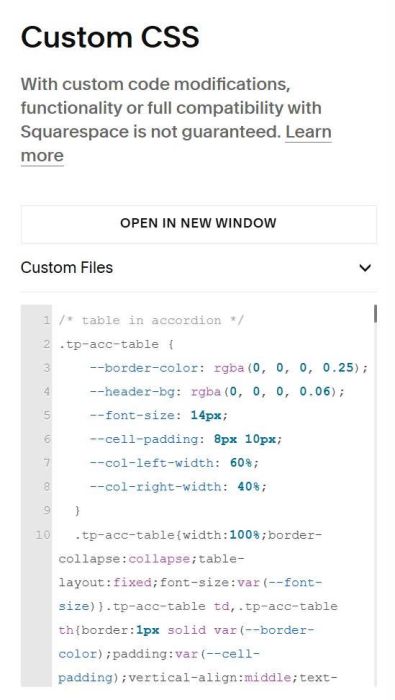
/* table in accordion */
.tp-acc-table {
    --border-color: rgba(0, 0, 0, 0.25);
    --header-bg: rgba(0, 0, 0, 0.06);
    --font-size: 14px;
    --cell-padding: 8px 10px;
    --col-left-width: 60%;
    --col-right-width: 40%;
  }
  .tp-acc-table{width:100%;border-collapse:collapse;table-layout:fixed;font-size:var(--font-size)}.tp-acc-table td,.tp-acc-table th{border:1px solid var(--border-color);padding:var(--cell-padding);vertical-align:middle;text-align:left}.tp-acc-table thead th{background:var(--header-bg)}.tp-acc-table u{text-decoration:none}.tp-acc-table td:first-child,.tp-acc-table th:first-child{width:var(--col-left-width)}.tp-acc-table td:last-child,.tp-acc-table th:last-child{width:var(--col-right-width)}