Description
- change section background color on scroll
- view demo – password: abc
- buy a coffee
#1. Install Code
If you use Personal/Basic Plan and your plan doesn’t support Injection, see #2.2.
You can also use this plugin to do effect.
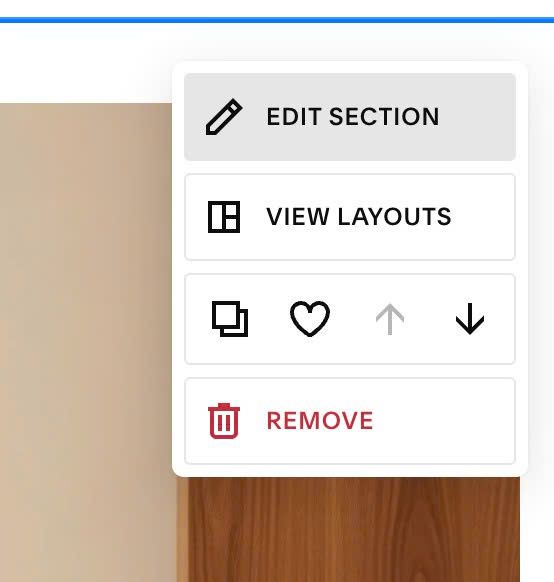
#1.1. First, hover on top right of all sections where you want to change Background Color on Scroll > Click Edit Section
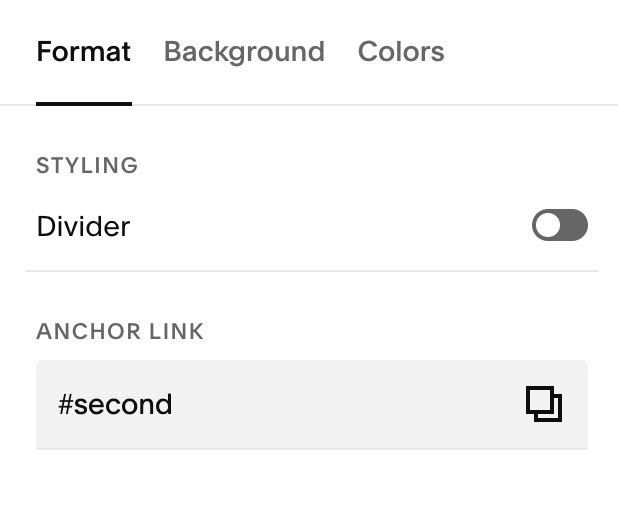
Enter word: one, second, third, fourth, fifth, sixth, seventh…to all sections. Something like this.


#1.2. Hover on Page where you added these sections > Click Gear icon

Click Advanced > Paste this code.
<!-- @tuanphan 04.26c13v2 Section Color on Scroll -->
<script>
window.SectionBgConfig = {
  transition: "0.6s ease",
  sections: [
    { selector: '#one', color: "white" },
    { selector: '#second', color: "red" },
    { selector: '#third', color: "rgba(255,0,0,0.5)" },
    { selector: '#fourth', color: "blue" },
    { selector: '#fifth', color: "yellow" },
    { selector: '#sixth', color: "yellow" },
    { selector: '#seventh', color: "orange" }
  ]
};
</script>
<script src="https://code.beaverhero.com/other/0426c13v2sectioncoloronscroll.js"></script>

#2. Customize
If you need to customize more, you can message me or use this AI tool, it was designed for the Squarespace site.
#2.1. You can change section color – anchor id here
window.SectionBgConfig = {
  transition: "0.6s ease",
  sections: [
    { selector: '#one', color: "white" },
    { selector: '#second', color: "red" },
    { selector: '#third', color: "rgba(255,0,0,0.5)" },
    { selector: '#fourth', color: "blue" },
    { selector: '#fifth', color: "yellow" },
    { selector: '#sixth', color: "yellow" },
    { selector: '#seventh', color: "orange" }
  ]
};
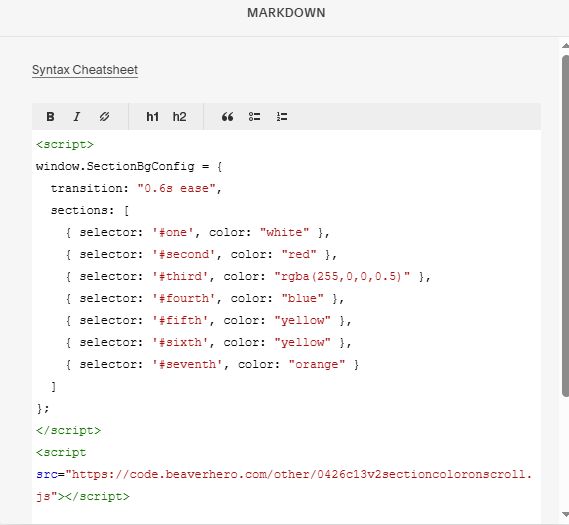
#2.2. If you use Personal/Basic Plan and your plan doesn’t support Injection, you can add a Markdown Block in Current Page.

Then use this code.
<script>
window.SectionBgConfig = {
  transition: "0.6s ease",
  sections: [
    { selector: '#one', color: "white" },
    { selector: '#second', color: "red" },
    { selector: '#third', color: "rgba(255,0,0,0.5)" },
    { selector: '#fourth', color: "blue" },
    { selector: '#fifth', color: "yellow" },
    { selector: '#sixth', color: "yellow" },
    { selector: '#seventh', color: "orange" }
  ]
};
</script>
<script src="https://code.beaverhero.com/other/0426c13v2sectioncoloronscroll.js"></script>