Description
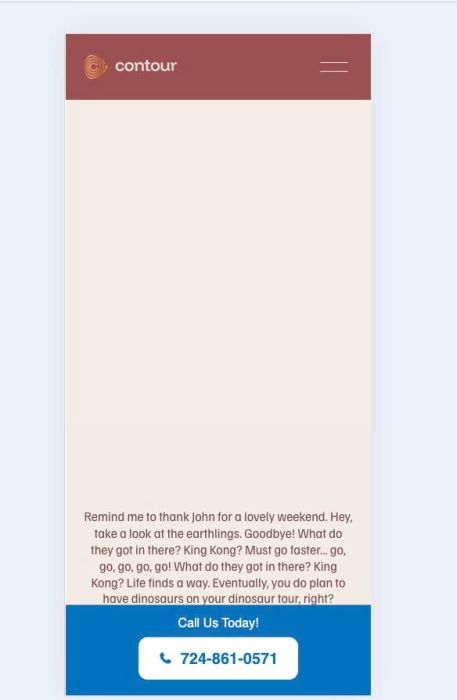
- mobile info bar with text/phone
- always appear on mobile only
- view demo – password: abc
- buy me a coffee
#1. Install Code
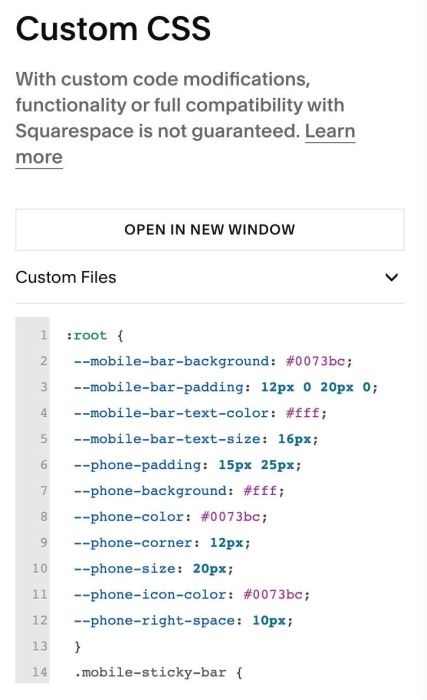
#1.1. First, add this code to Custom CSS box
:root {
 --mobile-bar-background: #0073bc;
 --mobile-bar-padding: 12px 0 20px 0;
 --mobile-bar-text-color: #fff;
 --mobile-bar-text-size: 16px;
 --phone-padding: 15px 25px;
 --phone-background: #fff;
 --phone-color: #0073bc;
 --phone-corner: 12px;
 --phone-icon-size: 20px;
 --phone-icon-color: #0073bc;
 --phone-right-space: 10px;
 }
 .mobile-sticky-bar {
   display: none;
   position: fixed;
   bottom: 0;
   left: 0;
   width: 100%;
   background-color: var(--mobile-bar-background);
   padding: var(--mobile-bar-padding);
   text-align: center;
   z-index: 99999;
   box-sizing: border-box;
 }

 .mobile-sticky-bar .bar-title {
   color: var(--mobile-bar-text-color) !important;
   margin-bottom: 8px;
   font-size: var(--mobile-bar-text-size);
   display: block;
 }

 .btn-container {
   display: flex;
   justify-content: center;
   align-items: center;
   width: 100%;
 }

 .mobile-sticky-bar .call-button {
   display: inline-flex !important;
   align-items: center;
   justify-content: center;
   padding: var(--phone-padding) !important;
   background-color: var(--phone-background) !important;
   color: var(--phone-color) !important;
   border-radius: var(--phone-corner) !important;
   text-decoration: none !important;
   font-size: var(--phone-size) !important;
   margin: 0 auto !important;
   box-sizing: border-box;
   line-height: 1.2;
   border: none !important;
 }

 .mobile-sticky-bar .icon-wrapper {
   width: var(--phone-icon-size);
   height: var(--phone-icon-size);
   margin-right: var(--phone-right-space);
   display: flex;
   align-items: center;
 }

 .mobile-sticky-bar .icon-wrapper svg {
   fill: var(--phone-icon-color);
   width: 100%;
   height: auto;
 }

 @media only screen and (max-width: 767px) {
   .mobile-sticky-bar {
     display: block;
   }
 }
#1.2. Next, add this code to Code Injection > Footer (or Header)
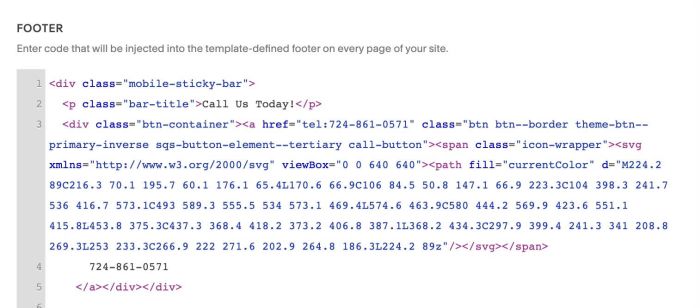
<div class="mobile-sticky-bar">
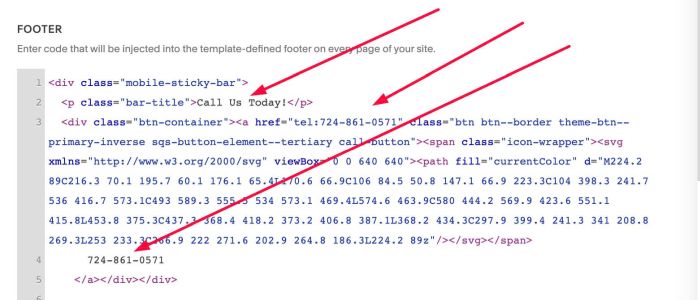
  <p class="bar-title">Call Us Today!</p>
  <div class="btn-container"><a href="tel:724-861-0571" class="btn btn--border theme-btn--primary-inverse sqs-button-element--tertiary call-button"><span class="icon-wrapper"><svg xmlns="http://www.w3.org/2000/svg" viewBox="0 0 640 640"><path fill="currentColor" d="M224.2 89C216.3 70.1 195.7 60.1 176.1 65.4L170.6 66.9C106 84.5 50.8 147.1 66.9 223.3C104 398.3 241.7 536 416.7 573.1C493 589.3 555.5 534 573.1 469.4L574.6 463.9C580 444.2 569.9 423.6 551.1 415.8L453.8 375.3C437.3 368.4 418.2 373.2 406.8 387.1L368.2 434.3C297.9 399.4 241.3 341 208.8 269.3L253 233.3C266.9 222 271.6 202.9 264.8 186.3L224.2 89z"/></svg></span>
      724-861-0571
    </a></div></div>
#1.3. You can update Text/Phone here
#2. Customize
All style options here
:root {
 --mobile-bar-background: #0073bc;
 --mobile-bar-padding: 12px 0 20px 0;
 --mobile-bar-text-color: #fff;
 --mobile-bar-text-size: 16px;
 --phone-padding: 15px 25px;
 --phone-background: #fff;
 --phone-color: #0073bc;
 --phone-corner: 12px;
 --phone-size: 20px;
 --phone-icon-color: #0073bc;
 --phone-right-space: 10px;
 }