Description
- set same location to all events
- buy me a coffee
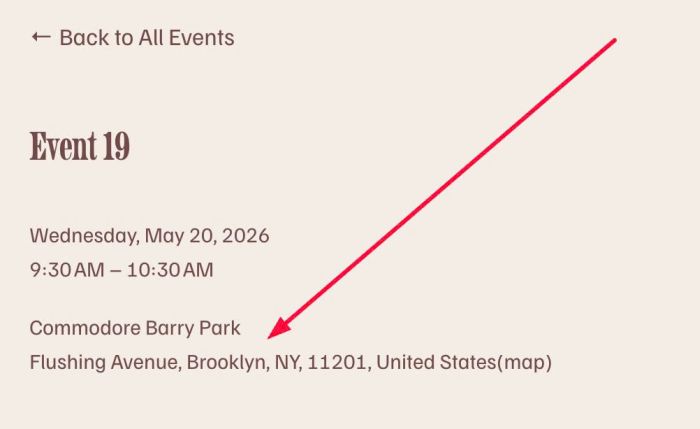
#1. Install Code
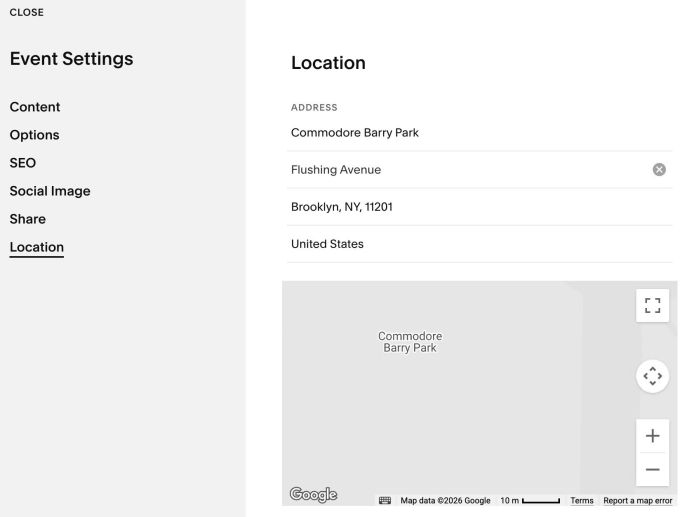
#1.1. First you need to edit an Event > Set info in Location
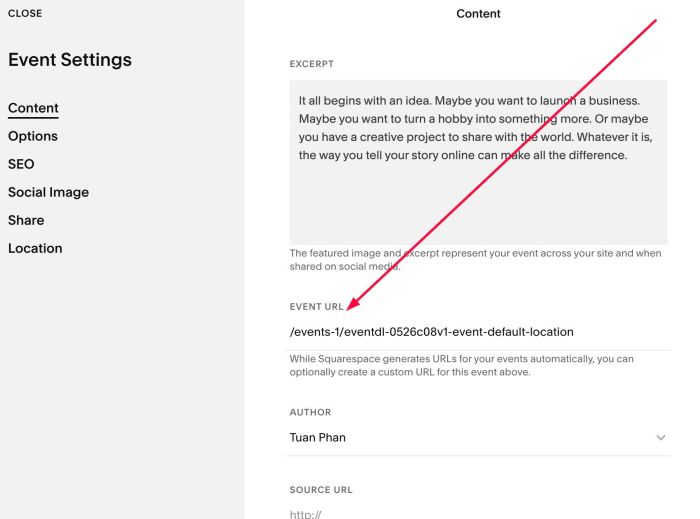
#1.2. Next, find Event Item URL (item with Location info)
#1.3. Click Gear icon on Event Page
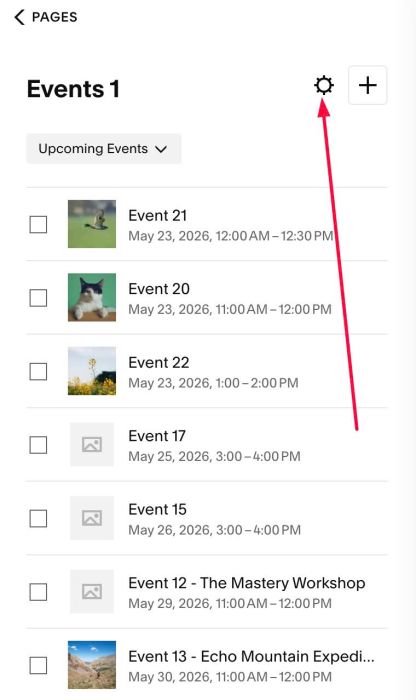
Click Advanced > Page Header Code Injection. If you use Personal/Basic Plan and your plan doesn’t support Injection, see #2.1.
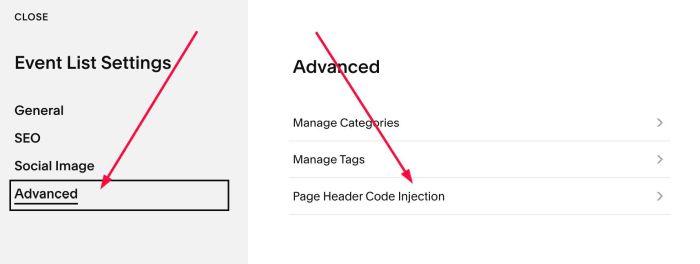
Paste this code
<!-- 05.26c08v1 Event Default Location -->
<script>
window.eventLocationConfig = {
  defaultLocationUrl: '/events-1/eventdl-0526c08v1-event-default-location'
};
</script>
<script src="https://code.beaverhero.com/event/0526c08v1eventdefaultlocation.js"></script>
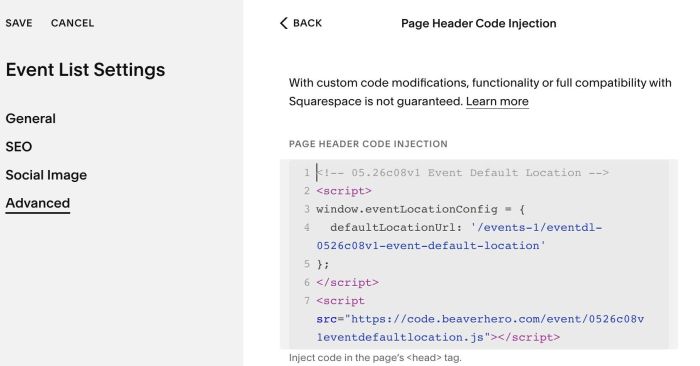
#1.4. Update Event item URL
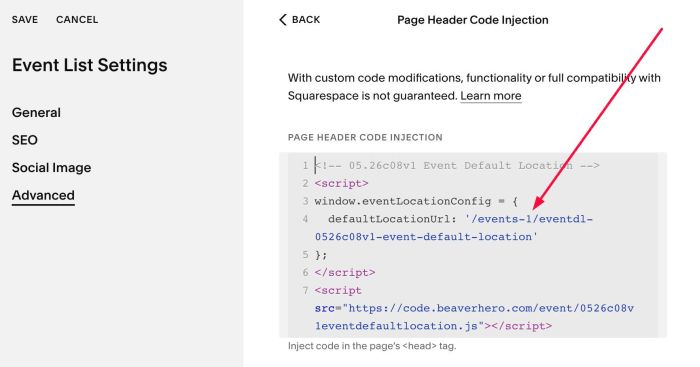
#2. Customize
#2.1. If you use Personal/Basic Plan and your plan doesn’t support Injection, you can edit Site Footer.
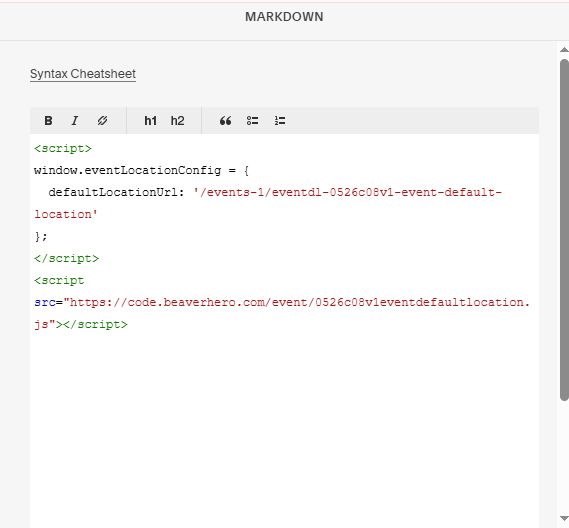
Add a Block > Choose Markdown

Add this code into Markdown (remember to update Event item url)
<script>
window.eventLocationConfig = {
  defaultLocationUrl: '/events-1/eventdl-0526c08v1-event-default-location'
};
</script>
<script src="https://code.beaverhero.com/event/0526c08v1eventdefaultlocation.js"></script>