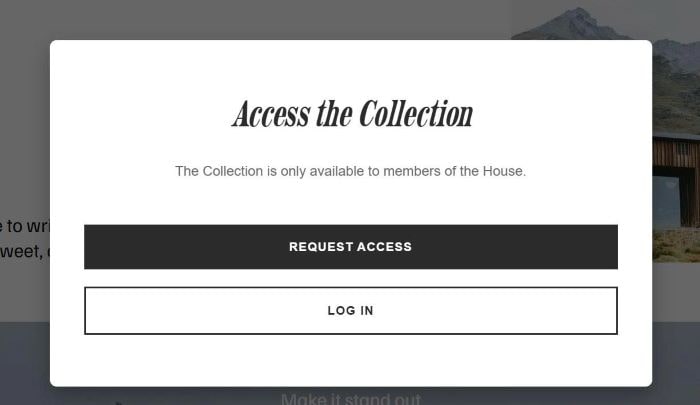
To make a popup always appear without closing it, like this.
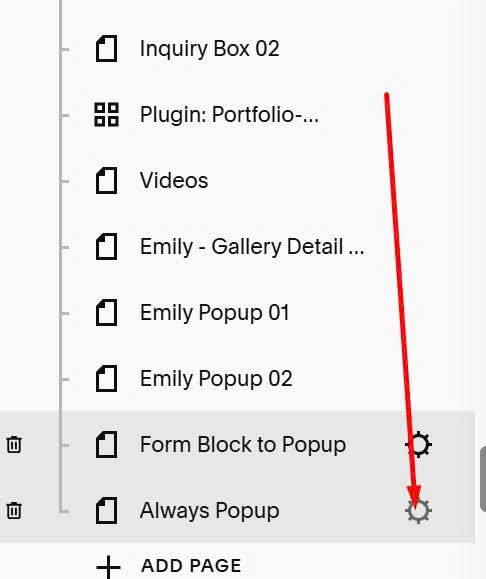
#1. Hover on Page > Click Gear icon
#2. Click Advanced > Paste code to right box
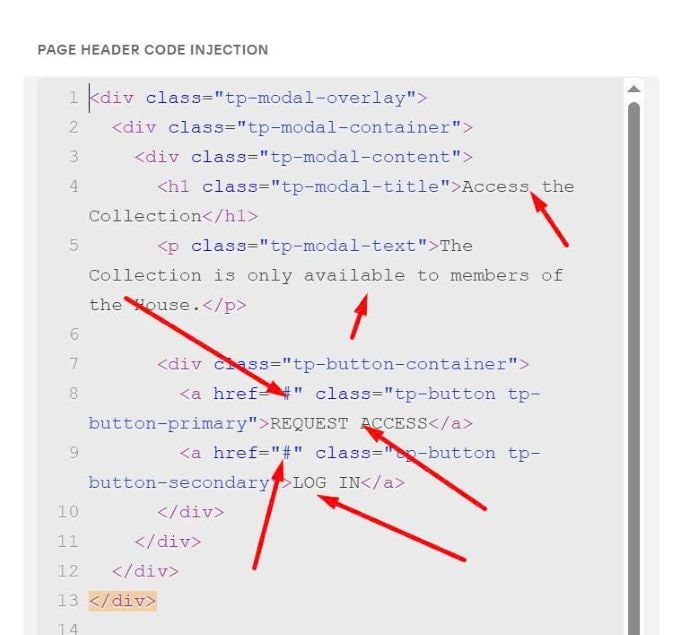
<div class="tp-modal-overlay">
  <div class="tp-modal-container">
    <div class="tp-modal-content">
      <h1 class="tp-modal-title">Access the Collection</h1>
      <p class="tp-modal-text">The Collection is only available to members of the House.</p>

      <div class="tp-button-container">
        <a href="#" class="tp-button tp-button-primary">REQUEST ACCESS</a>
        <a href="#" class="tp-button tp-button-secondary">LOG IN</a>
      </div>
    </div>
  </div>
</div>

<style>
.tp-modal-overlay {
  position: fixed;
  top: 0;
  left: 0;
  width: 100%;
  height: 100%;
  background: rgba(0, 0, 0, 0.6);
  display: flex;
  justify-content: center;
  align-items: center;
  padding: 20px;
  box-sizing: border-box;
  z-index: 99999;
}

.tp-modal-container {
  background: #ffffff;
  border-radius: 8px;
  max-width: 700px;
  width: 100%;
  max-height: 90vh;
  overflow-y: auto;
  box-shadow: 0 10px 25px rgba(0, 0, 0, 0.3);
}

.tp-modal-content {
  padding: 60px 40px;
  text-align: center;
}

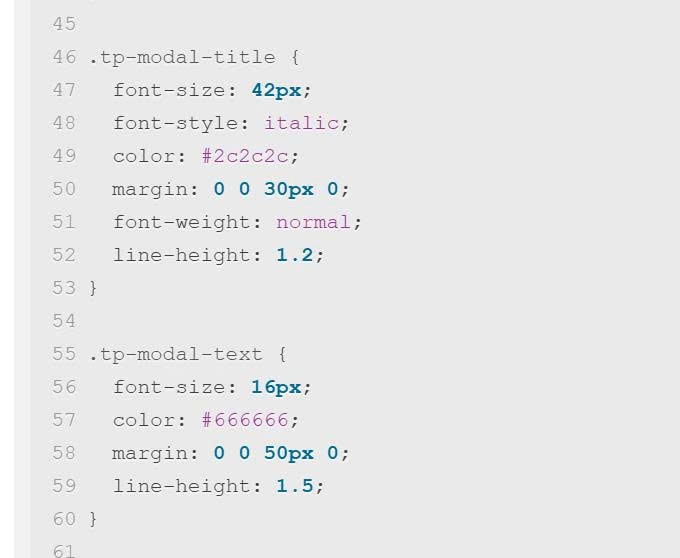
.tp-modal-title {
  font-size: 42px;
  font-style: italic;
  color: #2c2c2c;
  margin: 0 0 30px 0;
  font-weight: normal;
  line-height: 1.2;
}

.tp-modal-text {
  font-size: 16px;
  color: #666666;
  margin: 0 0 50px 0;
  line-height: 1.5;
}

.tp-button-container {
  display: flex;
  flex-direction: column;
  gap: 15px;
}

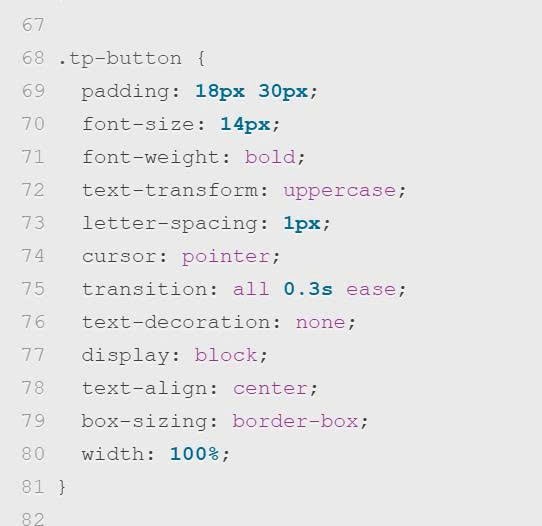
.tp-button {
  padding: 18px 30px;
  font-size: 14px;
  font-weight: bold;
  text-transform: uppercase;
  letter-spacing: 1px;
  cursor: pointer;
  transition: all 0.3s ease;
  text-decoration: none;
  display: block;
  text-align: center;
  box-sizing: border-box;
  width: 100%;
}

.tp-button-primary {
  background-color: #2c2c2c;
  color: #ffffff;
}

.tp-button-primary:hover {
  background-color: #1a1a1a;
  transform: translateY(-2px);
}

.tp-button-secondary {
  background-color: transparent;
  color: #2c2c2c;
  border: 2px solid #2c2c2c;
}

.tp-button-secondary:hover {
  background-color: #2c2c2c;
  color: #ffffff;
  transform: translateY(-2px);
}

@media (max-width: 767px) {
  .tp-modal-content {
    padding: 40px 25px;
  }

  .tp-modal-title {
    font-size: 32px;
    margin-bottom: 25px;
  }

  .tp-modal-text {
    font-size: 15px;
    margin-bottom: 40px;
  }

  .tp-button {
    padding: 16px 25px;
    font-size: 13px;
  }
}

@media (min-width: 768px) {
  .tp-button-container {
    flex-direction: column;
    gap: 20px;
  }
}
</style>
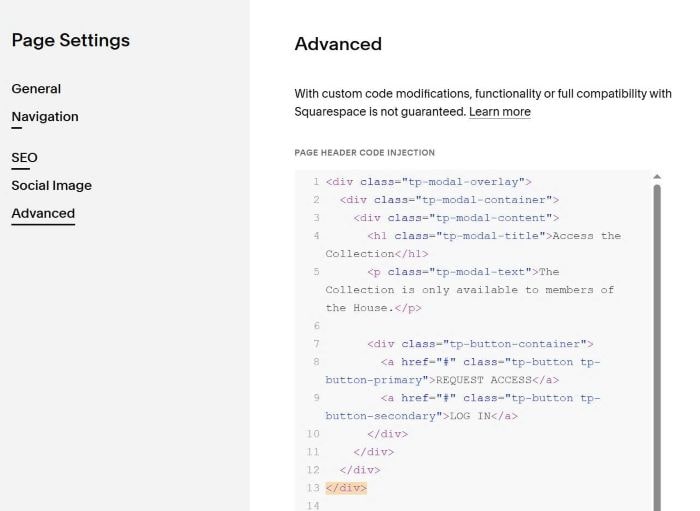
#3. To change popup text, button url, you can change these.
To change text size, change these.
To change button style, change these.
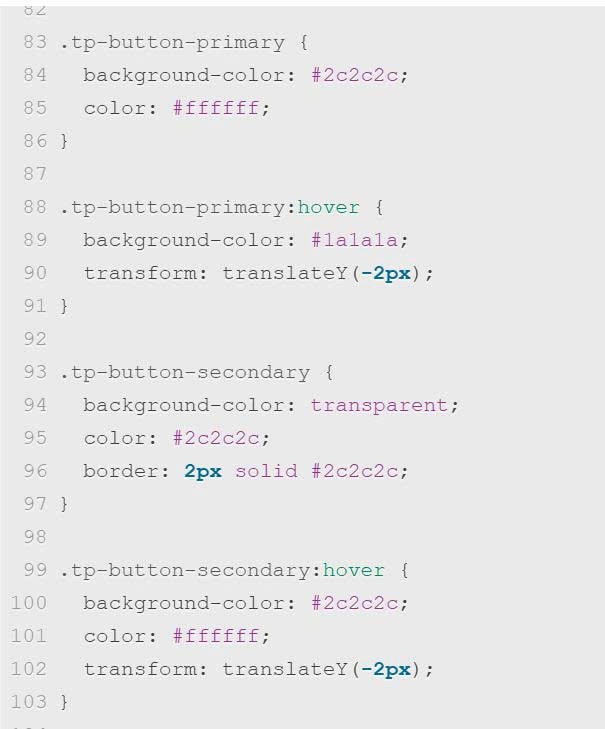
To change button/button hover color, change this