Description
- randomize fullscreen slideshow on Cover Page (Avenue Template)
- view demo – password: abc
- buy me a coffee
#1. Install Code
#1.1. First you need to add some images to Cover Page
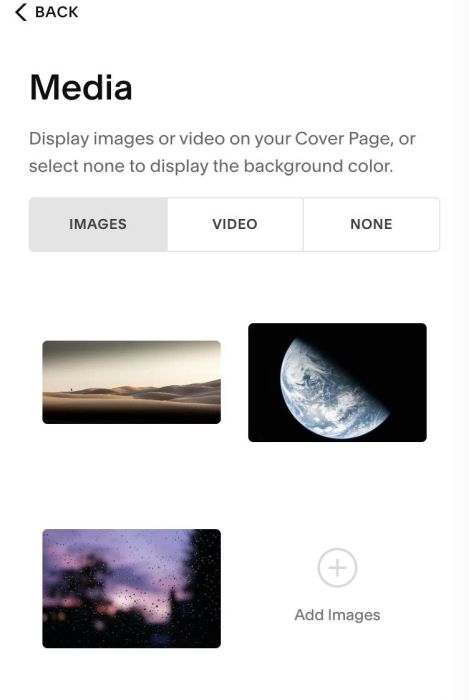
#1.2. Next, Click Gear icon on Cover Page
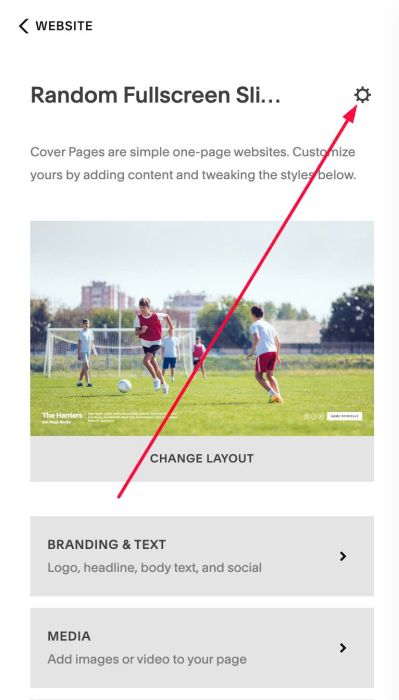
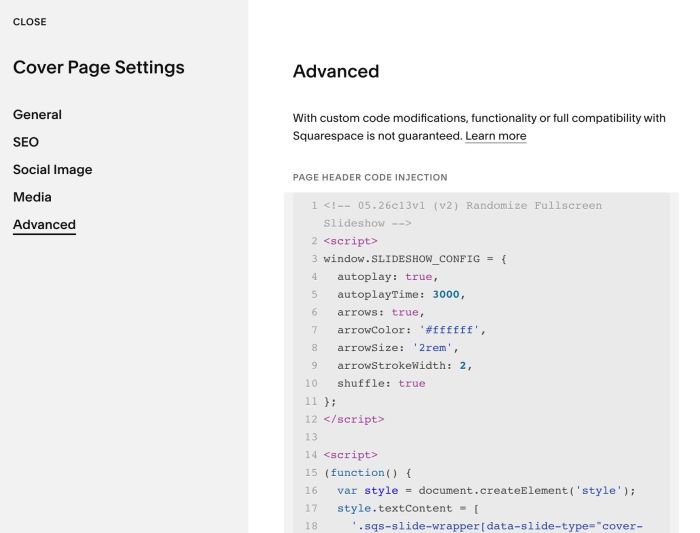
#1.3. Click Advanced > Paste this code
<!-- 05.26c13v1 (v2) Randomize Fullscreen Slideshow -->
<script>
window.SLIDESHOW_CONFIG = {
  autoplay: true,
  autoplayTime: 3000,
  arrows: true,
  arrowColor: '#ffffff',
  arrowSize: '2rem',
  arrowStrokeWidth: 2,
  shuffle: true
};
</script>

<script>
(function() {
  var style = document.createElement('style');
  style.textContent = [
    '.sqs-slide-wrapper[data-slide-type="cover-page"] .sqs-slide-layer.full-width-height { z-index: 99999999 !important; }',
    '.slideshow-wrapper { position: relative; width: 100%; height: 100%; overflow: hidden; }',
    '.slideshow-slide { position: absolute; top: 0; left: 0; width: 100%; height: 100%; opacity: 0; transition: opacity 0.8s ease; pointer-events: none; z-index: 888; background-size: cover; background-position: center; background-repeat: no-repeat; }',
    '.slideshow-slide.active { opacity: 1; pointer-events: auto; z-index: 889; }',
    '.slideshow-arrow { position: absolute; top: 50%; transform: translateY(-50%); background: none; border: none; cursor: pointer; z-index: 100000000; padding: 0; line-height: 1; }',
    '.slideshow-arrow svg { display: block; }',
    '.slideshow-arrow-prev { left: 1.5rem; }',
    '.slideshow-arrow-next { right: 1.5rem; }'
  ].join('');
  document.head.appendChild(style);

  function makeSVG(color, size, strokeWidth, flip) {
    return '<svg xmlns="http://www.w3.org/2000/svg" viewBox="0 0 40 40" width="' + size + '" height="' + size + '" style="' + (flip ? 'transform:scaleX(-1);' : '') + '">'
      + '<polyline points="10,5 30,20 10,35" fill="none" stroke="' + color + '" stroke-width="' + strokeWidth + '" stroke-linecap="round" stroke-linejoin="round"/>'
      + '</svg>';
  }

  function shuffle(arr) {
    for (var i = arr.length - 1; i > 0; i--) {
      var j = Math.floor(Math.random() * (i + 1));
      var tmp = arr[i]; arr[i] = arr[j]; arr[j] = tmp;
    }
    return arr;
  }

  function preloadImages(imageData, callback) {
    var loaded = 0;
    var total = imageData.length;
    imageData.forEach(function(data) {
      var img = new Image();
      img.onload = img.onerror = function() {
        loaded++;
        if (loaded === total) callback();
      };
      img.src = data.url;
    });
  }

  function buildSlideshow(cfg, imageData, container) {
    var slides = imageData.map(function(data) {
      var slide = document.createElement('div');
      slide.className = 'slideshow-slide';
      slide.style.backgroundColor = data.bg;
      slide.style.backgroundImage = 'url(' + data.url + ')';
      return slide;
    });

    slides.forEach(function(slide) { container.appendChild(slide); });

    var current = 0;
    slides[0].classList.add('active');

    function goTo(index) {
      slides[current].classList.remove('active');
      current = (index + slides.length) % slides.length;
      slides[current].classList.add('active');
    }

    if (cfg.arrows) {
      var prev = document.createElement('button');
      prev.className = 'slideshow-arrow slideshow-arrow-prev';
      prev.innerHTML = makeSVG(cfg.arrowColor, cfg.arrowSize, cfg.arrowStrokeWidth, true);
      prev.addEventListener('click', function() { goTo(current - 1); });

      var next = document.createElement('button');
      next.className = 'slideshow-arrow slideshow-arrow-next';
      next.innerHTML = makeSVG(cfg.arrowColor, cfg.arrowSize, cfg.arrowStrokeWidth, false);
      next.addEventListener('click', function() { goTo(current + 1); });

      container.appendChild(prev);
      container.appendChild(next);
    }

    if (cfg.autoplay) {
      setInterval(function() { goTo(current + 1); }, cfg.autoplayTime);
    }
  }

  function init() {
    var cfg = window.SLIDESHOW_CONFIG;

    var gallerySlice = document.querySelector('.sqs-slice-gallery-content');
    if (!gallerySlice) return;

    var wrapper = gallerySlice.closest('.sqs-slide-layer');
    if (!wrapper) return;

    if (wrapper.previousElementSibling && wrapper.previousElementSibling.classList.contains('slideshow-wrapper')) return;

    var sourceSlides = gallerySlice.querySelectorAll('.sqs-slice-gallery-item');
    if (!sourceSlides.length) return;

    var imageData = [];
    sourceSlides.forEach(function(item) {
      var img = item.querySelector('img');
      if (!img) return;
      var url = img.getAttribute('src') || img.getAttribute('data-src');
      var bg = item.style.backgroundColor || '';
      if (url) imageData.push({ url: url, bg: bg });
    });

    if (!imageData.length) return;

    if (cfg.shuffle) imageData = shuffle(imageData);

    var container = document.createElement('div');
    container.className = 'slideshow-wrapper';
    container.style.opacity = '0';
    container.style.transition = 'opacity 0.5s ease';

    wrapper.parentElement.insertBefore(container, wrapper);
    wrapper.style.setProperty('display', 'none', 'important');

    preloadImages(imageData, function() {
      buildSlideshow(cfg, imageData, container);
      requestAnimationFrame(function() {
        container.style.opacity = '1';
      });
    });
  }

  window.addEventListener('load', init);
  document.addEventListener('mercury:load', init);
})();
</script>
#2. Customize
#2.1. To enable/disable autoscroll, adjust these lines: Line 04, Line 05
autoplay: true,
autoplayTime: 3000,
to disable autoscroll, change true to false
autoplay: false,
  autoplayTime: 3000,
#2.2. To disable Left/Right Arrows, change this option to false (Line 06)
arrows: true,
#2.3. To change arrows size, color, change these lines: Line 07, 08, 09
arrowColor: '#ffffff',
arrowSize: '2rem',
arrowStrokeWidth: 2,
#3. How to tweak the code?
You can use Robo-Will tool to tweak the code. It is an AI chatbot, but specifically designed to customize Squarespace sites.