Description
- Flip effect, use People List Section
- view demo – password: abc
- buy me a coffee
#1. Install Code
#1.1. First, add a Section > Choose Team > Choose section with (i) icon
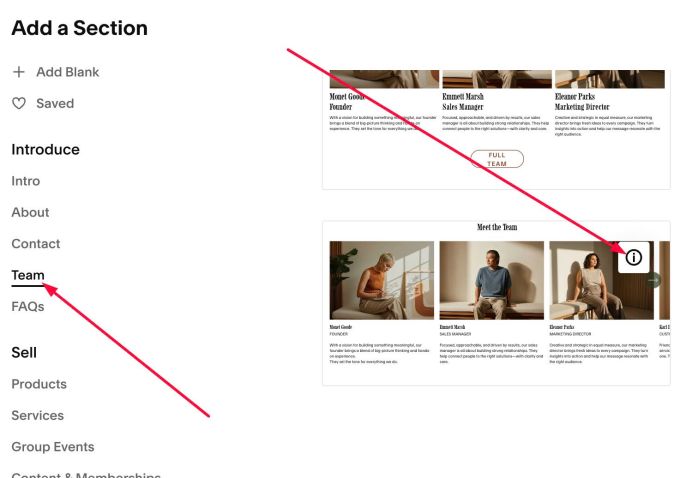
and make sure you use List Simple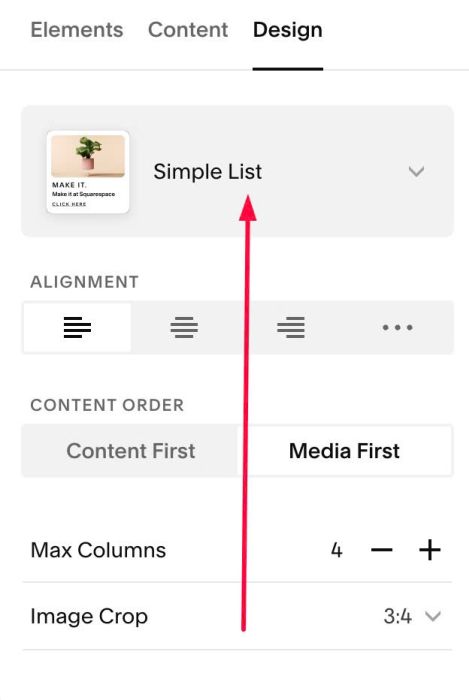
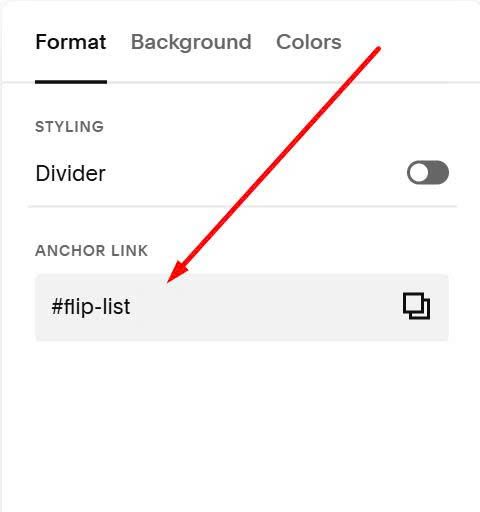
#1.2. Next, hover on top right of List People Section > Click Edit Section
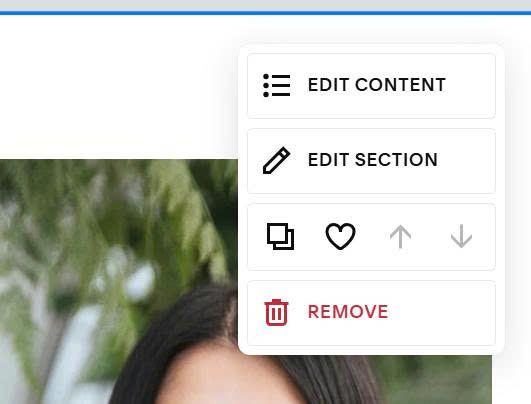
In Anchor Link, enter: flip-list
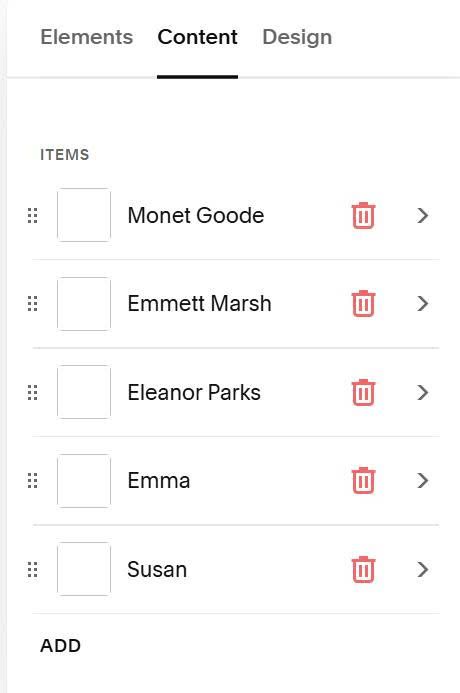
#1.3. Next, hover on top right of List People section > Click Edit Content
and add your desired text/image/description
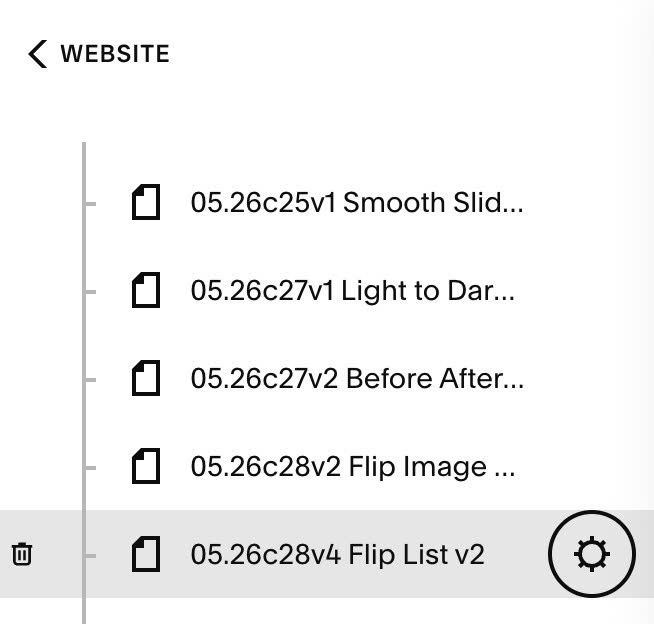
#1.4. Hover on page where you want to use Flip List > Click Gear icon
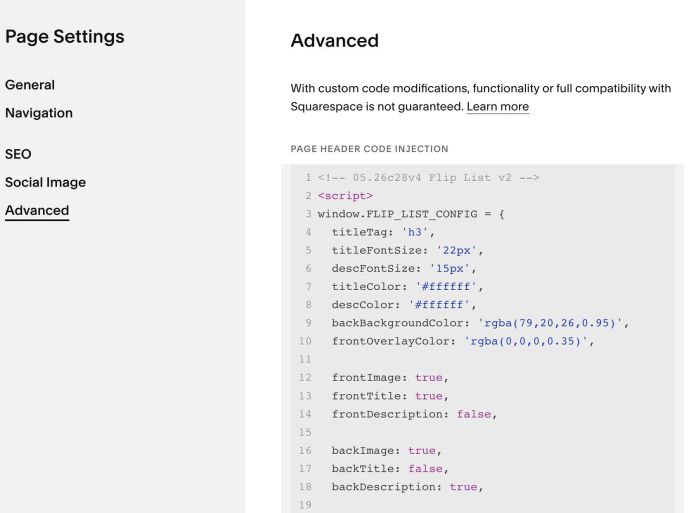
Click Advanced > Paste this code
- If you use Personal/Basic Plan and your plan doesn’t support Injection, see #3.1
<!-- 05.26c28v4 Flip List v2 -->
<script>
window.FLIP_LIST_CONFIG = {
  titleTag: 'h3',
  titleFontSize: '22px',
  descFontSize: '15px',
  titleColor: '#ffffff',
  descColor: '#ffffff',
  backBackgroundColor: 'rgba(79,20,26,0.95)',
  frontOverlayColor: 'rgba(0,0,0,0.35)',

  frontImage: true,
  frontTitle: true,
  frontDescription: false,

  backImage: true,
  backTitle: false,
  backDescription: true,

  linkEnabled: true,
  mobileTapDelay: 5000,

  topSpace: '40px',
  rightSpace: '40px',
  bottomSpace: '40px',
  leftSpace: '40px',
};
</script>
<script src="https://code.beaverhero.com/list/0526c28v4fliplistv2.js"></script>
#2. Customize
#2.1. To enable/disable title/description/image..on Front or Back (Flip), you can adjust Line 12 to Line 18
frontImage: true,
frontTitle: true,
frontDescription: false,

backImage: true,
backTitle: false,
backDescription: true,
#2.2. To make item clickable to new page, you can enable Item button
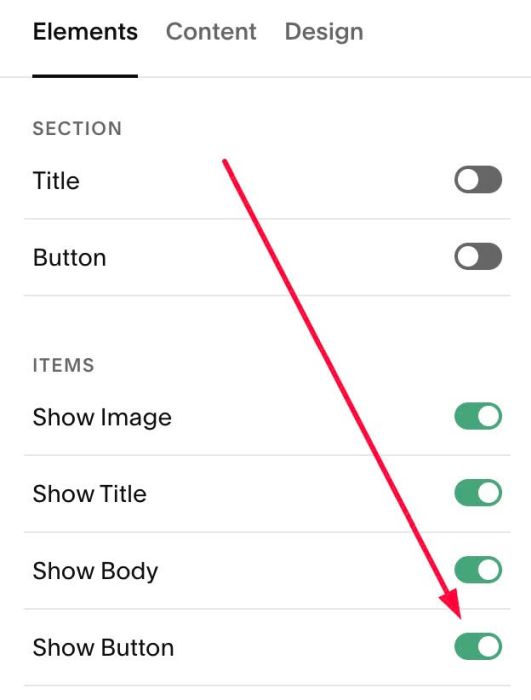
Then add Link to item button
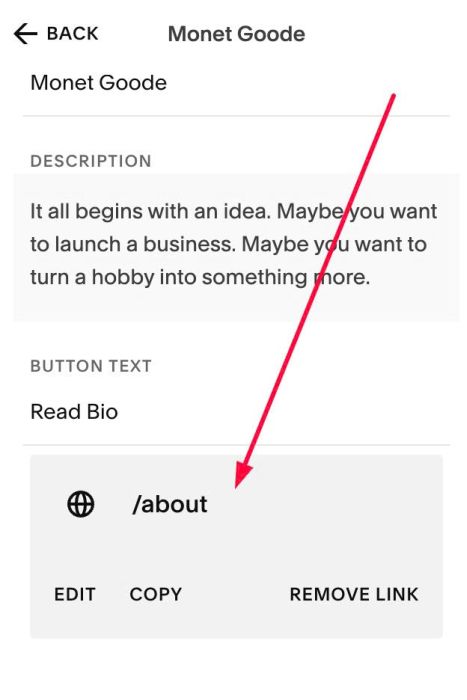
By default, on mobile, after you tap on image > after 5 seconds, it will open page you can change this time here (Line 21)
mobileTapDelay: 5000,
#2.3. To change Title, Description size, you can change Line 05, Line 06
titleFontSize: '22px',
descFontSize: '15px',
#2.4. To change Title, Description color, change line 07, line 08
titleColor: '#ffffff',
descColor: '#ffffff',
#2.5. To change Overlay Color on Front and Background Color on Back (Flip), change Line 09, line 10
backBackgroundColor: 'rgba(79,20,26,0.95)',
frontOverlayColor: 'rgba(0,0,0,0.35)',
#2.6. To change space between Background Color – Item border in Back (Flip), change Line 23 to Line 26
topSpace: '40px',
rightSpace: '40px',
bottomSpace: '40px',
leftSpace: '40px',
#2.7. Fix a bug on Safari
Use code under main code
<style>
.fl-inner{-webkit-transform-style:preserve-3d}
.fl-front,.fl-back{-webkit-backface-visibility:hidden}
.fl-front{-webkit-transform:translateZ(0);transform:translateZ(0)}
.fl-back{-webkit-transform:rotateY(180deg)}
section[id*="flip-list"] .user-items-list-simple .list-item.fl-flipped .fl-inner{-webkit-transform:rotateY(180deg)}
@media(hover:hover) and (pointer:fine){section[id*="flip-list"] .user-items-list-simple .list-item:hover .fl-inner{-webkit-transform:rotateY(180deg)}}
</style>
#3. Other
#3.1. If you use Personal/Basic Plan and your plan doesn’t support Injection, you can edit current page > Add a Block

Choose Markdown

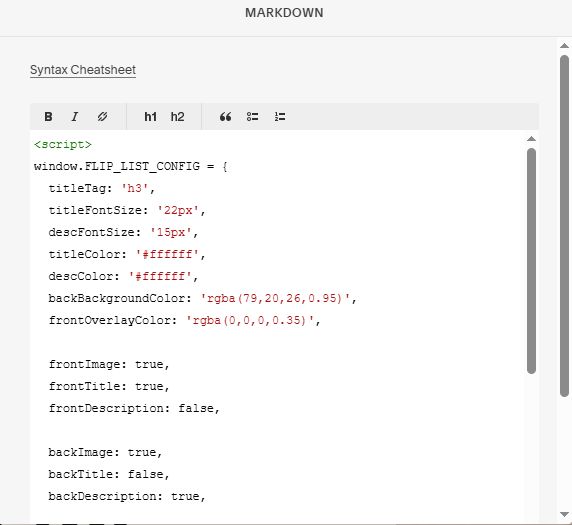
Add this code into Markdown
<script>
window.FLIP_LIST_CONFIG = {
  titleTag: 'h3',
  titleFontSize: '22px',
  descFontSize: '15px',
  titleColor: '#ffffff',
  descColor: '#ffffff',
  backBackgroundColor: 'rgba(79,20,26,0.95)',
  frontOverlayColor: 'rgba(0,0,0,0.35)',

  frontImage: true,
  frontTitle: true,
  frontDescription: false,

  backImage: true,
  backTitle: false,
  backDescription: true,

  linkEnabled: true,
  mobileTapDelay: 5000,

  topSpace: '40px',
  rightSpace: '40px',
  bottomSpace: '40px',
  leftSpace: '40px',
};
</script>
<script src="https://code.beaverhero.com/list/0526c28v4fliplistv2.js"></script>