Description
- make gallery block to an autoscroll logo carousel (loop/infinite/autoscroll)
- view demo – password: abc
- buy me a coffee

#1. Install Code
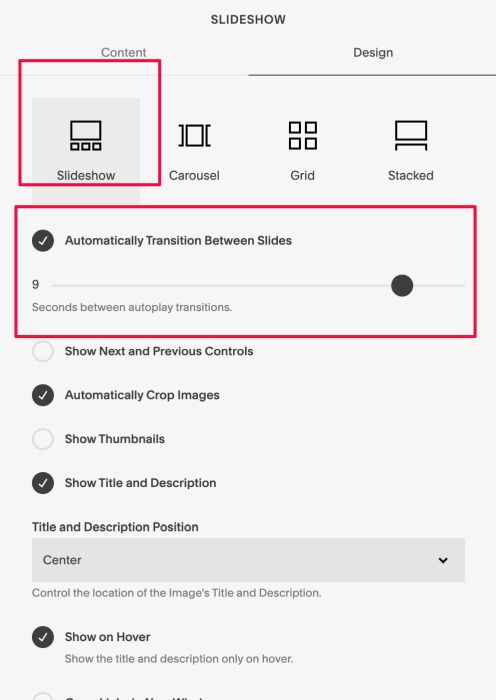
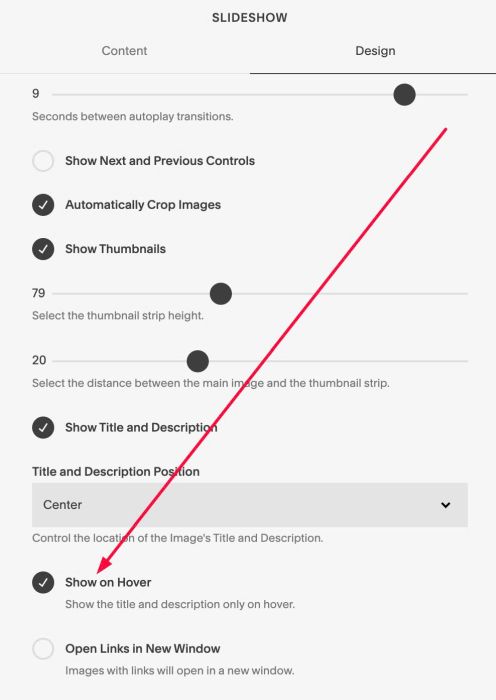
#1.1. Make sure you use Gallery Block Slideshow & Enable this option
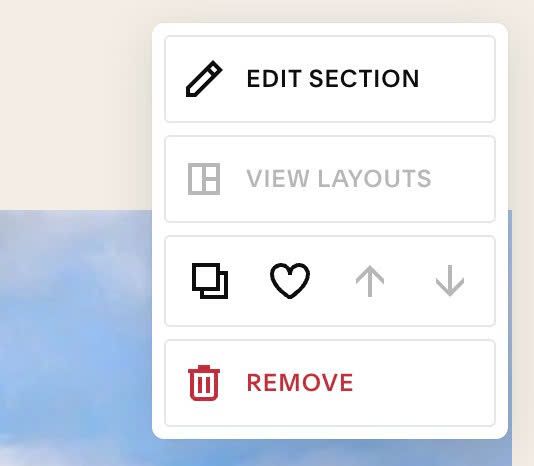
#1.2. Hover on top right of Section > Click EDIT SECTION
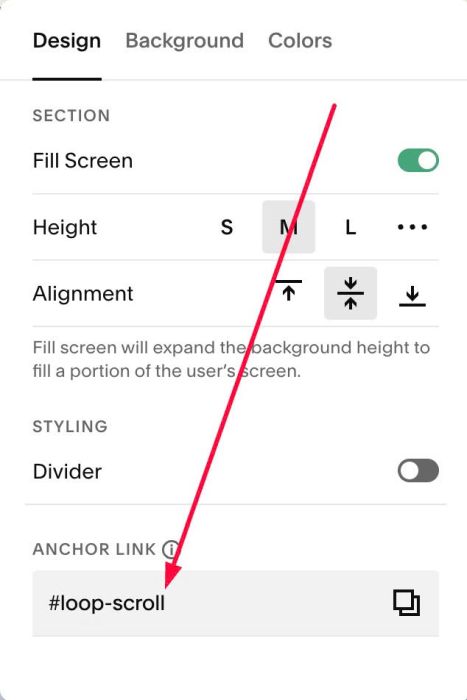
at Design > Anchor Link > enter word: loop-scroll
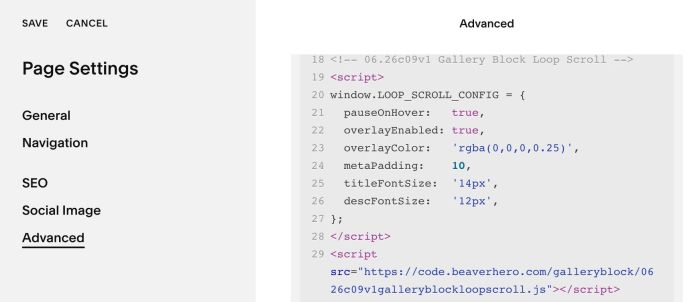
#1.3. Hover on page where you use Gallery Block > Click Gear icon
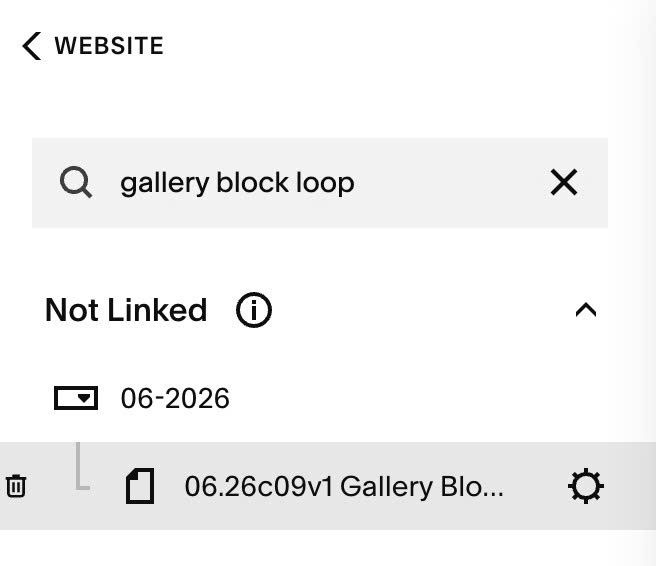
Click Advanced > Paste this code
- If you use Personal/Basic Plan and your plan doesn’t support Injection, see #3.1.
<!-- 06.26c09v1 Gallery Block Loop Scroll -->
<script>
window.LOOP_SCROLL_CONFIG = {
  pauseOnHover:   true,
  overlayEnabled: true,
  overlayColor:   'rgba(0,0,0,0.25)',
  metaPadding:    10,
  titleFontSize:  '14px',
  descFontSize:   '12px',
};
</script>
<script src="https://code.beaverhero.com/galleryblock/0626c09v1galleryblockloopscroll.js"></script>
#2. Customize
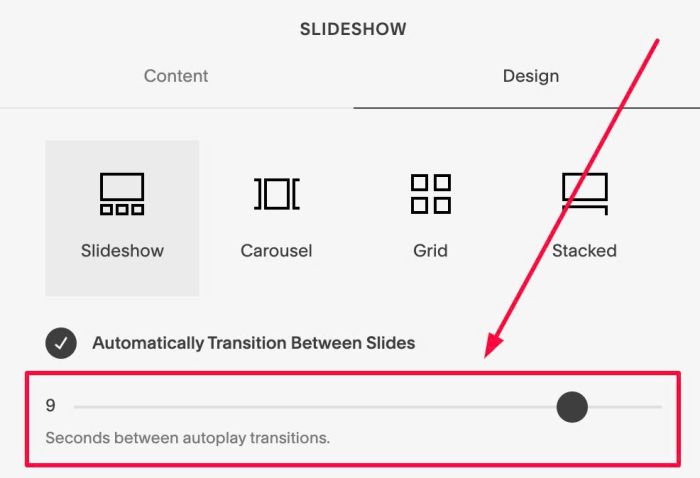
#2.1. To change speed, you can adjust this option
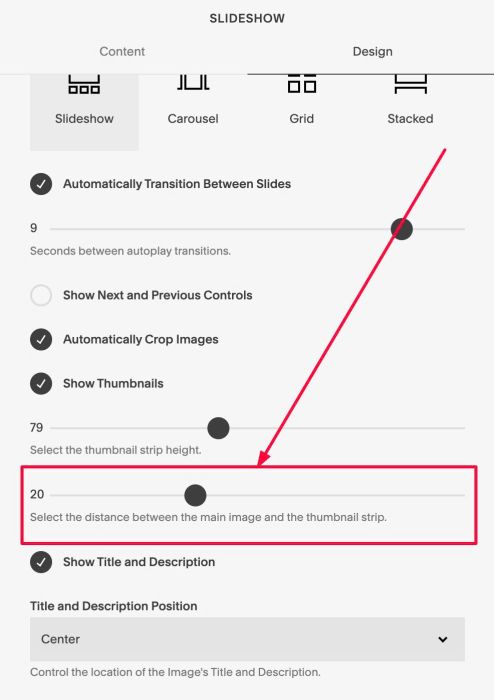
#2.2. To change space between Images, change this option
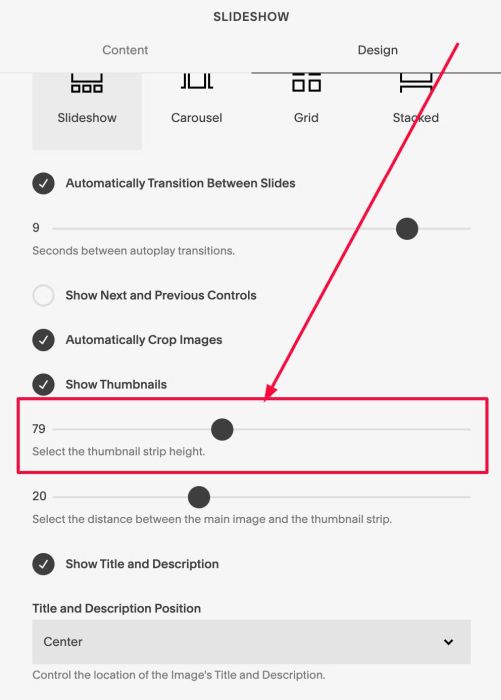
#2.3. To change image height, you can change this option
#2.4. To make text always appear over image or appears on hover, enable this option
#2.5. To change Title/Description size, change these lines
titleFontSize:  '14px',
descFontSize:   '12px',
#2.6. To change overlay color over image, change this line
overlayColor: 'rgba(0,0,0,0.25)',
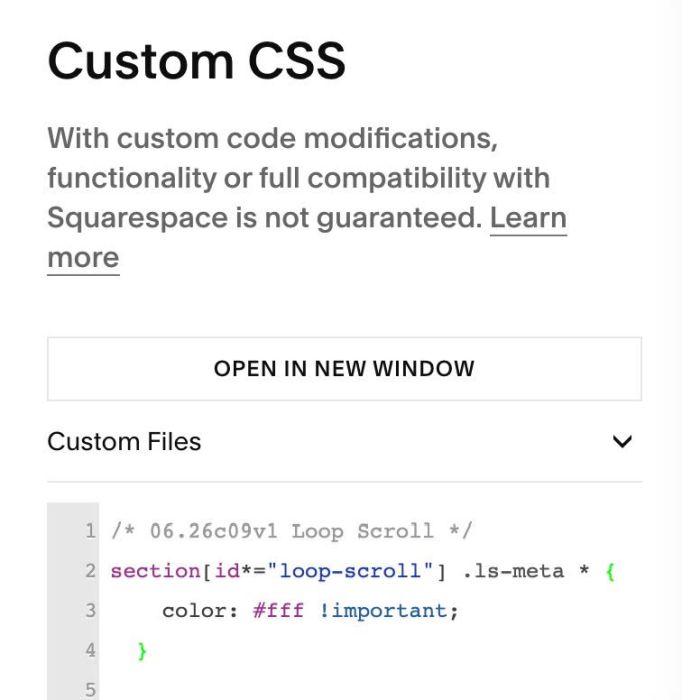
#2.7. To change Color of Text, you can use this to Custom CSS
section[id*="loop-scroll"] .ls-meta * {
  	color: #fff !important;
  }
#2.8. To align text to center, use this CSS code
section[id*="loop-scroll"] .ls-meta * {
  	text-align: center;
  }
#2.9. If you see Gallery Block Slideshow appears then disappear then autoscroll images show, you can use this code to Custom CSS to fix problem
body:not(.sqs-edit-mode-active) section[id*="loop-scroll"] .gallery-block>.sqs-block-content>div:not(.ls-outer) {
  display: none;
}
#2.10. To change space between Title – Description, use this to Custom CSS
section[id*="loop-scroll"] .ls-meta * {
  	margin: 0px !important;
  }
#3. Other
#3.1. If you use Personal/Basic Plan and your plan doesn’t support Injection, you can add a block under (or behind) Gallery Block
Then choose Markdown

Then use this code into Markdown
<script>
window.LOOP_SCROLL_CONFIG = {
  pauseOnHover:   true,
  overlayEnabled: true,
  overlayColor:   'rgba(0,0,0,0.25)',
  metaPadding:    10,
  titleFontSize:  '14px',
  descFontSize:   '12px',
};
</script>
<script src="https://code.beaverhero.com/galleryblock/0626c09v1galleryblockloopscroll.js"></script>
