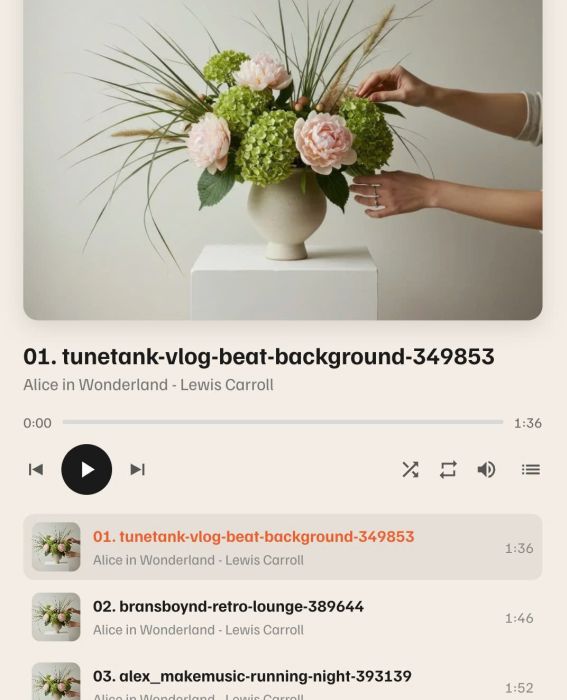
Description
- adding Audiobook Player with custom title/image/controls
- view demo – password: abc
- buy me a coffee
#1. Install Code
#1.1. First, adding a Text Block with Unordered List
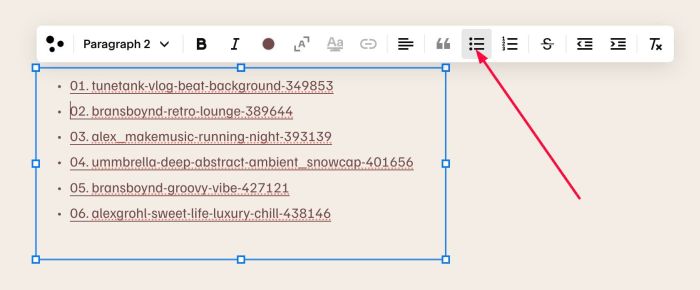
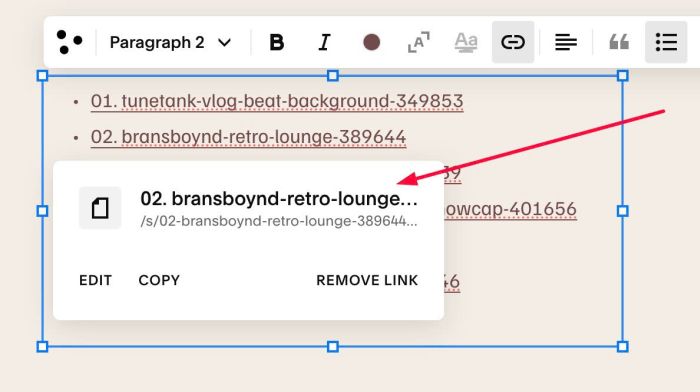
#1.2. Highlight text > Click Link icon > File > Upload Audio File (Mp3)
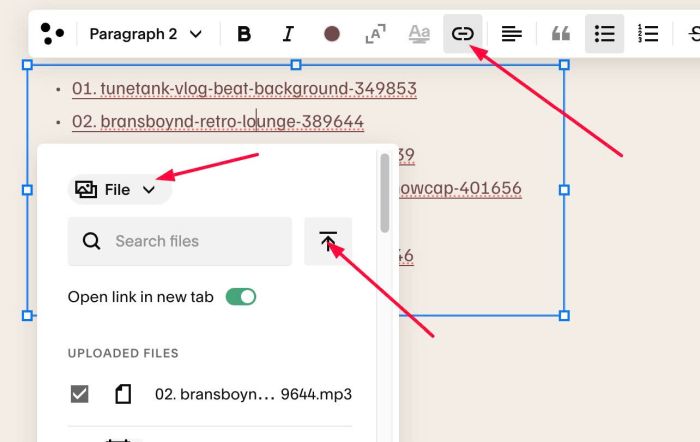
Something like this
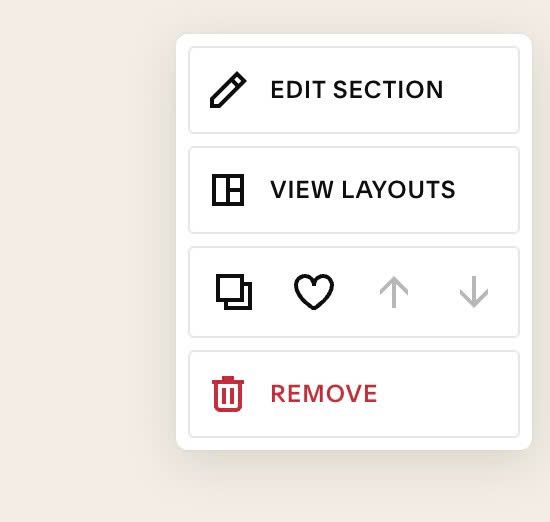
#1.3. Hover on top right of section > Click EDIT SECTION
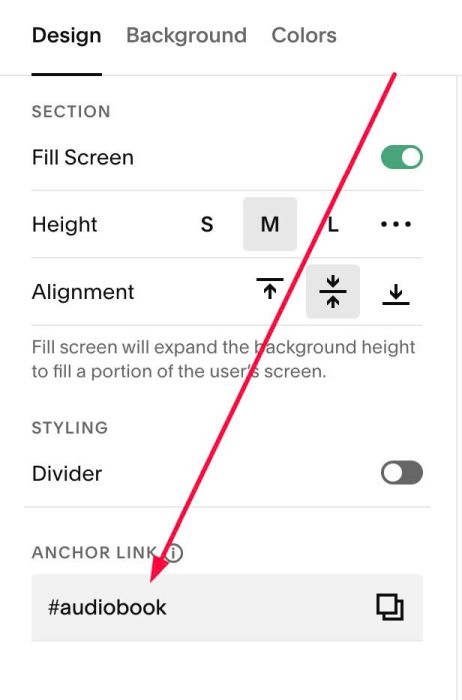
at Design > Anchor Link > enter word: audiobook
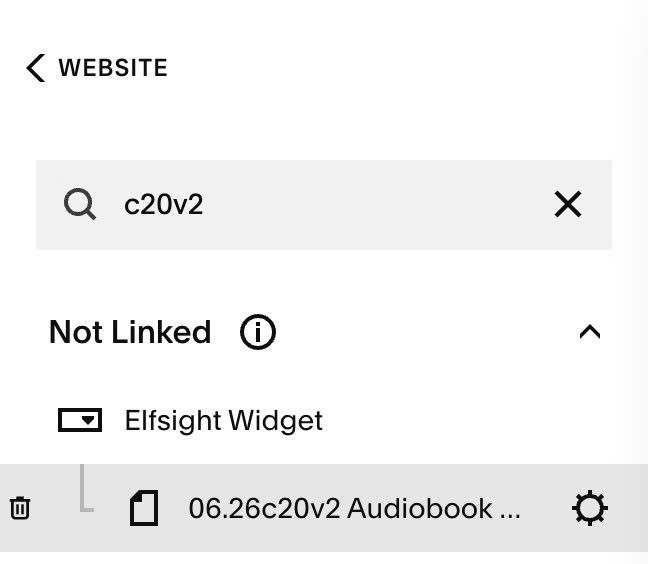
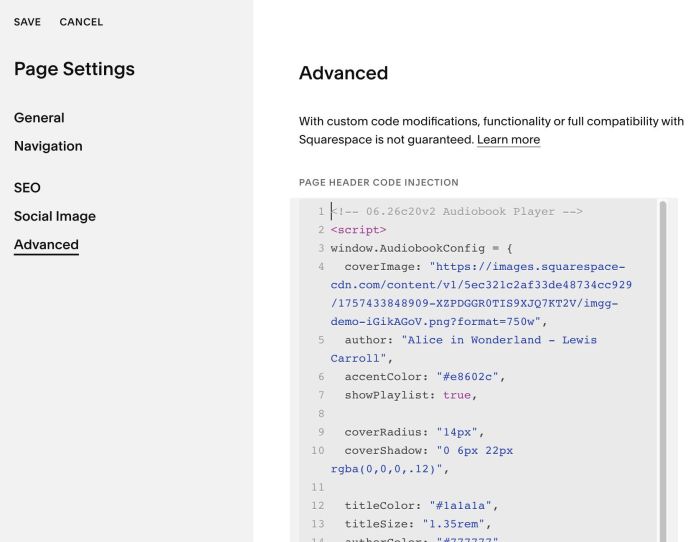
#1.4. Hover on Page where you added Text Block > Click Gear icon
Click Advanced > Paste this code
- If you use Personal/Basic Plan and your plan doesn’t support Injection, see #3.1
<!-- 06.26c20v2 Audiobook Player -->
<script>
window.AudiobookConfig = {
  coverImage: "https://images.squarespace-cdn.com/content/v1/5ec321c2af33de48734cc929/1757433848909-XZPDGGR0TIS9XJQ7KT2V/imgg-demo-iGikAGoV.png?format=750w",
  author: "Alice in Wonderland - Lewis Carroll",
  accentColor: "#e8602c",
  showPlaylist: true,

  coverRadius: "14px",
  coverShadow: "0 6px 22px rgba(0,0,0,.12)",

  titleColor: "#1a1a1a",
  titleSize: "1.35rem",
  authorColor: "#777777",
  authorSize: "0.95rem",

  activeBg: "rgba(0,0,0,.06)",

  disableInEdit: true
};
</script>
<script src="https://code.beaverhero.com/textblock/0626c20v2audiobook.js"></script>
#2. Customize
#2.1. To change top image, you can change Line 04
coverImage: "https://images.squarespace-cdn.com/content/v1/5ec321c2af33de48734cc929/1757433848909-XZPDGGR0TIS9XJQ7KT2V/imgg-demo-iGikAGoV.png?format=750w",
#2.2. To change Author text under each title, change Line 05
author: "Alice in Wonderland - Lewis Carroll",
#2.3. To change shadow color/image round corners, change Line 09, Line 10
coverRadius: "14px",
  coverShadow: "0 6px 22px rgba(0,0,0,.12)",
#2.4. To change Title, Author size/color, change Line 12 to Line 15
titleColor: "#1a1a1a",
  titleSize: "1.35rem",
  authorColor: "#777777",
  authorSize: "0.95rem",
#3. Other
#3.1. If you use Personal/Basic Plan and your plan doesn’t support Injection, you can add a Block under Text Block

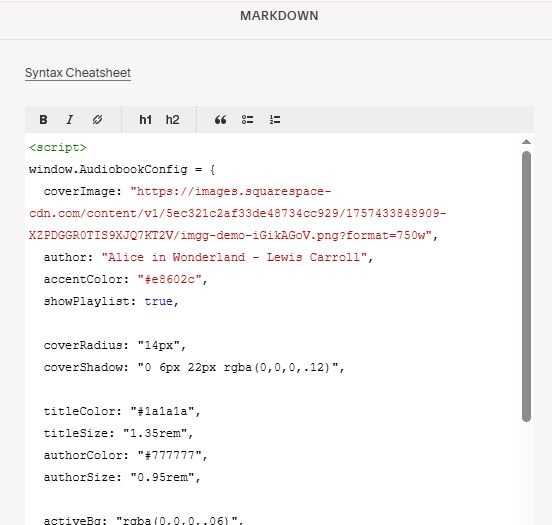
Choose Markdown

Paste this code into Markdown
<script>
window.AudiobookConfig = {
  coverImage: "https://images.squarespace-cdn.com/content/v1/5ec321c2af33de48734cc929/1757433848909-XZPDGGR0TIS9XJQ7KT2V/imgg-demo-iGikAGoV.png?format=750w",
  author: "Alice in Wonderland - Lewis Carroll",
  accentColor: "#e8602c",
  showPlaylist: true,

  coverRadius: "14px",
  coverShadow: "0 6px 22px rgba(0,0,0,.12)",

  titleColor: "#1a1a1a",
  titleSize: "1.35rem",
  authorColor: "#777777",
  authorSize: "0.95rem",

  activeBg: "rgba(0,0,0,.06)",

  disableInEdit: true
};
</script>
<script src="https://code.beaverhero.com/textblock/0626c20v2audiobook.js"></script>