Description
- add tabs on top of blog post, click it will underline & scroll to corresponding text
- view demo (blog post) – password: abc
- buy me a coffee

#1. Install Code
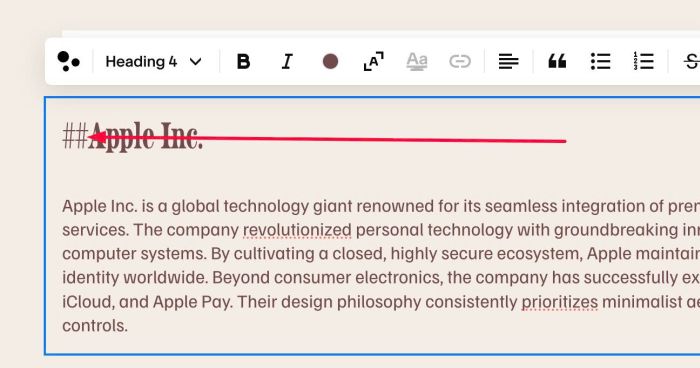
#1.1. First, make sure you added text ## before Heading, something like this
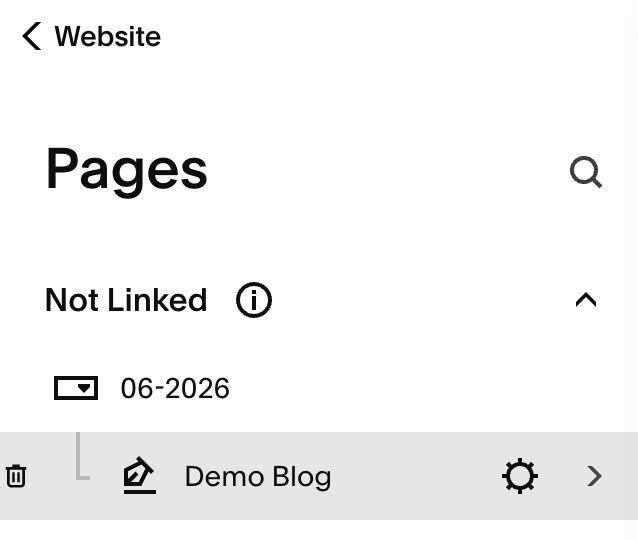
#1.2. Hover on Page (where you want to apply code) > Click Gear icon
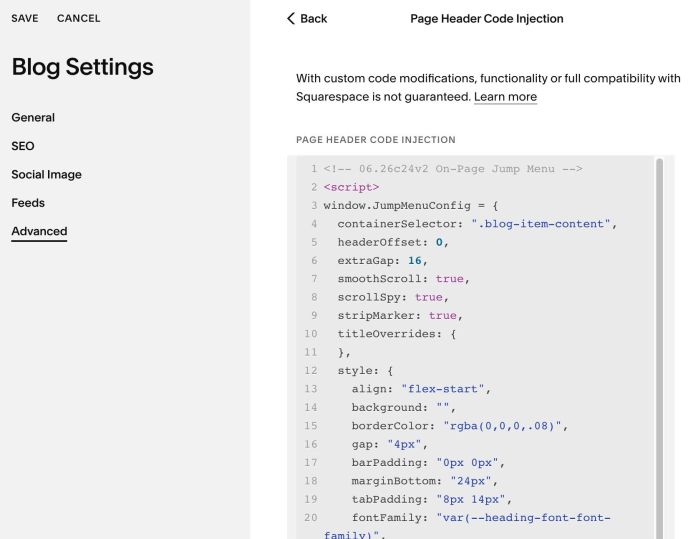
#1.3. Click Advanced > Paste code to right box
- If you use Blog Page, click Page Header Code Injection then add code to Right box
- If you use Personal/Basic Plan and your plan doesn’t support Injection, see #3.1
<!-- 06.26c24v2 On-Page Jump Menu -->
<script>
window.JumpMenuConfig = {
  containerSelector: ".blog-item-content",
  headerOffset: 0,
  extraGap: 16,
  smoothScroll: true,
  scrollSpy: true,
  stripMarker: true,
  titleOverrides: {
  },
  style: {
    align: "flex-start",
    background: "",
    borderColor: "rgba(0,0,0,.08)",
    gap: "4px",
    barPadding: "0px 0px",
    marginBottom: "24px",
    tabPadding: "8px 14px",
    fontFamily: "var(--heading-font-font-family)",
    fontSize: ".85em",
    fontWeight: "400",
    letterSpacing: ".02em",
    textTransform: "none",
    textColor: "inherit",
    inactiveOpacity: ".55",
    activeColor: "currentColor",
    underlineThickness: "2px",
    radius: "0px"
  }
};
</script>
<script src="https://code.beaverhero.com/other/0626c24v2onpagejumpmenu.js"></script>
#2. Customize
#2.1. To change top bar background, change Line 14
background: "",
to something like this
background: "#f1f",
#2.2. To change top bar text color, change Line 25
textColor: "inherit",
to something like this
textColor: "#f00",
#3. Other
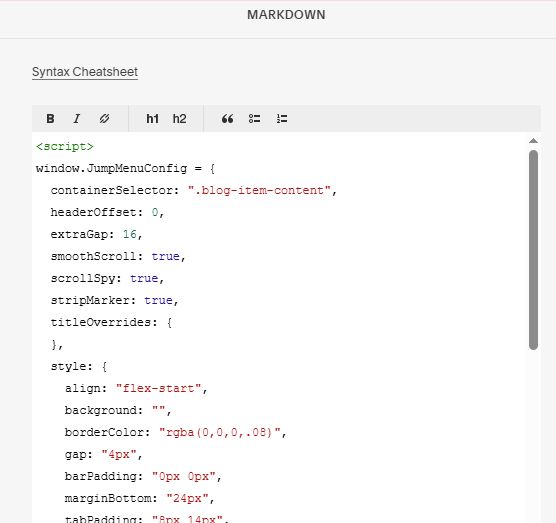
#3.1. If you use Personal/Basic Plan and your plan doesn’t support Injection, you can edit Site Footer > Add a Block

Choose Markdown

Add this code into Markdown
<script>
window.JumpMenuConfig = {
  containerSelector: ".blog-item-content",
  headerOffset: 0,
  extraGap: 16,
  smoothScroll: true,
  scrollSpy: true,
  stripMarker: true,
  titleOverrides: {
  },
  style: {
    align: "flex-start",
    background: "",
    borderColor: "rgba(0,0,0,.08)",
    gap: "4px",
    barPadding: "0px 0px",
    marginBottom: "24px",
    tabPadding: "8px 14px",
    fontFamily: "var(--heading-font-font-family)",
    fontSize: ".85em",
    fontWeight: "400",
    letterSpacing: ".02em",
    textTransform: "none",
    textColor: "inherit",
    inactiveOpacity: ".55",
    activeColor: "currentColor",
    underlineThickness: "2px",
    radius: "0px"
  }
};
</script>
<script src="https://code.beaverhero.com/other/0626c24v2onpagejumpmenu.js"></script>