Description
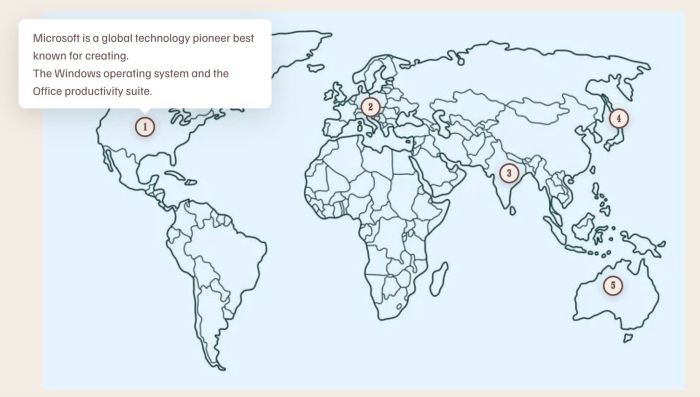
- hover on each area of image will open Custom Text
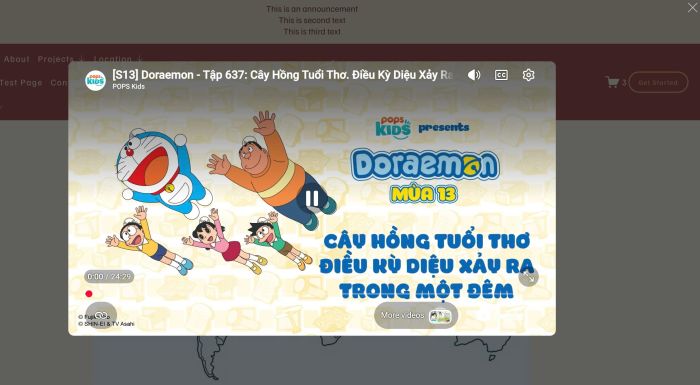
- click on each area of image will open Video Lightbox
- view demo – password: abc
- buy me a coffee
(hover)
(on click)
#1. Install Code
Note: this will require to install Image Hotspots Plugin
#1.1. First you need to purchase Image Hotspots Plugin then open Plugin Instruction Page
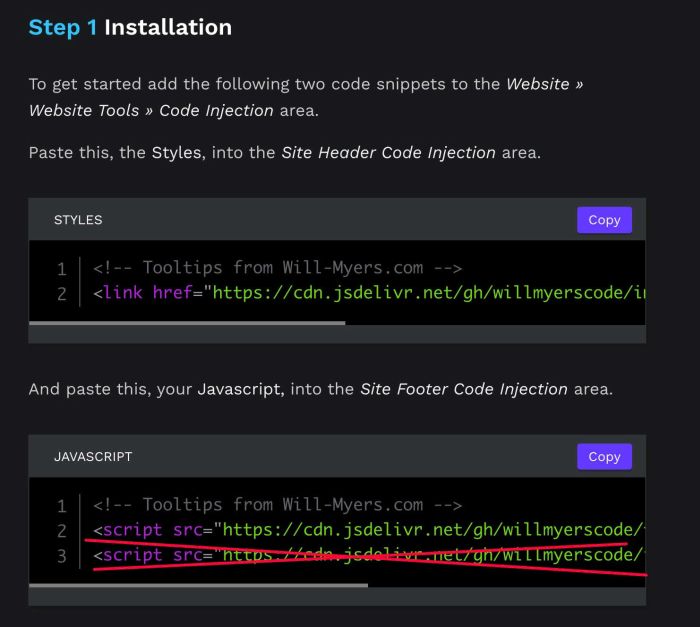
#1.2. Next, follow step 1 in Plugin Instruction Page
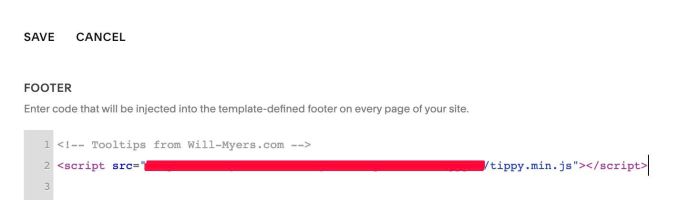
but DO NOT add Code in Line 03
So Footer Injection will have code like this
#1.3. Follow Step 2 in Plugin Instruction Page
You will have result like this. Here I changed Example Block ID with Block ID on my test site
<ImageHotspots block="#block-yui_3_17_2_1_1783395467133_463">
  <Dot x="16%" y="30.6%">
    <DotTitle>1</DotTitle>
    <DotDescription>Microsoft is a global technology pioneer best known for creating.<div>The Windows operating system and the Office productivity suite.</div><div>https://www.youtube.com/watch?v=w4GeicVR_fQ<br><div><br></div></div></DotDescription>
  </Dot>

  <Dot x="51.1%" y="25.3%">
    <DotTitle>2</DotTitle>
    <DotDescription>SAP is the world's leading provider of enterprise resource planning software.<div>Helping businesses manage operations and customer relations.</div><div>https://www.youtube.com/watch?v=cGzk_LesLJY</div></DotDescription>
  </Dot>

  <Dot x="72.7%" y="42.8%">
    <DotTitle>3</DotTitle>
    <DotDescription>Infosys is a global leader in next-generation digital services.<div>Consulting, and business process outsourcing.</div><div>https://www.youtube.com/watch?v=usE6krJj99M</div></DotDescription>
  </Dot>

  <Dot x="89.8%" y="28.3%">
    <DotTitle>4</DotTitle>
    <DotDescription>Samsung Electronics is a powerhouse in consumer electronics.<div>Famous for its Galaxy smartphones and cutting-edge televisions.</div><div>https://vimeo.com/222842052</div></DotDescription>
  </Dot>

  <Dot x="88.9%" y="72.6%">
    <DotTitle>5</DotTitle>
    <DotDescription>Atlassian develops popular software tools designed to help software development. Project management, and content management teams work together efficiently.<div>https://vimeo.com/438467923</div></DotDescription>
  </Dot>
</ImageHotspots>
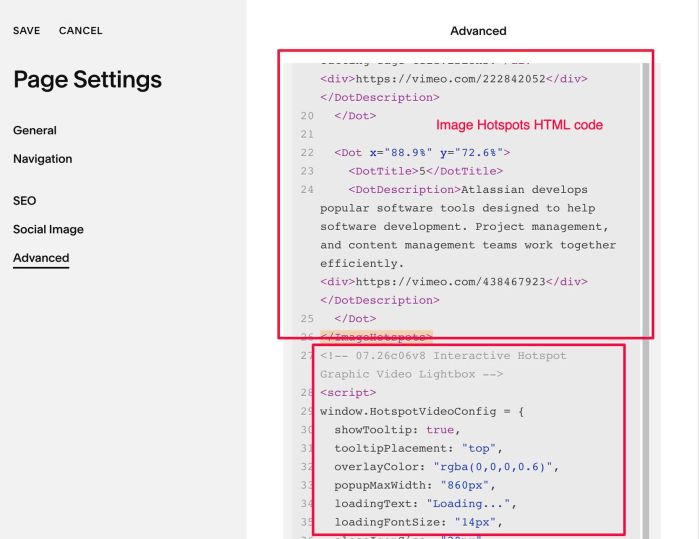
#1.4. Next, use this code to Page Header Injection, under Image Hotspots HTML code
<!-- 07.26c06v8 Interactive Hotspot Graphic Video Lightbox -->
<script>
window.HotspotVideoConfig = {
  showTooltip: true,
  tooltipPlacement: "top",
  overlayColor: "rgba(0,0,0,0.6)",
  popupMaxWidth: "860px",
  loadingText: "Loading...",
  loadingFontSize: "14px",
  closeIconSize: "20px",
  closeIconColor: "#ffffff"
};
</script>
<script src="https://code.beaverhero.com/imageblock/0726c06v8interactivehotspotgraphicvideolb.js"></script>
#2. Customize
#2.1. To change Video Lightbox Overlay Color, change this line
overlayColor: "rgba(0,0,0,0.6)",
#2.2. To change Loading text/size, change this line
loadingText: "Loading...",
  loadingFontSize: "14px",