Description
- animated link from left to right on scroll to specific position
- view demo – password: abc
- buy me a coffee

#1. Install Code
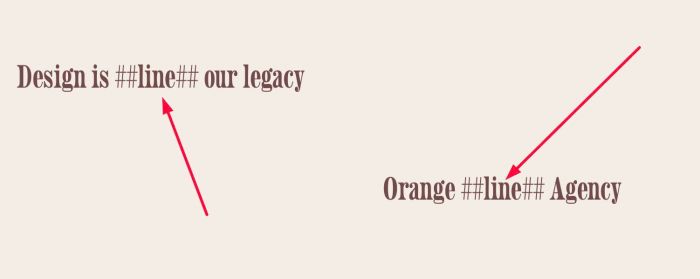
#1.1. Add text ##line## to Text Block (at where you want to make Line appears)
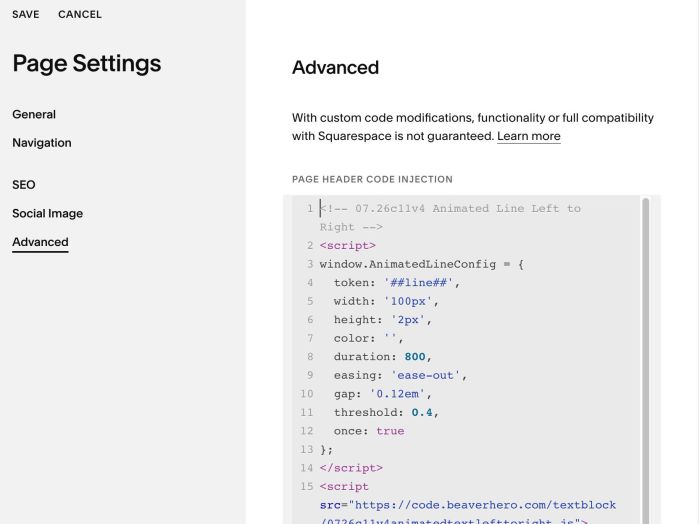
#1.2. Use this code to Page Header Injection (page where you use Text Block)
- If you use Personal/Basic Plan and your plan doesn’t support Injection, see #2.1
<!-- 07.26c11v4 Animated Line Left to Right -->
<script>
window.AnimatedLineConfig = {
  token: '##line##',
  width: '100px',
  height: '2px',
  color: '',
  duration: 800,
  easing: 'ease-out',
  gap: '0.12em',
  threshold: 0.4,
  once: true
};
</script>
<script src="https://code.beaverhero.com/textblock/0726c11v4animatedtextlefttoright.js"></script>
#2. Customize
#2.1. To change Line width/height, you can change Line 05, Line 06
width: '100px',
height: '2px',
#2.2. To change Line Color, change Line 07
color: '',
to something like this
color: '#000',
#3. Other
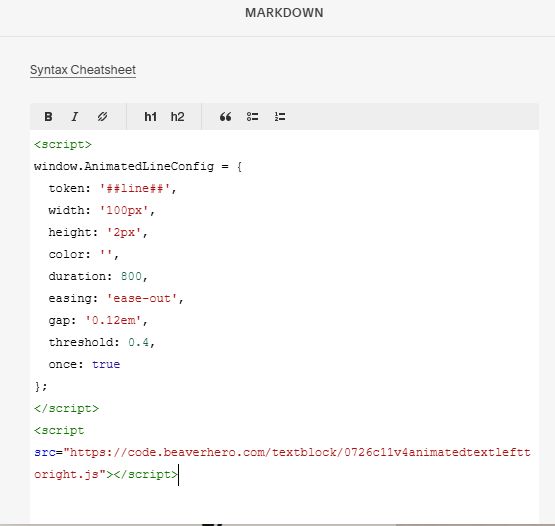
#3.1. If you use Personal/Basic Plan and your plan doesn’t support Injection, you can add a Markdown Block under Text Block.

Then add this code into Markdown Block
<script>
window.AnimatedLineConfig = {
  token: '##line##',
  width: '100px',
  height: '2px',
  color: '',
  duration: 800,
  easing: 'ease-out',
  gap: '0.12em',
  threshold: 0.4,
  once: true
};
</script>
<script src="https://code.beaverhero.com/textblock/0726c11v4animatedtextlefttoright.js"></script>