Description
- show image file name under image in gallery block
- view demo – password: abc
- buy me a coffee

#1. Install Code
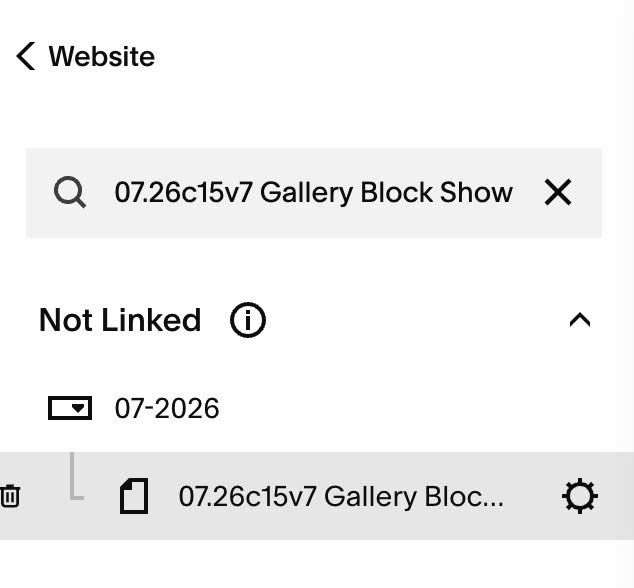
#1.1. Hover on Page where you use Gallery Block > Click Gear icon
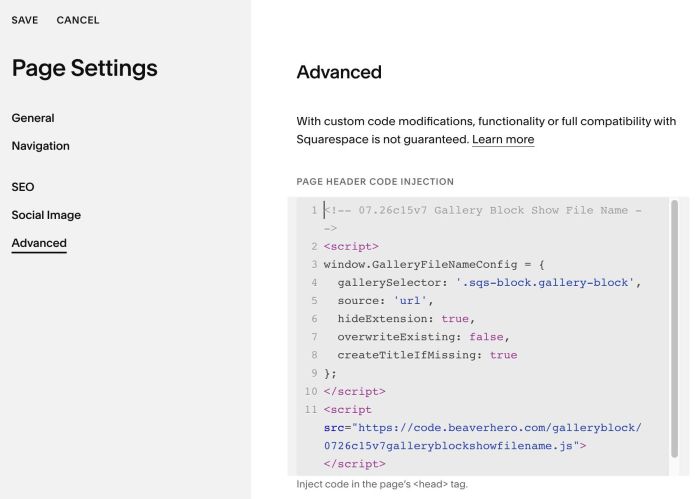
#1.2. Click Advanced > Paste this code
- If you use Personal/Basic Plan and your plan doesn’t support Injection, you can see #3.1
<!-- 07.26c15v7 Gallery Block Show File Name -->
<script>
window.GalleryFileNameConfig = {
  gallerySelector: '.sqs-block.gallery-block',
  source: 'url',
  hideExtension: true,
  overwriteExisting: false,
  createTitleIfMissing: true
};
</script>
<script src="https://code.beaverhero.com/galleryblock/0726c15v7galleryblockshowfilename.js"></script>
#2. Customize
nothing now
#3. Other
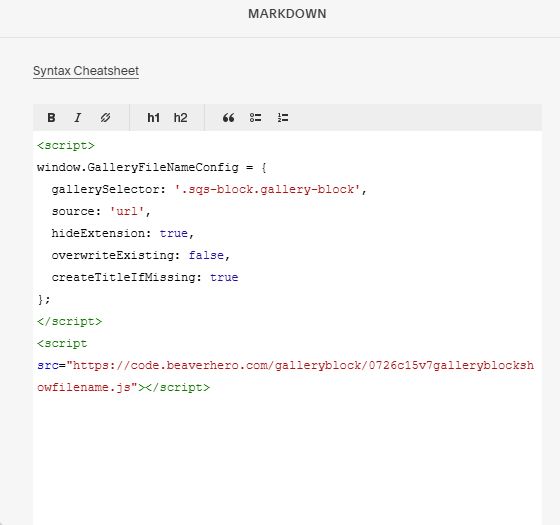
#3.1. If you use Personal/Basic Plan and your plan doesn’t support Injection, you can add a Markdown Block under Gallery Block

Then use this code into Markdown Block
<script>
window.GalleryFileNameConfig = {
  gallerySelector: '.sqs-block.gallery-block',
  source: 'url',
  hideExtension: true,
  overwriteExisting: false,
  createTitleIfMissing: true
};
</script>
<script src="https://code.beaverhero.com/galleryblock/0726c15v7galleryblockshowfilename.js"></script>