Description
- change navigation text to another text on hover
- view demo – password: abc (hover on item: Test page)
- buy me a coffee
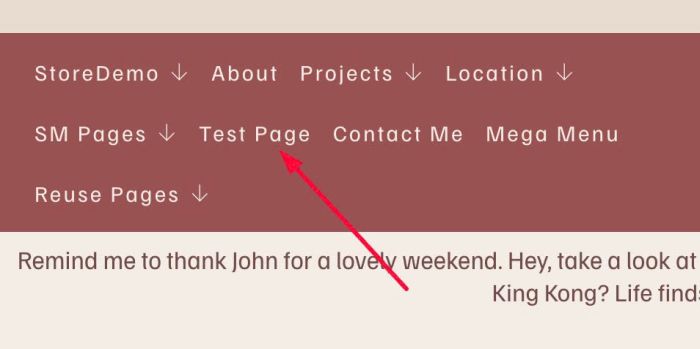
#1. Install Code
#1.1. First, hover on each Page in Navigation > Click Gear icon

#1.2. Click SEO > Enter your desired hover text in SEO Description

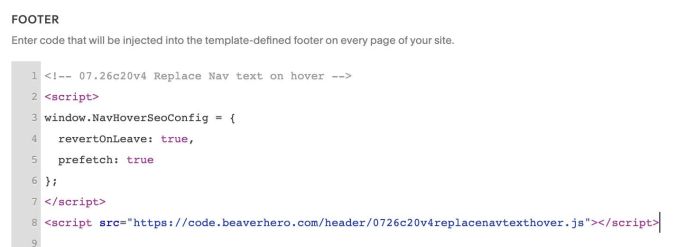
#1.3. Use this code to Code Injection > Footer
- If you use Personal/Basic Plan and your plan doesn’t support Injection, see #3.1
<!-- 07.26c20v4 Replace Nav text on hover -->
<script>
window.NavHoverSeoConfig = {
  revertOnLeave: true,
  prefetch: true
};
</script>
<script src="https://code.beaverhero.com/header/0726c20v4replacenavtexthover.js"></script>
#2. Customize
nothing now
#3. Other
#3.1. If you use Personal/Basic Plan and your plan doesn’t support Injection, you can edit Site Footer
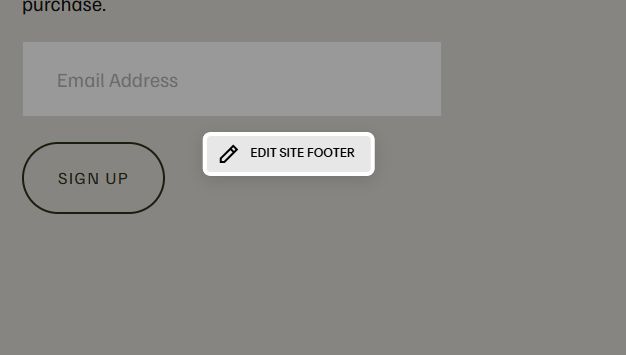
Add a Markdown Block

Add this code into Markdown Block
<script>
window.NavHoverSeoConfig = {
  revertOnLeave: true,
  prefetch: true
};
</script>
<script src="https://code.beaverhero.com/header/0726c20v4replacenavtexthover.js"></script>
