Description
- smoothly transition autoscroll with gallery block carousel
- view demo – password: abc
- buy me a coffee
#1. Install Code
#1.1. Make sure you use Gallery Block Carousel
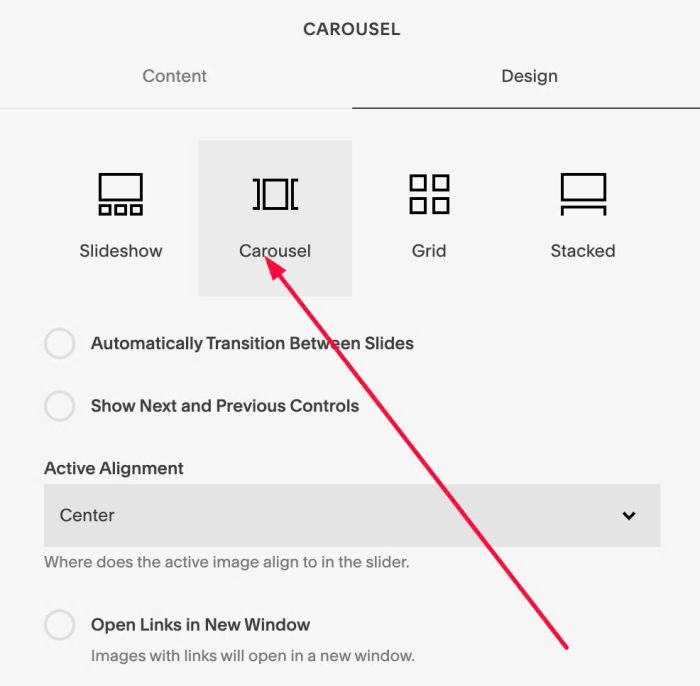
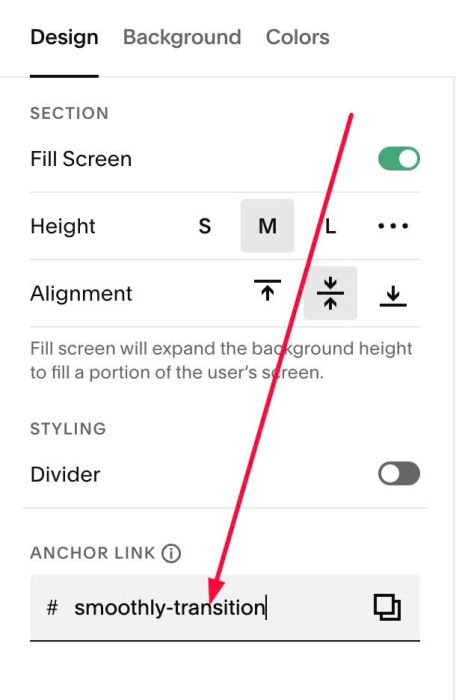
#1.2. Hover on top right of section (where you use Gallery Block Carousel) > Click EDIT SECTION > at Design > Anchor Link > enter word: smoothly-transition
#1.3. Next hover on Page where you use Gallery Block Carousel > Click Gear icon
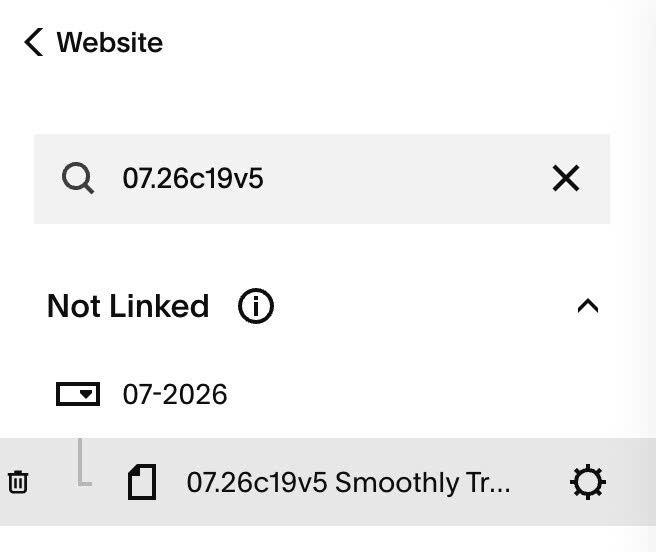
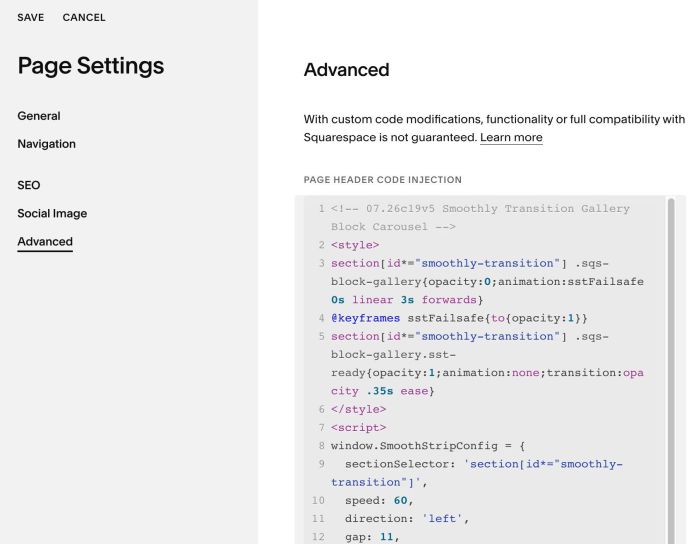
#1.4. Click Advanced > Paste this code
- If you use Personal/Basic Plan and your plan doesn’t support Injection, you can see #3.1
<!-- 07.26c19v5 Smoothly Transition Gallery Block Carousel -->
<style>
section[id*="smoothly-transition"] .sqs-block-gallery{opacity:0;animation:sstFailsafe 0s linear 3s forwards}
@keyframes sstFailsafe{to{opacity:1}}
section[id*="smoothly-transition"] .sqs-block-gallery.sst-ready{opacity:1;animation:none;transition:opacity .35s ease}
</style>
<script>
window.SmoothStripConfig = {
  sectionSelector: 'section[id*="smoothly-transition"]',
  speed: 60,
  direction: 'left',
  gap: 11,
  pauseOnHover: true,
  pauseOffscreen: true,
  imageFormat: '1500w',
  borderRadius: 0,
  respectReducedMotion: true
};
</script>
<script src="https://code.beaverhero.com/galleryblock/0726c19v5smoothlytransitiongalleryblockcarousel.js"></script>
#2. Customize
#2.1. To change speed of gallery block carousel, change line 10
speed: 60,
#3. Other
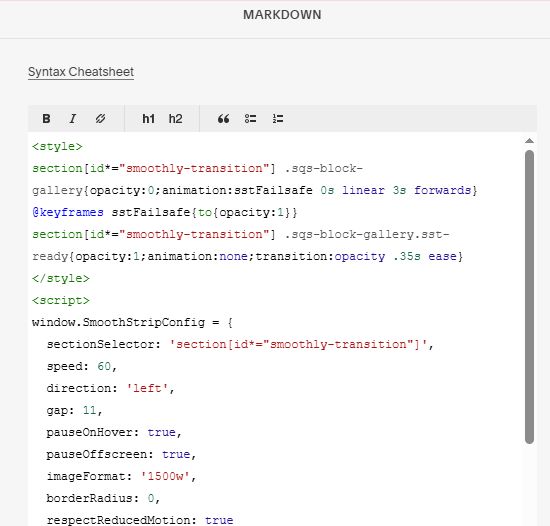
#3.1. If you use Personal/Basic Plan and your plan doesn’t support Injection, you can add a Markdown Block under Gallery Block

Then use this code into Markdown Block
<style>
section[id*="smoothly-transition"] .sqs-block-gallery{opacity:0;animation:sstFailsafe 0s linear 3s forwards}
@keyframes sstFailsafe{to{opacity:1}}
section[id*="smoothly-transition"] .sqs-block-gallery.sst-ready{opacity:1;animation:none;transition:opacity .35s ease}
</style>
<script>
window.SmoothStripConfig = {
  sectionSelector: 'section[id*="smoothly-transition"]',
  speed: 60,
  direction: 'left',
  gap: 11,
  pauseOnHover: true,
  pauseOffscreen: true,
  imageFormat: '1500w',
  borderRadius: 0,
  respectReducedMotion: true
};
</script>
<script src="https://code.beaverhero.com/galleryblock/0726c19v5smoothlytransitiongalleryblockcarousel.js"></script>