Description
- adding quantity available above quantity box
- view demo – password: abc
- buy me a coffee

#1. Install Code
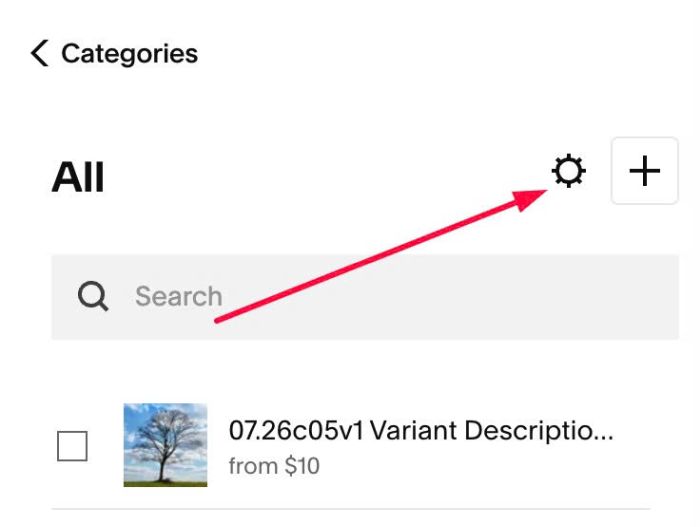
#1.1. Click Gear icon on Store Page
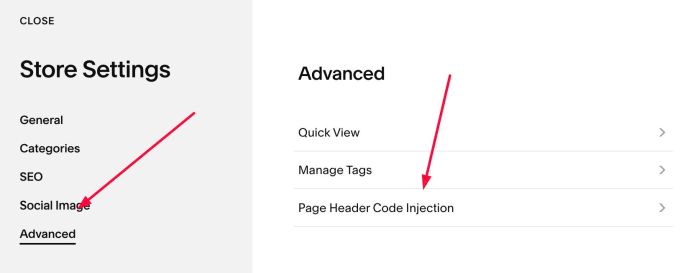
Next, click Advanced > Page Header Code Injection
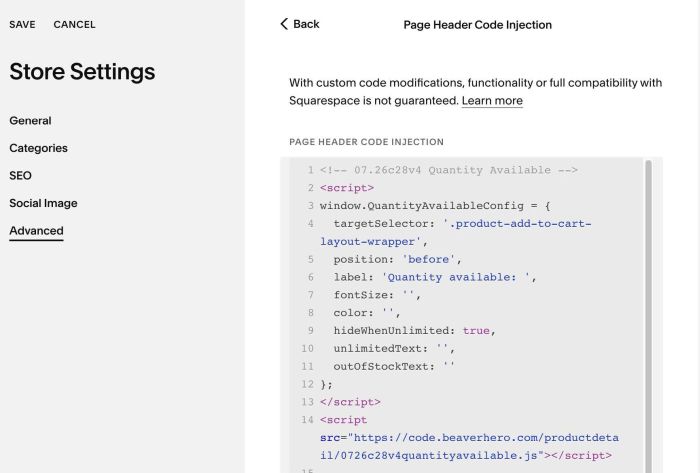
#1.2. Add this code to right box
<!-- 07.26c28v4 Quantity Available -->
<script>
window.QuantityAvailableConfig = {
  targetSelector: '.product-add-to-cart-layout-wrapper',
  position: 'before',
  label: 'Quantity available: ',
  fontSize: '',
  color: '',
  hideWhenUnlimited: true,
  unlimitedText: '',
  outOfStockText: ''
};
</script>
<script src="https://code.beaverhero.com/productdetail/0726c28v4quantityavailable.js"></script>
#2. Customize
#2.1. To change label text, change line 06
label: 'Quantity available: ',