Description:
- Click Image – Show lightbox popup with custom text/image
- View Demo – Password: abc

#1. Install Code
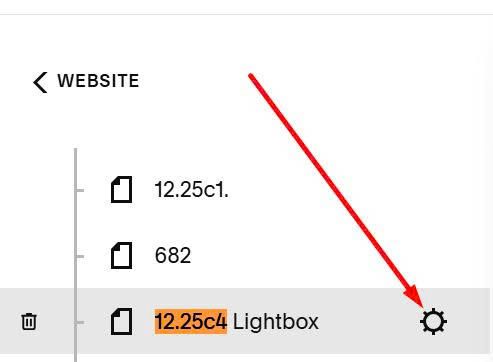
First, hover on page where you want to make popup > Click Gear icon
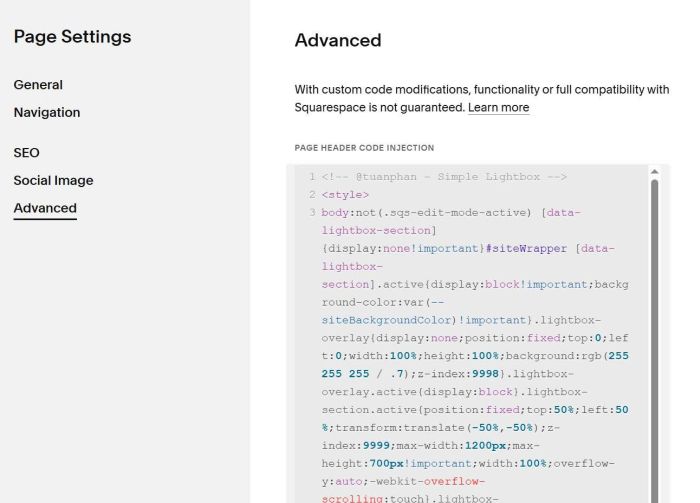
Click Advanced > Paste this code
<!-- @tuanphan - Simple Lightbox -->
<style>
body:not(.sqs-edit-mode-active) [data-lightbox-section]{display:none!important}#siteWrapper [data-lightbox-section].active{display:block!important;background-color:var(--siteBackgroundColor)!important}.lightbox-overlay{display:none;position:fixed;top:0;left:0;width:100%;height:100%;background:rgb(255 255 255 / .7);z-index:9998}.lightbox-overlay.active{display:block}.lightbox-section.active{position:fixed;top:50%;left:50%;transform:translate(-50%,-50%);z-index:9999;max-width:1200px;max-height:700px!important;width:100%;overflow-y:auto;-webkit-overflow-scrolling:touch}.lightbox-close{position:fixed;top:20px;right:20px;width:30px;height:30px;cursor:pointer;z-index:10000;background:#fff0;border:none;padding:0;display:none}.lightbox-overlay.active~.lightbox-close{display:block}.lightbox-close svg{width:100%;height:100%;stroke:#000;stroke-width:2;fill:none}
</style>
<script>
!function(){const e={sectionIdPattern:/^s\d+$/,pageSelector:"#page",pageOriginalZIndex:9,pageActiveZIndex:1e4};let t=null,n=null,o=null,d=null,i=[];function c(){n=document.querySelector(e.pageSelector);if(document.querySelectorAll("section[id]").forEach((t=>{e.sectionIdPattern.test(t.id)&&(t.setAttribute("data-lightbox-section",""),i.push({url:"#lightbox_"+t.id,sectionId:t.id}))})),o||(o=document.createElement("div"),o.className="lightbox-overlay",o.onclick=function(e){e.target===o&&s()},document.body.appendChild(o)),d||(d=document.createElement("button"),d.className="lightbox-close",d.innerHTML='<svg viewBox="0 0 40 40"><path d="M4.3,35.7L35.7,4.3"></path><path d="M4.3,4.3l31.4,31.4"></path></svg>',d.onclick=s,document.body.appendChild(d)),i.forEach((e=>{const t=document.getElementById(e.sectionId);t&&t.classList.add("lightbox-section")})),document.addEventListener("click",l),window.location.hash){const e=window.location.hash,t=i.find((t=>t.url===e));t&&setTimeout((()=>a(t.sectionId)),100)}}function l(e){const t=e.target.closest('a[href^="#lightbox_"]');if(t){e.preventDefault();const n=t.getAttribute("href"),o=i.find((e=>e.url===n));o&&(a(o.sectionId),history.pushState(null,"",n))}}function a(d){const i=document.getElementById(d);i&&(s(),n&&(n.style.zIndex=e.pageActiveZIndex),o.classList.add("active"),i.classList.add("active"),t=d,document.body.style.overflow="hidden")}function s(){if(t){const d=document.getElementById(t);d&&d.classList.remove("active"),t=null,document.body.style.overflow="",o&&o.classList.remove("active"),n&&(n.style.zIndex=e.pageOriginalZIndex),history.pushState(null,"",window.location.pathname)}}"loading"===document.readyState?document.addEventListener("DOMContentLoaded",c):c(),window.addEventListener("mercury:load",c)}();
</script>
Next, edit Image > Enter URL like this
#lightbox_s03

or like this
#lightbox_s04

Next, add sections under > Design your desired layout (we will use this section in Lightbox Content)

or like this

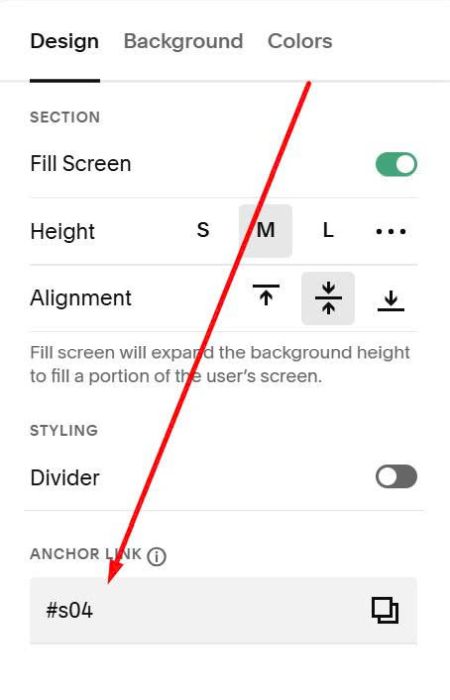
Hover on top right of each lightbox section > Click Edit Section

At Anchor Link: enter word: s03 or s04
s03

or like this
#2. Customize
#2.1. To increase lightbox content width, use this to Custom CSS
#siteWrapper [data-lightbox-section].active {
    max-width: 100% !important;
}
