Description
- adding a carousel with left text/right carousel, use Team List Carousel
- view demo – password: abc
- my friend code this, you can send her a coffee

#1. Install Code
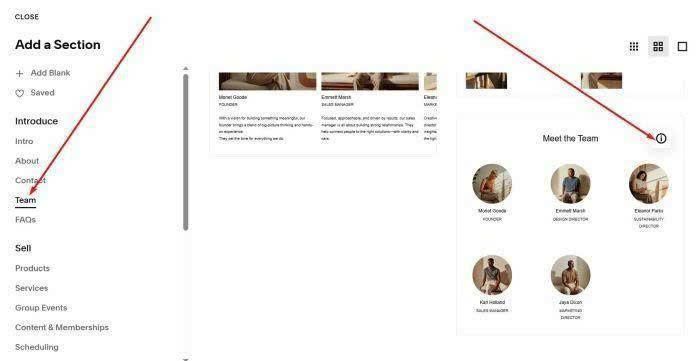
#1.1. First, you need to add a Team List Section (section with (i) icon)
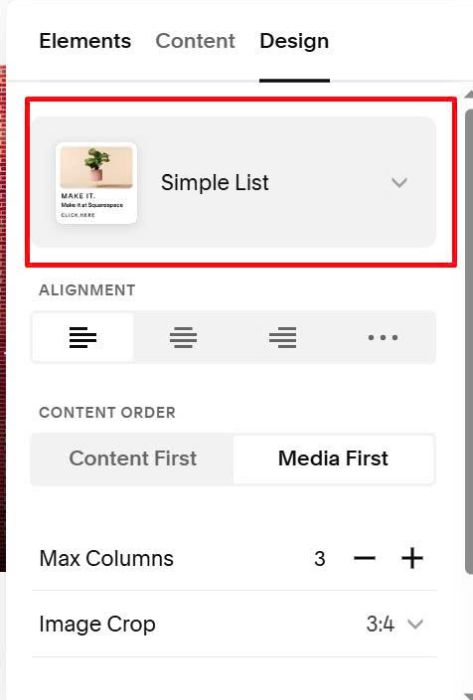
Make sure use Simple List
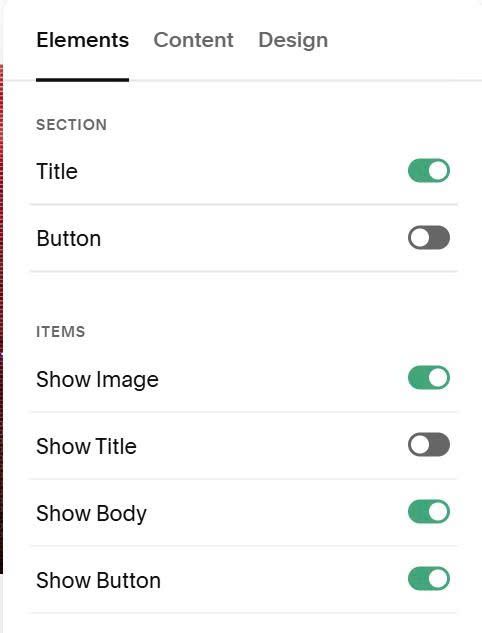
#1.2. Enable these options
#1.3. at Content tab, add your desired text/images.
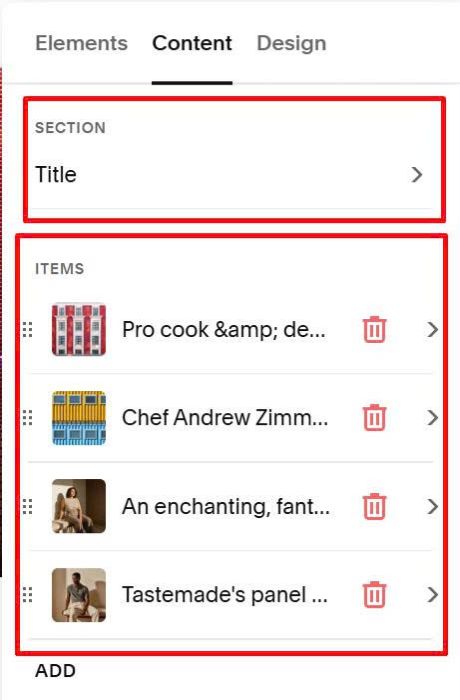
with title, enter word in 2 lines (DO NOT use Shift Enter to add line break)
- make sure text “Shows” is bold
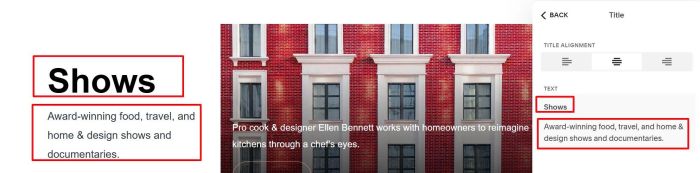
with item, enter word like this
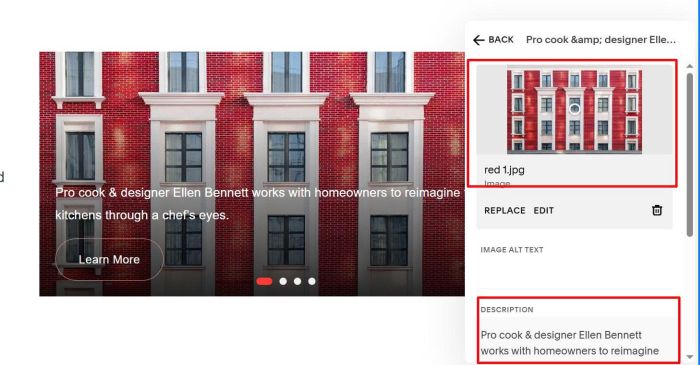
and this.
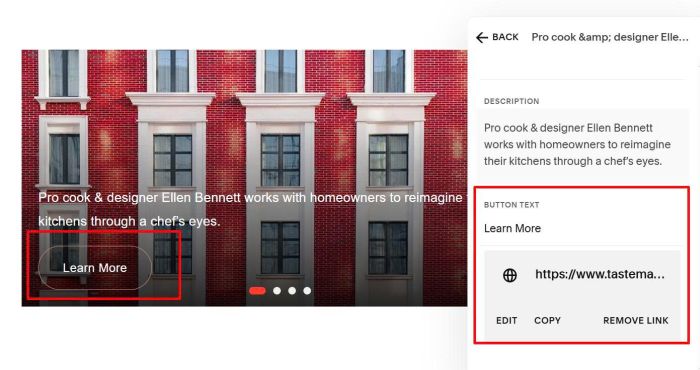
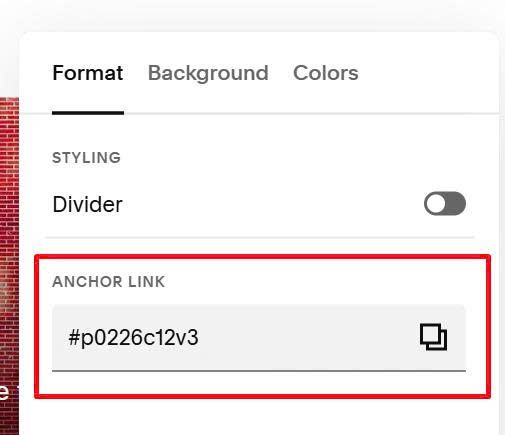
#1.4. Hover on top right of section > Click Edit Section
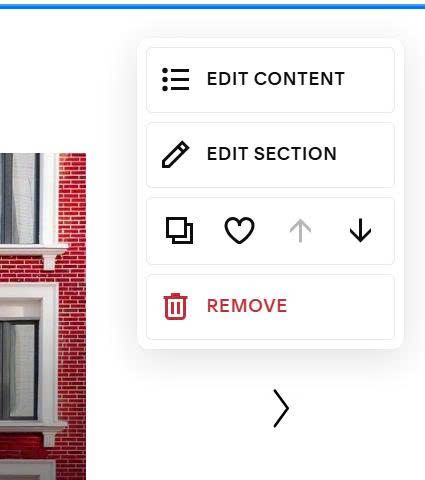
at Anchor Link, enter word: p0226c12v3
p0226c12v3
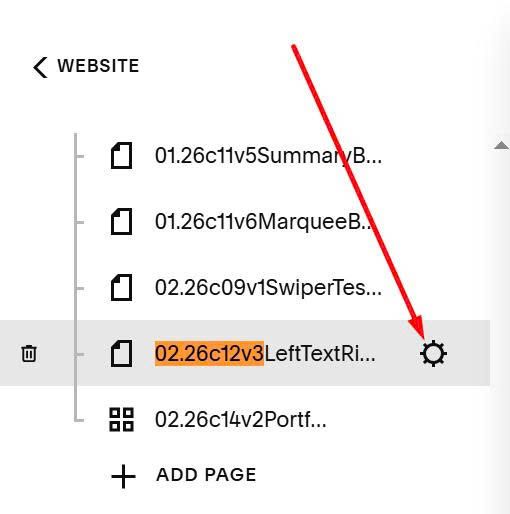
#1.5. Hover on page where you use this section > Click Gear icon
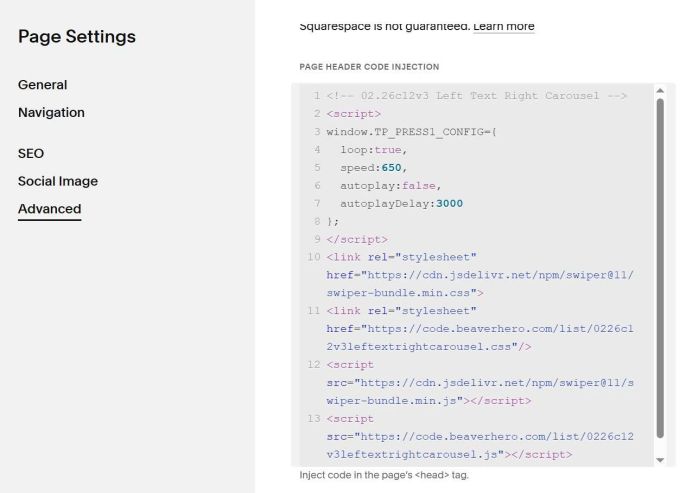
Click Advanced > Paste this code
<!-- 02.26c12v3 Left Text Right Carousel -->
<script>
window.TP_PRESS1_CONFIG={
  loop:true,
  speed:650,
  autoplay:false,
  autoplayDelay:3000
};
</script>
<link rel="stylesheet" href="https://cdn.jsdelivr.net/npm/swiper@11/swiper-bundle.min.css">
<link rel="stylesheet" href="https://code.beaverhero.com/list/0226c12v3lefttextrightcarousel.css"/>
<script src="https://cdn.jsdelivr.net/npm/swiper@11/swiper-bundle.min.js"></script>
<script src="https://code.beaverhero.com/list/0226c12v3leftextrightcarousel.js"></script>
#2. Customize
#2.1. To enable autoscroll, adjust this option to true (line 06)
autoplay:false,
#2.2. To change dot color, use this to Custom CSS
section[id*="p0226c12v3"] .press1 .swiper-pagination-bullet-active {
    background: green !important;
}
#2.3. To change image height, use this to Custom CSS
section[id*="p0226c12v3"] .press1__card {
    height: 400px !important;
}
#2.4. To change text style
- Title (Left text title): inherit Heading 2 Style (edit in Site Styles)
- Description (left text description), Description over image: inherit Paragraph 2 (P2) style in Site Styles
- Button: inherit Primary Button style in Site Styles