- Support: [email protected]
- Free install (1 site)
Description
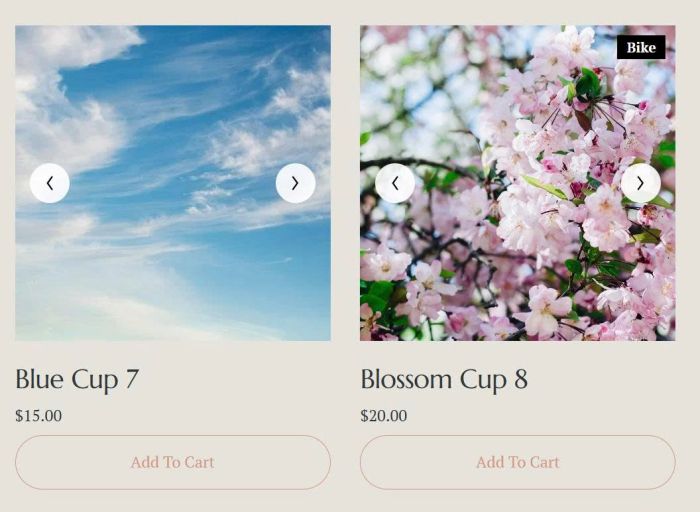
- turn featured image on Store Page to Carousel
#1. Install Code
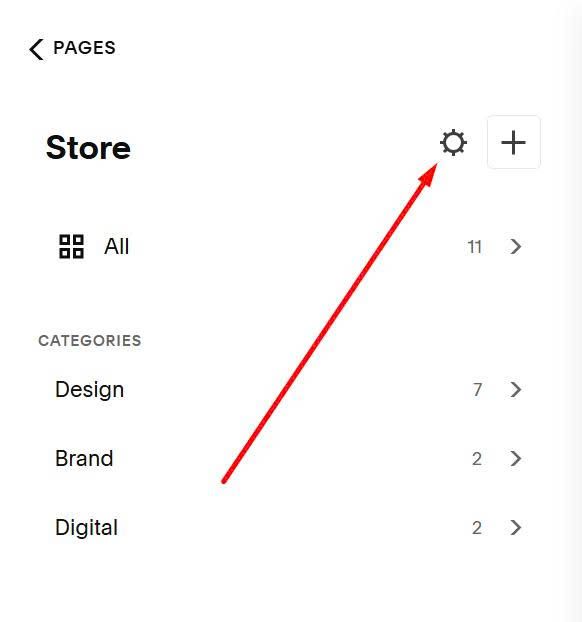
First, hover on Store Page > Click Gear icon
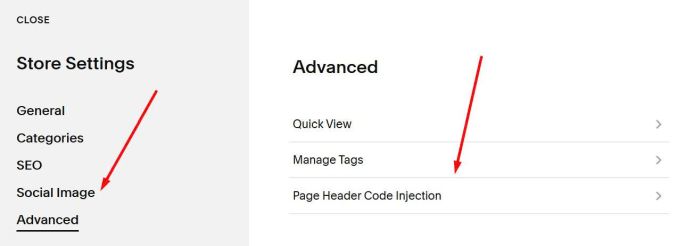
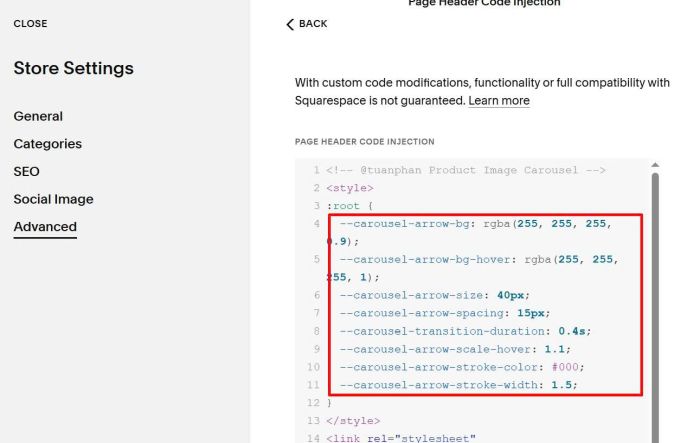
Next, click Advanced > Page Header Code Injection
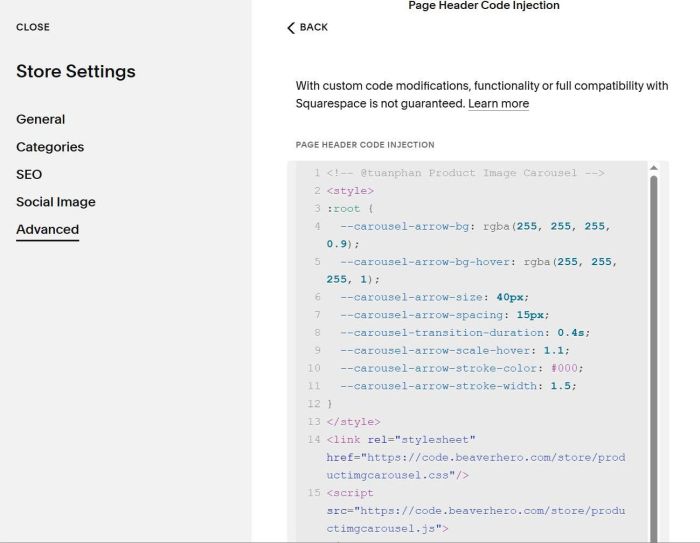
Paste this code
<!-- @tuanphan Product Image Carousel -->
<style>
:root {
  --carousel-arrow-bg: rgba(255, 255, 255, 0.9);
  --carousel-arrow-bg-hover: rgba(255, 255, 255, 1);
  --carousel-arrow-size: 40px;
  --carousel-arrow-spacing: 15px;
  --carousel-transition-duration: 0.4s;
  --carousel-arrow-scale-hover: 1.1;
  --carousel-arrow-stroke-color: #000;
  --carousel-arrow-stroke-width: 1.5;
}
</style>
<link rel="stylesheet" href="https://code.beaverhero.com/store/productimgcarousel.css"/>
<script src="https://code.beaverhero.com/store/productimgcarousel.js"></script>
#2. Usage
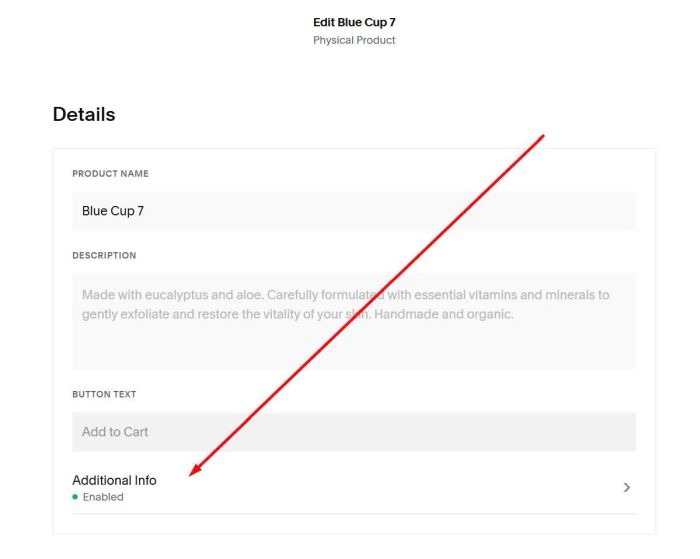
First, edit Additional Info of product
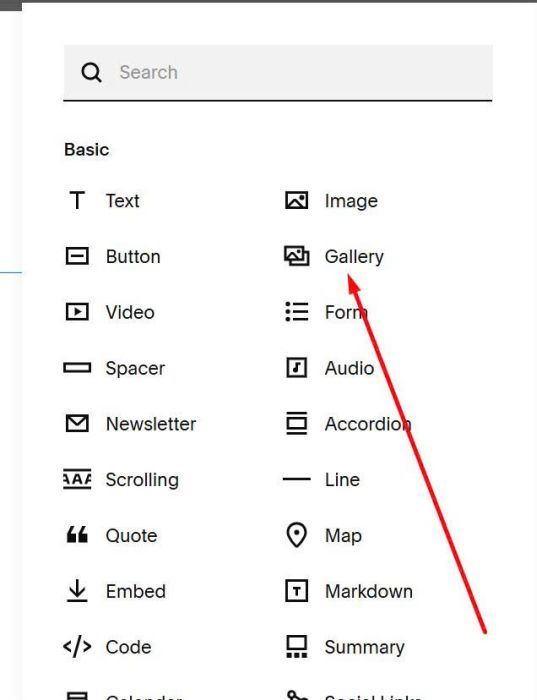
Add a Gallery Block
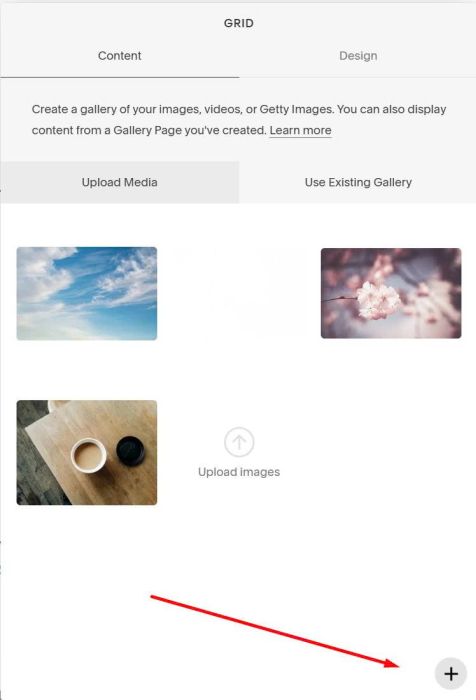
Upload your desired images. Code will get images from Gallery Block and turn it to Carousel format.
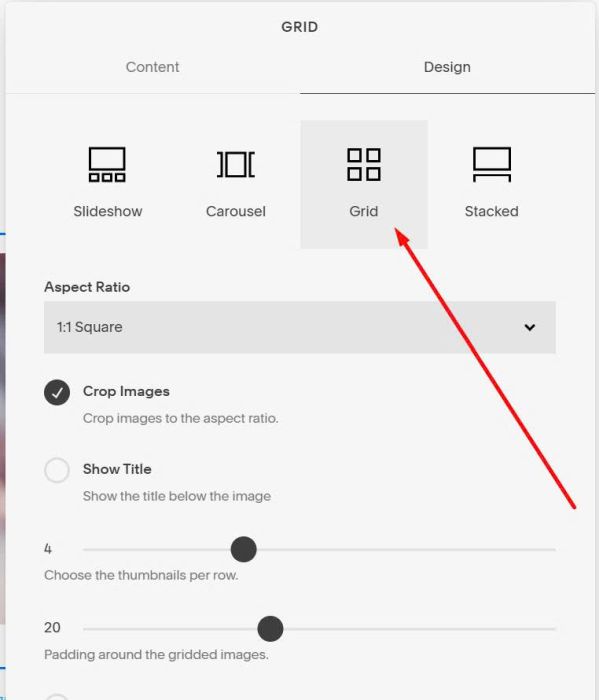
and make sure you use Gallery Grid
#3. Customize
All style options here (Line 04 to Line 11)
If you have any questions, you can email me (or message me on Forum).