Description
- change blog image to another image on hover
- view demo – password: abc
- buy me a coffee
#1. Install Code
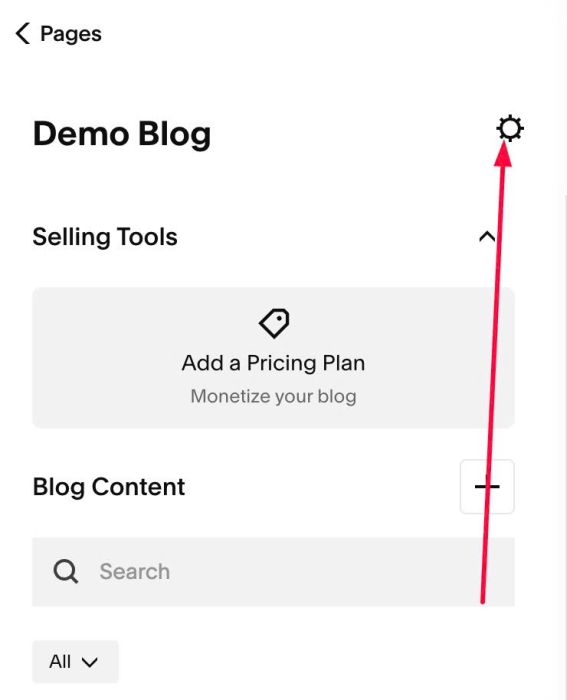
#1.1. Click Gear icon on Blog Page
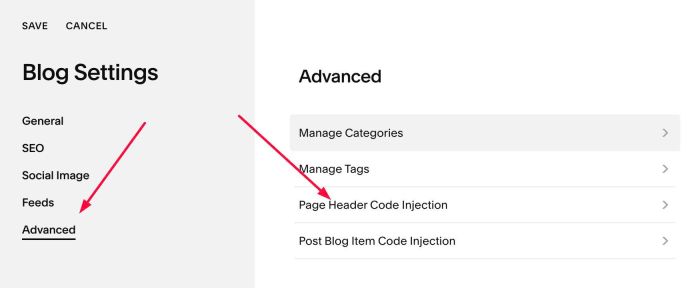
#1.2. Click Advanced > Page Header Code Injection
#1.3. Paste this code
- If your site is Personal/Basic Plan and it doesn’t support Injection, see #3.1
<!-- 08.26c30v7 Blog Swap Image on Hover -->
<script>
window.BlogHoverSwapConfig = {
  itemSelector: 'article.blog-item',
  imageWrapperSelector: '.image-wrapper',
  markerText: '#hover#',
  hideMarkerImage: true,
  fadeDuration: 400,
  fadeEasing: 'ease',
  enableOnTouch: false,
  cacheMinutes: 10,
  concurrency: 5,
  imageWidth: ''
};
</script>
<script src="https://code.beaverhero.com/blogpage/0826c30v7blogswapimghover.js"></script>

#1.4. Next, edit blog item > Add an Image Block in bottom of blog post > at ALT > Enter text with symbol: #hover#
#hover#

#2. Customize
nothing now
#3. Other
#3.1. If you use Personal/Basic Plan and your plan doesn’t support Injection, you can edit Site Footer > Add a Markdown Block

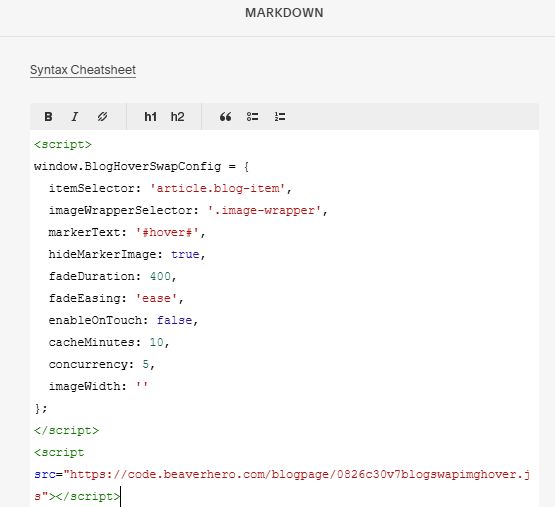
Add this code into Markdown
<script>
window.BlogHoverSwapConfig = {
  itemSelector: 'article.blog-item',
  imageWrapperSelector: '.image-wrapper',
  markerText: '#hover#',
  hideMarkerImage: true,
  fadeDuration: 400,
  fadeEasing: 'ease',
  enableOnTouch: false,
  cacheMinutes: 10,
  concurrency: 5,
  imageWidth: ''
};
</script>
<script src="https://code.beaverhero.com/blogpage/0826c30v7blogswapimghover.js"></script>