Description
- random image for portfolio hover background layout on page load
- view demo – password: abc
- buy me a coffee
#1. Install Code
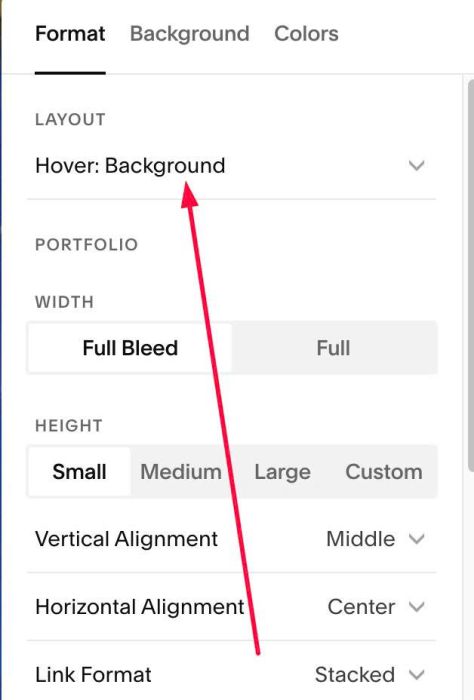
#1.1. Make sure you use Hover: Background layout
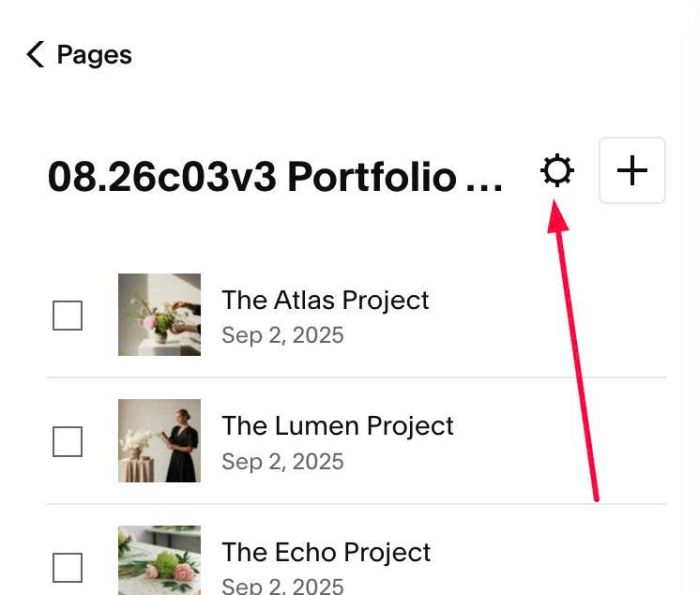
#1.2. Click Gear icon on Portfolio Page
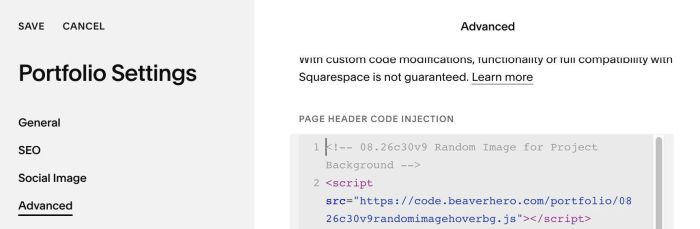
#1.3. Click Advanced > Paste this code
- If you use Personal/Basic Plan and your plan doesn’t support Injection, see #3.1
<!-- 08.26c30v9 Random Image for Project Background -->
<script src="https://code.beaverhero.com/portfolio/0826c30v9randomimagehoverbg.js"></script>
#2. Customize
#3. Other
#3.1. If you use Personal/Basic Plan and your plan doesn’t support Injection, you can edit Site Footer
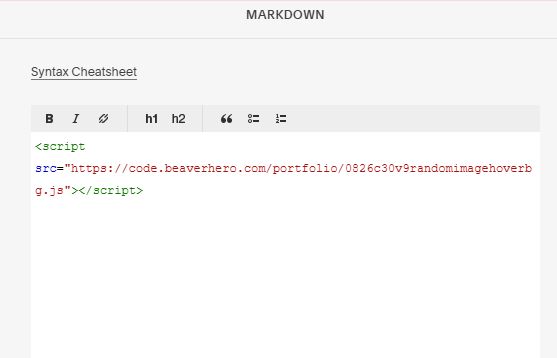
Add a Markdown Block

Add this code into Markdown
<script src="https://code.beaverhero.com/portfolio/0826c30v9randomimagehoverbg.js"></script>