Description
- adding snow effect to specific section or whole page
- view demo – password: abc
- buy me a coffee

#1. Install Code
#1.1. Hover on top right of section (section where you want to make Snow appears) > Click EDIT SECTION

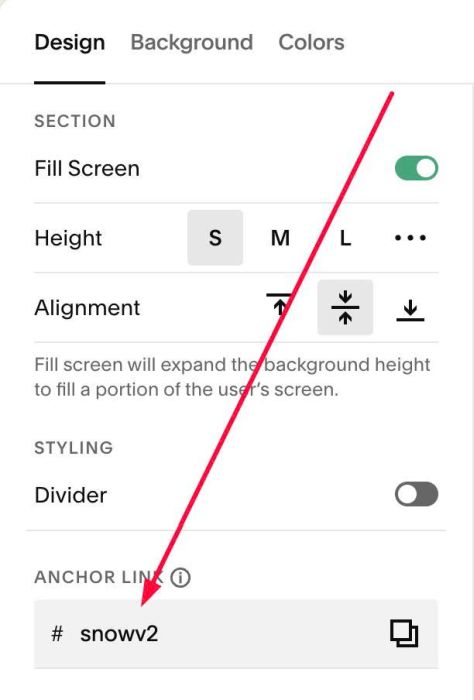
#1.2. at Design > Anchor Link > enter word: snow

#1.2-2. If you want to apply to second, third sections.. just enter snowv2, snowv3…
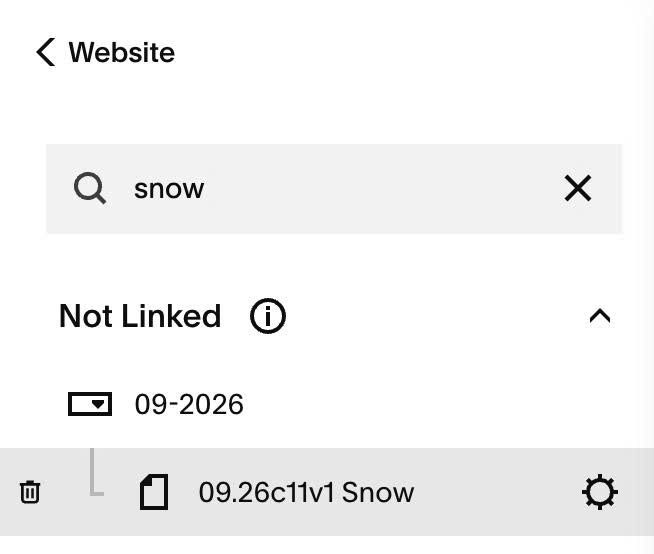
#1.3. Hover on Page where you want to apply effect > Click Gear icon
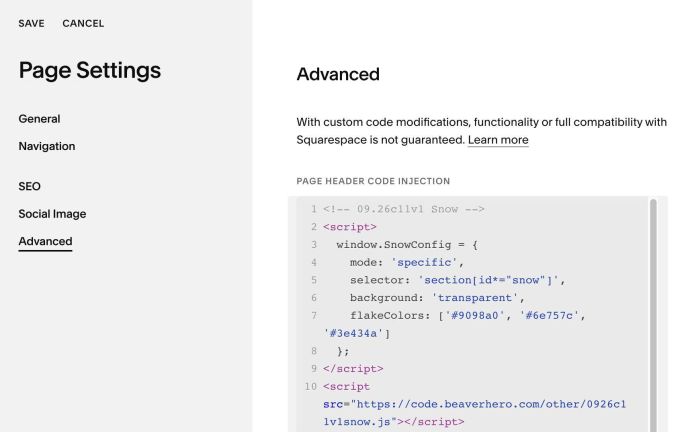
#1.4. Click Advanced > Paste this code
<!-- 09.26c11v1 Snow -->
<script>
  window.SnowConfig = {
    mode: 'specific',
    selector: 'section[id*="snow"]',
    background: 'transparent',
    flakeColors: ['#9098a0', '#6e757c', '#3e434a']
  };
</script>
<script src="https://code.beaverhero.com/other/0926c11v1snow.js"></script>
#2. Customize
#2.1. To Snow apply to all sections on One Page, change line 04
mode: 'specific',
to
mode: 'all',