Description
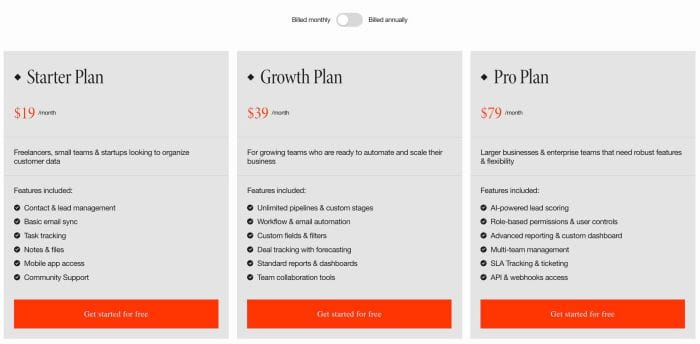
- toggle pricing tabs with list section simple, v1
- view demo – password: abc
- buy me a coffee
1. Install Code
#1.1. First add Section > Choose Team > Choose Section with auto layout icon

#1.2. Hover on top right of section > Click EDIT CONTENT

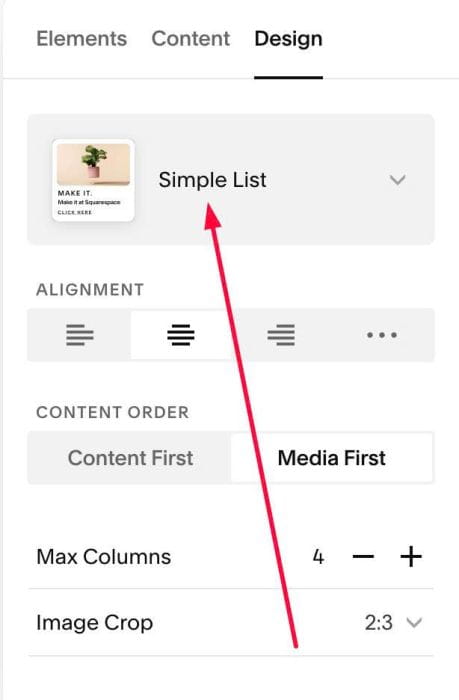
#1.2-2. at Design > Choose Simple List
#1.3. Next, click EDIT SECTION
#1.3-2. at Format > Anchor Link > enter word: tabs-pricing

#1.4. at Elements > Enable these

#1.5. at Content, enter your desired image/text

#1.5-2. Note:
- Plan name = text in IMAGE ALT TEXT
- Price = Title

#1.5-3. Note
- Top text = wrap top paragraph in Description between # and #

#1.6. Next, hover on Page where you use List > Click Gear icon > Click Advanced > Paste this code
<!-- 09.26c12v21 Tabs Pricing -->
<script>
window.TabsPricingV28Config={
  sectionSelector:'section[id*="tabs-pricing"]',
  monthlyText:'Billed monthly',
  annualText:'Billed annually',
  defaultTab:'monthly',
  monthlyPeriod:'/month',
  annualPeriod:'/year',
  priceTag:'h2',
  toggleTextSize:'1rem',
  periodTextSize:'.9rem',
  toggleWidth:'66px',
  toggleHeight:'34px',
  toggleActiveColor:'#002d18',
  toggleInactiveColor:'#d8d8d8',
  toggleKnobColor:'#fff',
  cardRadius:'0px',
  borderColor:'rgba(0,0,0,.12)',
  mobileBreakpoint:767
};
</script>
<script src="https://code.beaverhero.com/listsimple/0926c12v21tabspricing.js"></script>

#2. Customize
#2.1. You can change Billed monthly, Billed annually, /month, /year text in line 05, 06, 08, 09
monthlyText:'Billed monthly',
annualText:'Billed annually',
defaultTab:'monthly',
monthlyPeriod:'/month',
annualPeriod:'/year',
and other style in line 11 – line 19
toggleTextSize:'1rem',
 periodTextSize:'.9rem',
 toggleWidth:'66px',
 toggleHeight:'34px',
 toggleActiveColor:'#002d18',
 toggleInactiveColor:'#d8d8d8',
 toggleKnobColor:'#fff',
 cardRadius:'0px',
 borderColor:'rgba(0,0,0,.12)',
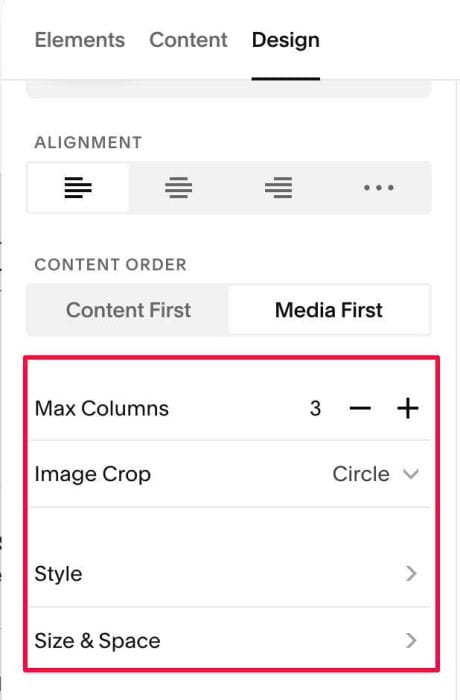
#2.2. To change number of columns, item background…you can change in Colors, Style, Size & Space