Description
- list simple with title, description, option to set clickable link
- view demo – password: abc
- buy me a coffee

#1. Install Code
#1.1. First, you use Simple List

#1.2. Enable these options

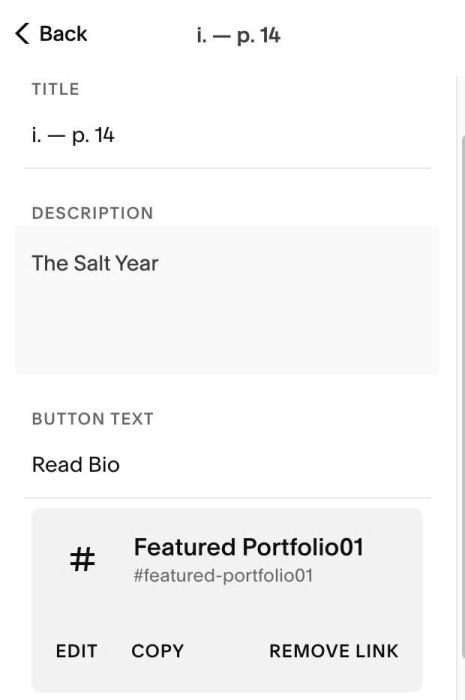
#1.3. Enter your desired title/description and url (with button text, you can enter anything)
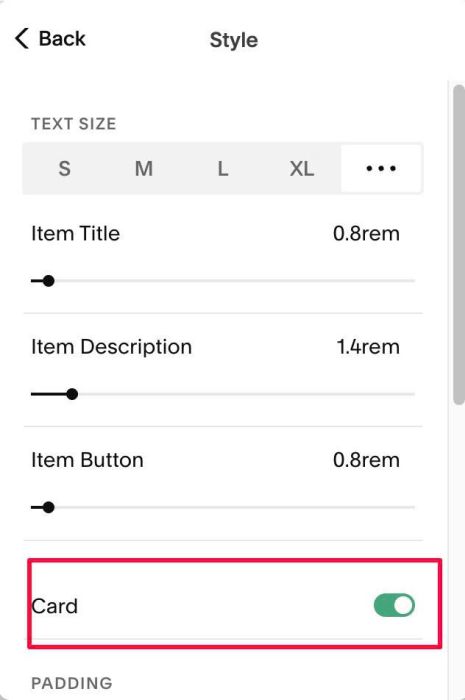
#1.4. at Design > Style > Enter option: Card (enable this will help you control padding top/bottom of item)
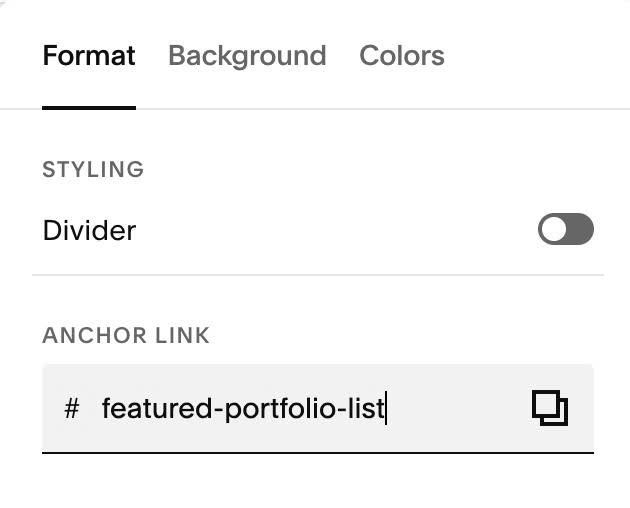
#1.5. Hover on top right of section > Click EDIT SECTION > at Format > Anchor Link > enter word: featured-portfolio-list
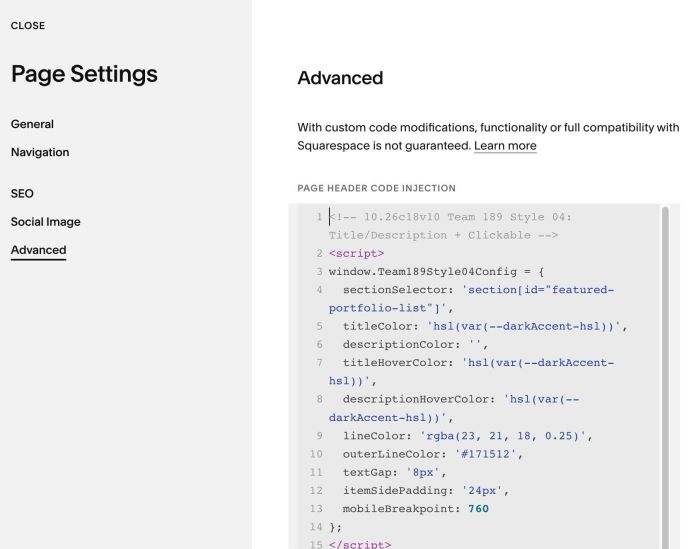
#1.6. Hover on Page where you use List > Click Gear icon > Click Advanced > Paste this code
<!-- 10.26c18v10 Team 189 Style 04: Title/Description + Clickable -->
<script>
window.Team189Style04Config = {
  sectionSelector: 'section[id="featured-portfolio-list"]',
  titleColor: 'hsl(var(--darkAccent-hsl))',
  descriptionColor: '',
  titleHoverColor: 'hsl(var(--darkAccent-hsl))',
  descriptionHoverColor: 'hsl(var(--darkAccent-hsl))',
  lineColor: 'rgba(23, 21, 18, 0.25)',
  outerLineColor: '#171512',
  textGap: '8px',
  itemSidePadding: '24px',
  mobileBreakpoint: 760
};
</script>
<script src="https://code.beaverhero.com/listsimple/1026c18v10team189style04.js"></script>
#2. Customize
Item Title
- use font family from Meta
- use color from this line: titleColor: ‘hsl(var(–darkAccent-hsl))’,
Item Description
- use font family from Heading
- use List Item Description Color, but you can also adjust it in line: descriptionColor: ”,
Other options you can find in
titleHoverColor: 'hsl(var(--darkAccent-hsl))',
  descriptionHoverColor: 'hsl(var(--darkAccent-hsl))',
  lineColor: 'rgba(23, 21, 18, 0.25)',
  outerLineColor: '#171512',
  textGap: '8px',
  itemSidePadding: '24px',
  mobileBreakpoint: 760