Description
- text block – button block side by side, align left button on mobile, text will resize when resize browser width/screen width
- view demo – password: abc
- buy me a coffee

#1. Install Code
#1.1. First, you can add a Text Block (use Heading 2) – Button Block like this

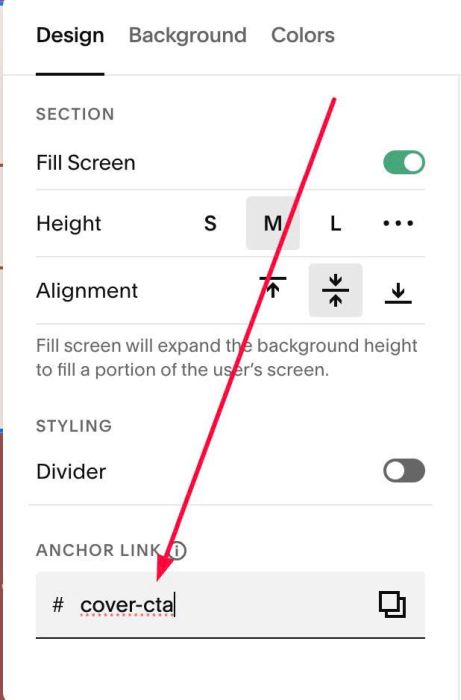
#1.2. Next hover on top right of section > Click EDIT SECTION > at Design > Anchor Link > enter word: cover-cta
#1.3. Next, click Mobile icon in top right

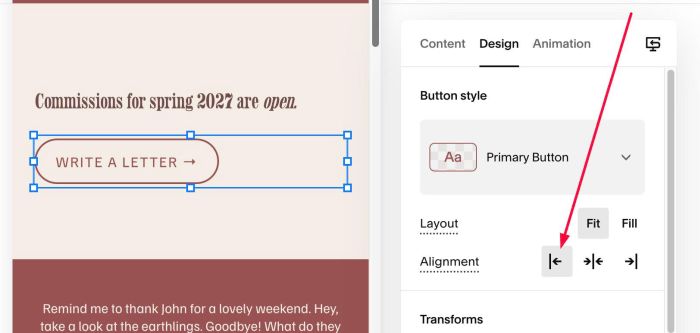
#1.4. Next, click on Button > Click pencil icon

#1.5. Choose this option to align left button on mobile
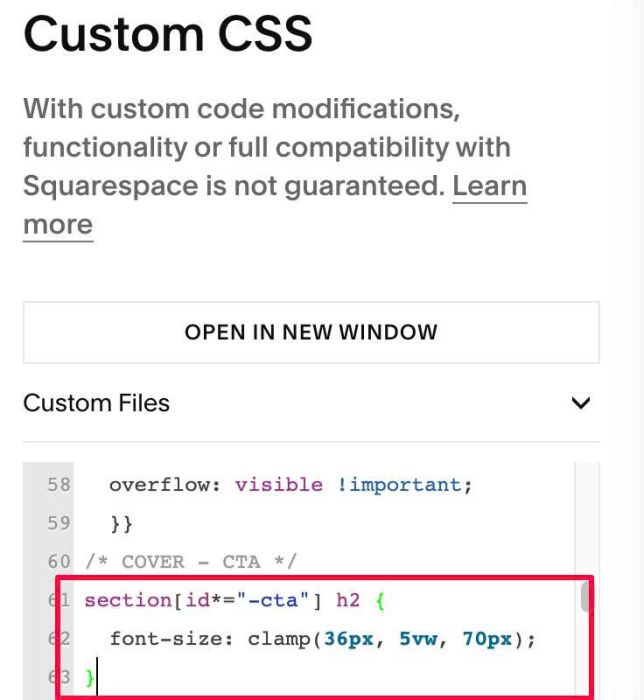
#1.6. Next, use this code to Custom CSS to resize Heading on all screen sizes
section[id*="-cta"] h2 {
  font-size: clamp(36px, 5vw, 70px);
}