Description
- adding back to link to top section, above text block
- view demo – password: abc
- buy me a coffee

#1. Install Code
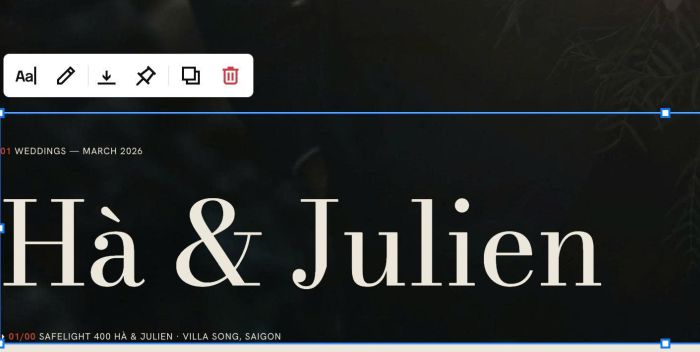
#1.1. Make sure you have 1 Text Block in Top Section
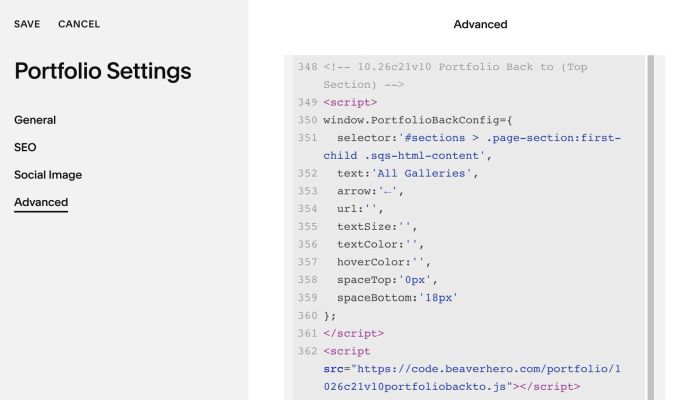
#1.2. Use this code to Portfolio Page Header Injection
<!-- 10.26c21v10 Portfolio Back to (Top Section) -->
<script>
window.PortfolioBackConfig={
  selector:'#sections > .page-section:first-child .sqs-html-content',
  text:'All Galleries',
  arrow:'←',
  url:'',
  textSize:'',
  textColor:'',
  hoverColor:'',
  spaceTop:'0px',
  spaceBottom:'18px'
};
</script>
<script src="https://code.beaverhero.com/portfolio/1026c21v10portfoliobackto.js"></script>
#2. Customize
#2.1. You can change text + arrow here
text:'All Galleries',
  arrow:'←',
#2.2. You can change text color/size/text color on hover here
textSize:'',
  textColor:'',
  hoverColor:'',